
Written by Tobias Gundry
The Shop Sale button on a client’s profile lets you quickly sell products from your Member Shop directly at the point of sale. It sits right next to the POS Purchase button, making it easy to process product sales during a client visit.
Where to find the Shop Sale button
Open a client’s profile in Clovo and look for the Shop Sale button — you’ll find it right next to the POS Purchase button. These two buttons sit together so you can quickly choose between selling a product or processing another type of purchase.
How to sell a product using Shop Sale
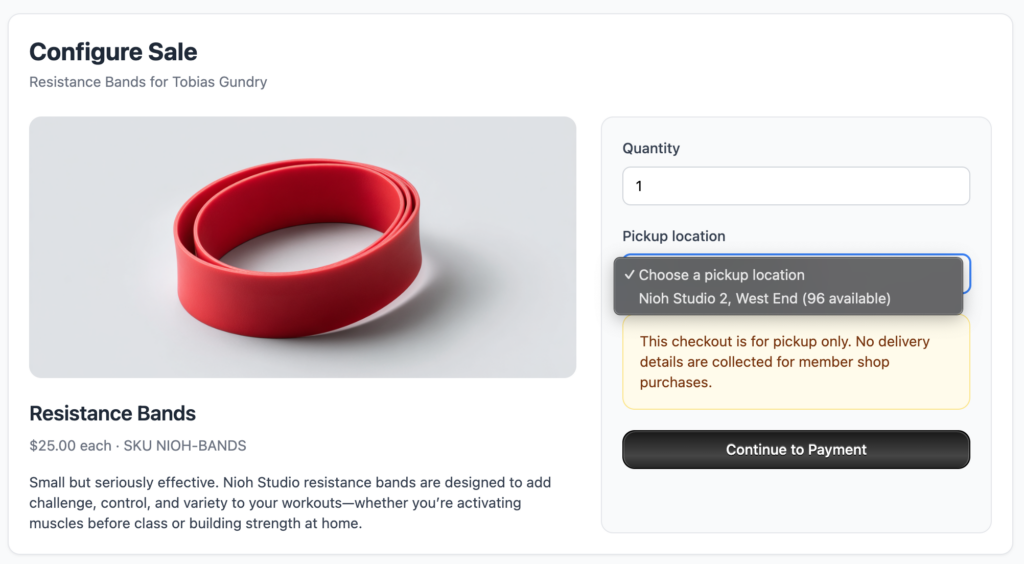
1. Open the client’s profile
Navigate to the client you’d like to sell a product to and open their profile.
2. Click the Shop Sale button
Find the Shop Sale button next to POS Purchase and click it. This will open the Membershop product catalogue.
3. Choose the product
Browse or search for the product you’d like to sell. You’ll see the available products from your Membershop along with their prices.
4. Select the quantity
Choose how many of the product the client would like to purchase.
5. Complete the sale
Confirm the sale and process the payment. The transaction will be recorded against the client’s profile, so you’ll have a full history of their purchases.
When to use Shop Sale vs POS Purchase
Use Shop Sale when you’re selling a physical or digital product from your Membershop — things like merchandise, skincare products, supplements, or any other retail item you stock.
Use POS Purchase for other types of transactions that aren’t product sales from your shop. Such as for Memberships and Credit Packs.
Tips
- Make sure your products are set up in your Membershop before trying to sell them at the point of sale.
- The sale will appear in the client’s purchase history, making it easy to track what they’ve bought.
- If you need to process a refund, you can do so from the client’s transaction history.
-
Location in Clovo
-
Estimated Time To Complete
15 -
Information For
Studio Owner -
Platform Components
Clova Studio, Clova iOS, Clova Android -
Last Updated
April 9, 2026 -
Need more help?
Get in touch hello@clovo.au
