
Written by Tobias Gundry
Super Credits give clients a flexible way to pay for eligible services in your studio. This article explains what Super Credits are, how clients use them, and where you can check a client’s balance.
How Super Credits Work
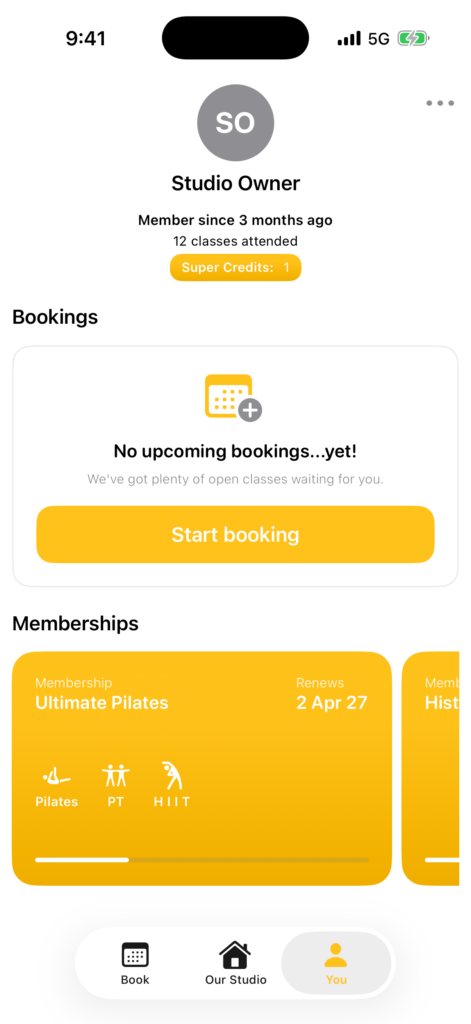
Super Credits are stored against a client and can be applied to eligible purchases when the client checks out. The available balance is reduced when credits are used. Clients can see the balance available to them when they sign in.
Super Credits are not a membership and do not create bookings by themselves. A client still needs to complete the normal booking or purchase flow.
Check a Client’s Super Credit Balance
- Open Clients in the Clovo dashboard.
- Search for and open the client profile.
- Find the Super Credits section.
- Review the client’s available balance and credit history.
If the Super Credits section is not visible, make sure you are viewing the correct client profile and have permission to manage client accounts.
How Clients Use Super Credits
- The client selects an eligible service, class, product, or other purchase.
- At checkout, the client chooses to apply their Super Credits.
- Clovo shows the credits applied and any remaining amount to pay.
- The client completes checkout.
If the purchase total is higher than the available balance, the client pays the difference using the payment method shown at checkout.
-
Location in Clovo
-
Estimated Time To Complete
15 -
Information For
Studio Owner -
Platform Components
Clova Studio, Clova iOS, Clova Android -
Last Updated
July 13, 2026 -
Need more help?
Get in touch hello@clovo.au
