
Written by Tobias Gundry
Did you know your existing clients can be your biggest source of new clients?
Many studios want to offer referral programs to incentivise their existing clients to bring their friends and colleagues to their studio.
Clovo allows you to easily setup a fully hands-off automated referral program that will allow your clients to refer their friends from within the Clovo app.
Referrals will automatically email the new referral, apply benefits you configure to their account upon sign-up, and optionally credit your existing client for the referral either upon joining or upon the referred client spending a minimum amount at your studio.
How to setup your referral program
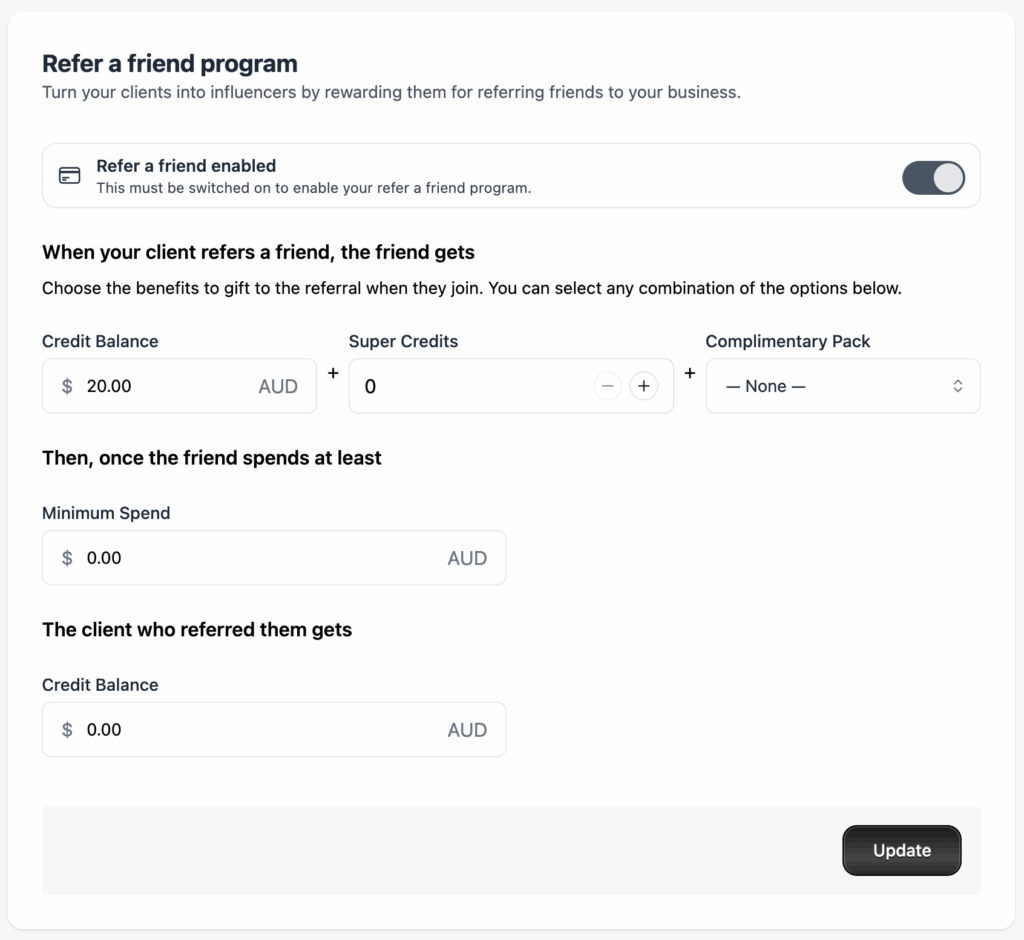
In Clovo Dashboard, simply go to Setup > Refer a friend. Toggle the refer a friend program to on and fill in your referral benefits.
Note that the refer a friend switch must be toggled on for the refer a friend program to show in client apps. If you have not enabled the refer a friend program, there will be no mention of a referral program in your client apps.
How to see referrals
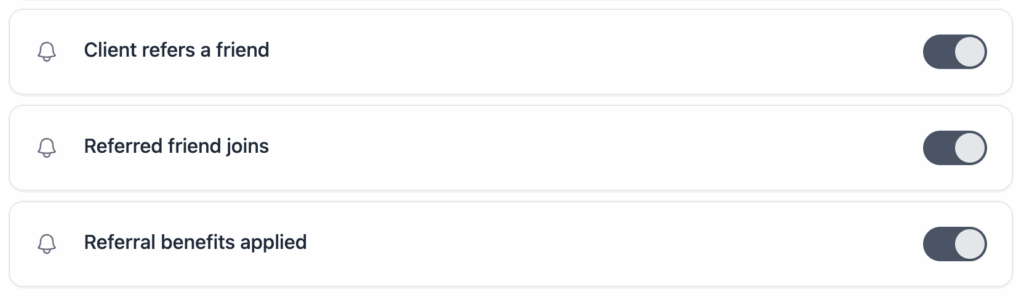
You will receive notifications of referrals so long as you have not toggled off that notification type within Notification Preferences.
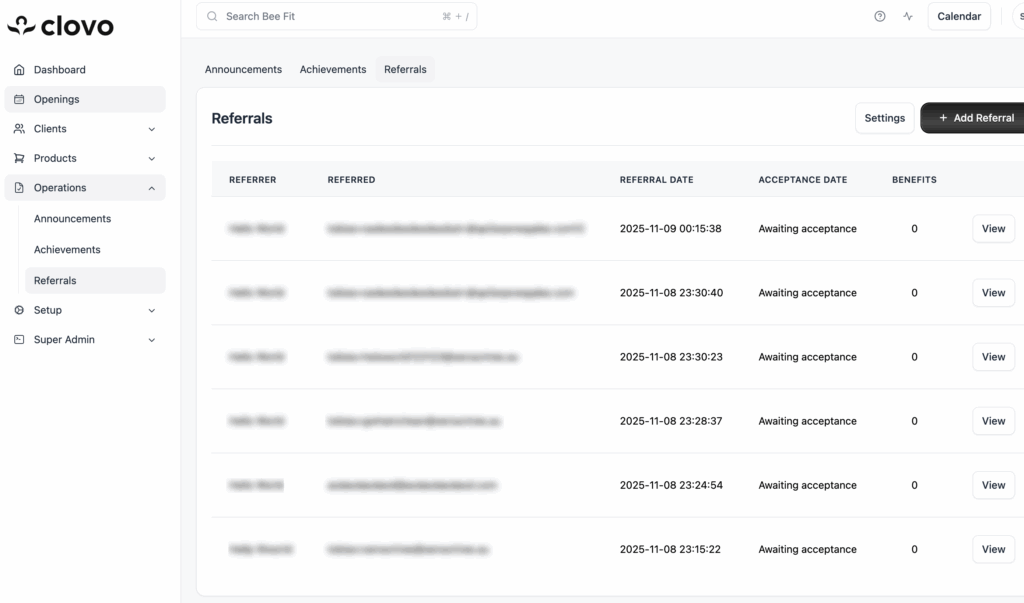
Referrals are also visible under Operations > Referrals. Which will show the history of all referrals ever made by your clients, including whether the referral was accepted, and which benefits have been applied.
Change what notifications I receive about Referrals
We take notifications seriously in Clovo and allow you to tune as far in or out of notifications as your role in your studio allows. You can customise what notifications you as a studio owner or studio staff member receive about referrals. We recommend at least one staff in your studio keep these notifications enabled.
All notifications are enabled by default.
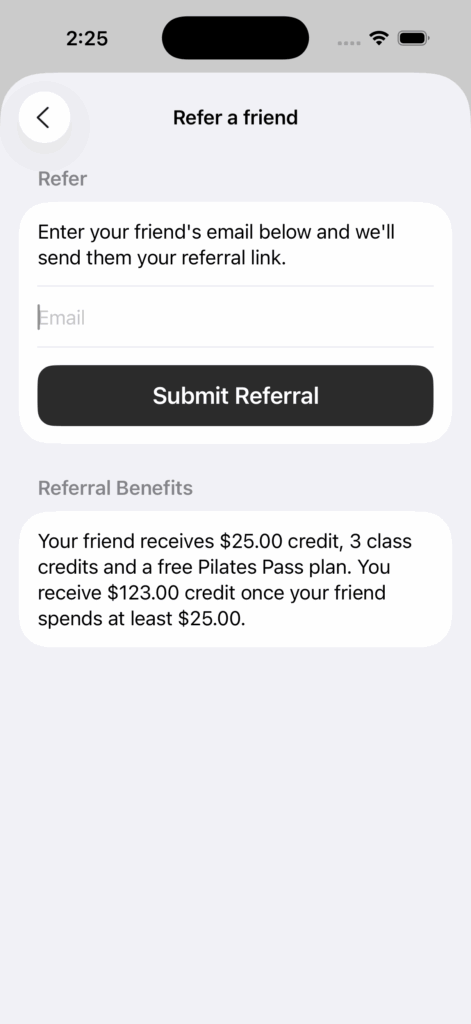
How your clients can refer their friends
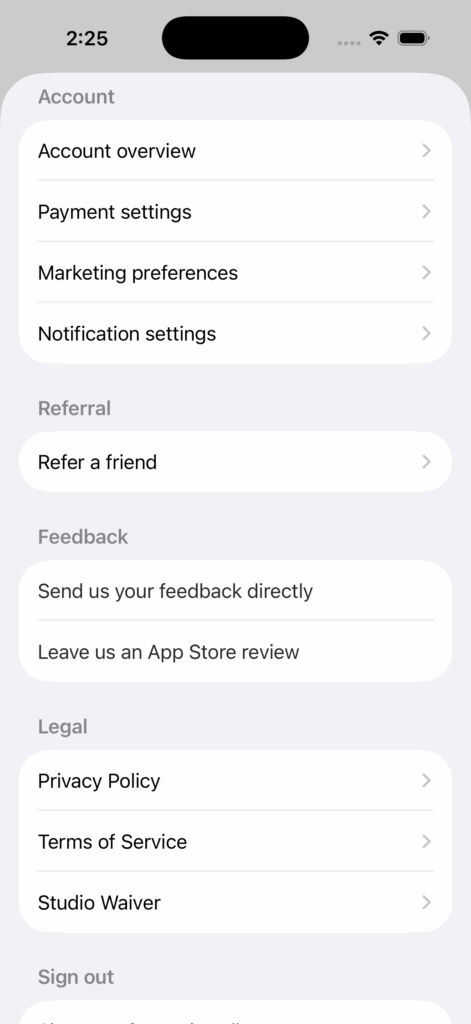
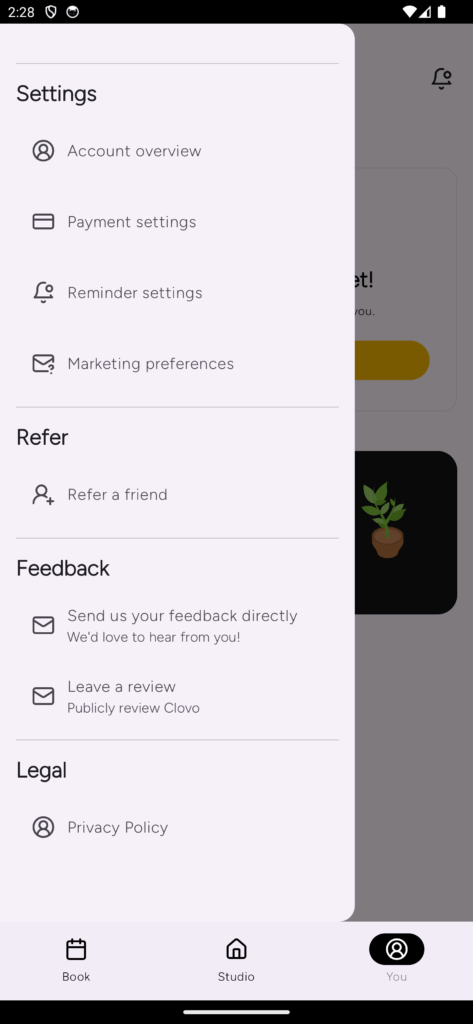
Your clients can easily refer their friends from the client app by tapping on the Account Menu from the ‘You’ tab (this is the 3 dots on iOS or the Person icon in Android).
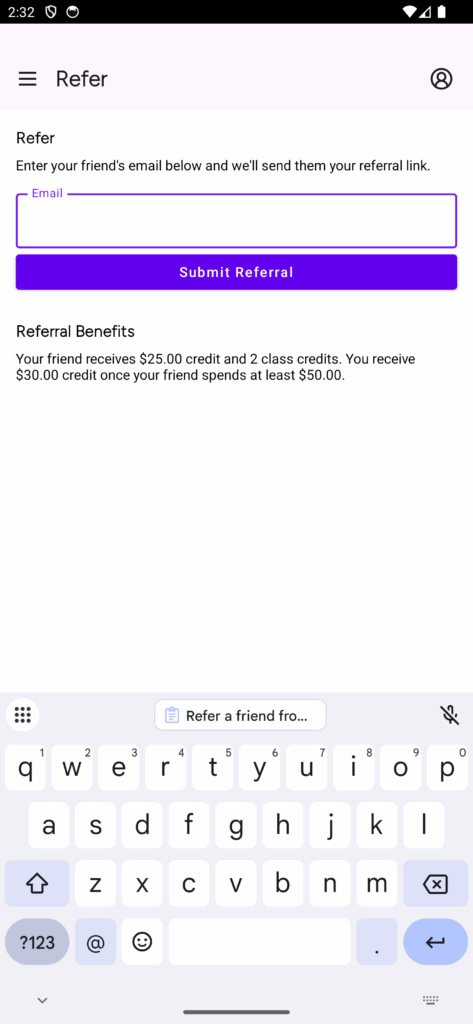
Your clients only need to enter their friends email address and tap refer. We’ll take it from there.
Note that the refer a friend button and user interface does not show for studios who have their referral program toggled off.
Refer a friend from the Account Menu on iOS
Refer a friend screen on iOS
Refer a friend from the Account Menu on Android
Refer a friend screen on Android
How is monetary credit added to an account
When you choose to reward your referred client or the referring client with monetary credit, it is applied to their Stripe account in the form of a credit balance which is then automatically applied to their next membership purchase or renewal.
Existing (Referring) Clients
For existing clients, their next purchase will likely be the renewal of an existing membership. In this case, the credit will be applied and their next renewal will only be for any outstanding amount exceeding the bonus credit.
New (Referred) Clients
For new clients, this amount will be deducted from their first purchase. The discounted amount will be displayed on the payment screen as the client is completing their purchase.
Credit Balance vs. Cash Balance
If you choose to reward your referring or referred clients with a monetary credit, it’s important to note that the amount is credited to the client’s Stripe account as a ‘Credit Balance’. You do not need to pay this money in, but the money can be spent like cash with your studio on memberships and renewals. Note that as it is a Credit Balance and not a Cash Balance, the client cannot cash out their monetary reward. However if you were to refund the credit, it would then convert to a cash balance and could be withdrawn by the client. Credit balances only apply to membership purchases and renewals.
How packs are added to an account
If you choose to reward your new client with a credit pack for signing up, it will be added to their account instantly upon sign-up. They will not have to add the pack manually. Your new client will be able to use the pack to book immediately.
Minimum Spend
If you set a minimum spend amount on your referral program it means that the referring client will only get their benefits applied once their referral spends that amount with your studio. This is a once off hurdle, with benefits being applied only once following the minimum spend.
-
Location in Clovo
-
Estimated Time To Complete
20 minutes -
Information For
Studio Owner -
Platform Components
Clovo Dashboard -
Last Updated
June 19, 2026 -
Need more help?
Get in touch hello@clovo.au
