
Written by Tobias Gundry
Last updated April 23, 2026
If you do not want customers to pay by direct debit, you can turn off the BECS Direct Debit switch in Setup > Settings > Stripe. Once saved, direct debit will no longer be offered as a payment option at checkout for your studio.
Who Can Change This Setting
This setting is available to studio users with Owner or Finance access.
Your Stripe onboarding must also be fully completed before the direct debit switch can be changed.
How To Disable Direct Debit
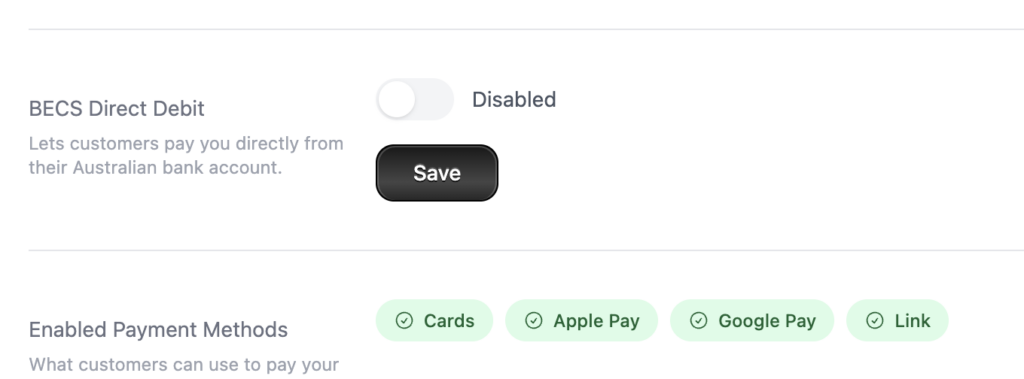
- Go to Setup.
- Open Settings.
- Select Stripe.
- Find the BECS Direct Debit setting.
- Turn the switch off so it shows Disabled.
- Click Save.
What Happens Next
After you save:
- you should see a confirmation message that BECS Direct Debit disabled
- the switch should remain in the Disabled position
- BECS Direct Debit should no longer appear in the Enabled Payment Methods list on the same page
If You Cannot See Or Change The Switch
Check the following:
- Stripe onboarding is complete
- you have Owner or Finance access
- Stripe payment methods are loading normally
If Stripe has not finished onboarding, complete that first and then return to Setup > Settings > Stripe.
-
Location in Clovo
-
Estimated Time To Complete
15 -
Information For
Studio Owner -
Platform Components
Clova Studio, Clova iOS, Clova Android -
Last Updated
April 23, 2026 -
Need more help?
Get in touch hello@clovo.au
