This might be a surprise to hear, but handling membership pauses can be one of the most important aspects of running your studio.
No matter how dedicated – each and every one of your clients will likely need to pause their membership at least once throughout the year. It’s just part of the business of running a studio.
But what’s important is how you approach getting that client back in and booking with your studio post pause. Clovo has a powerful pause feature to automate this process, so your clients go from on-pause back to on the class list as smoothly as possible.
Pausing a client’s membership
To avoid misuse, clients are unable to pause their membership directly. Pauses must be made by the studio owner or a member of staff. To pause a client’s membership, browse to or search for the client in Clovo, open their profile, then open the membership that needs to be paused.
Choose options
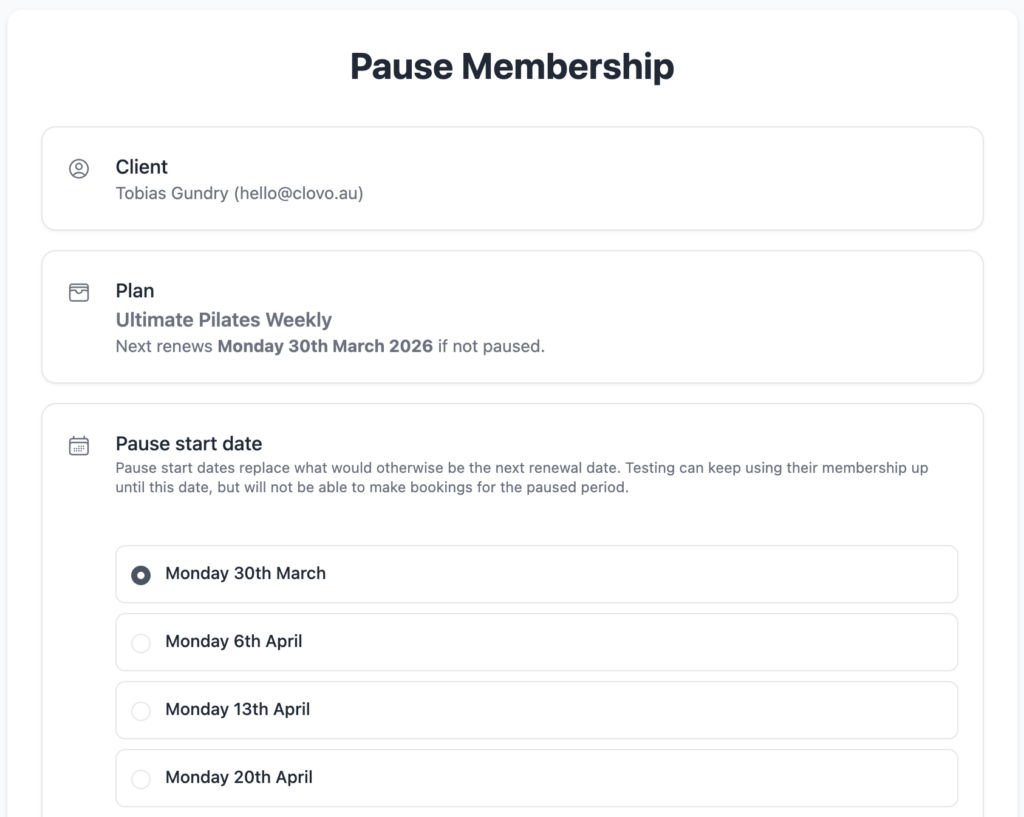
Choose a date to start the pause
Pause dates are aligned with renewal dates so that pauses don’t interfere with existing billing cycles or restrict clients from being able to use paid for benefits.
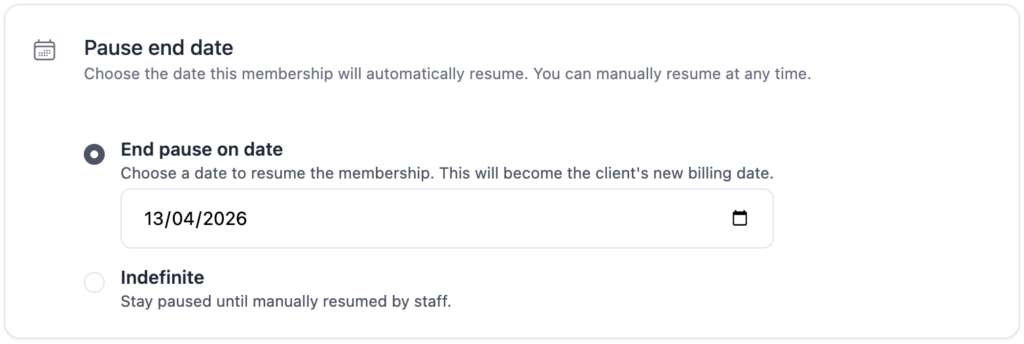
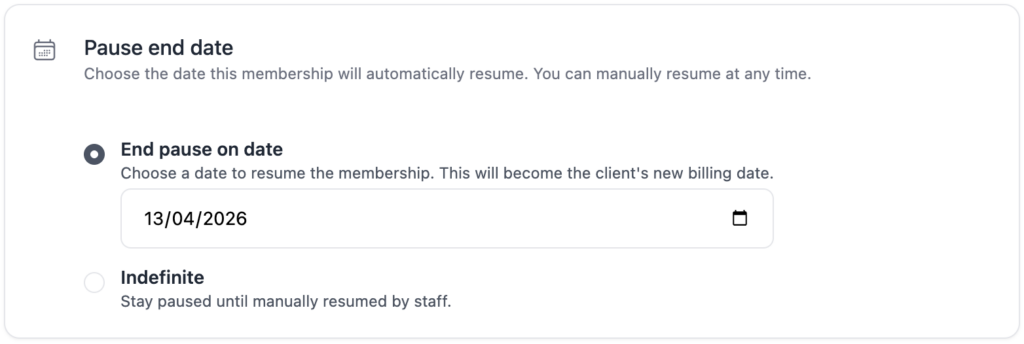
End the pause on a given date or pause indefinitely
Bookings cannot be made during the pause period
When a membership is paused, it cannot have bookings during the paused period.
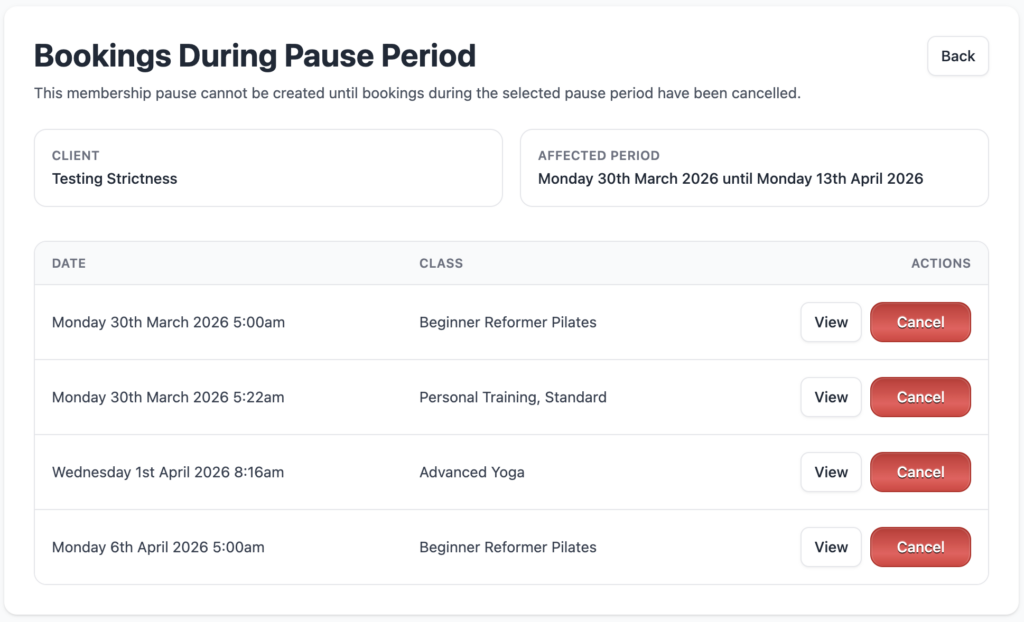
If your client has existing bookings during the proposed pause period, you will not be able to pause the membership.
However, Clovo will step you through cancelling any existing bookings during the pause period as seen in the screenshot below.
Resuming a client’s membership
If you set a resume date when pausing the membership, there’s nothing left to do. The membership will be resumed on the date you selected automatically.
Resuming automatically
Where possible, it’s always best to lock-in a resume date with your client. This way, Clovo will automatically restart the client’s membership at a date in the future, instantly billing the client, and reinstating their ability to book classes.
When a resume date is set, it also means that the client can book in classes for when they return while on pause. Which is a great feature to encourage their return to their routine with you.
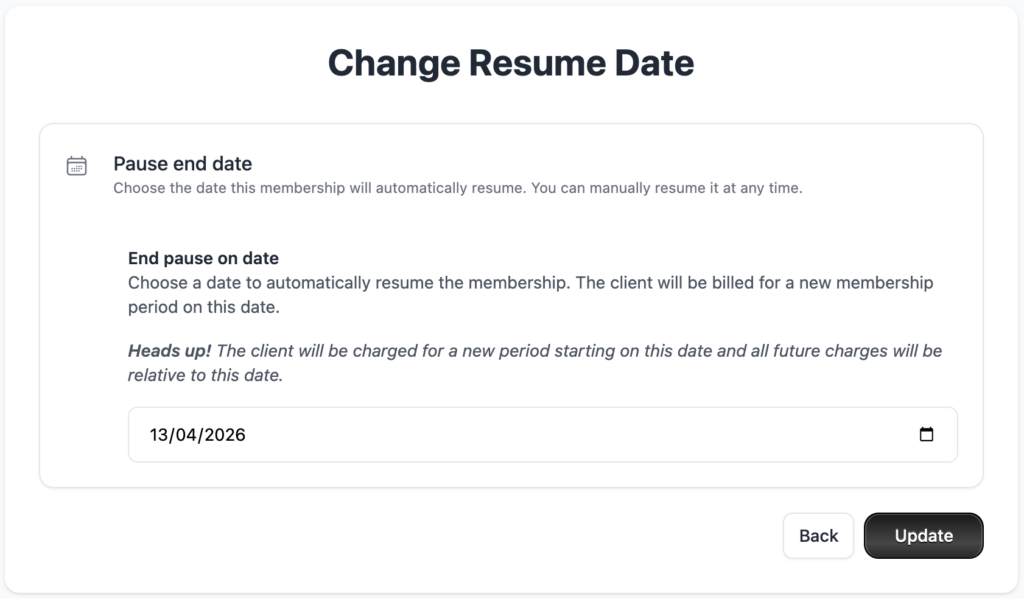
Changing a resume date
You can change the client’s resume date at any time.
Resuming a membership manually
If a membership was paused indefinitely or your client wishes to resume earlier you can manually resume a paused membership at any time.
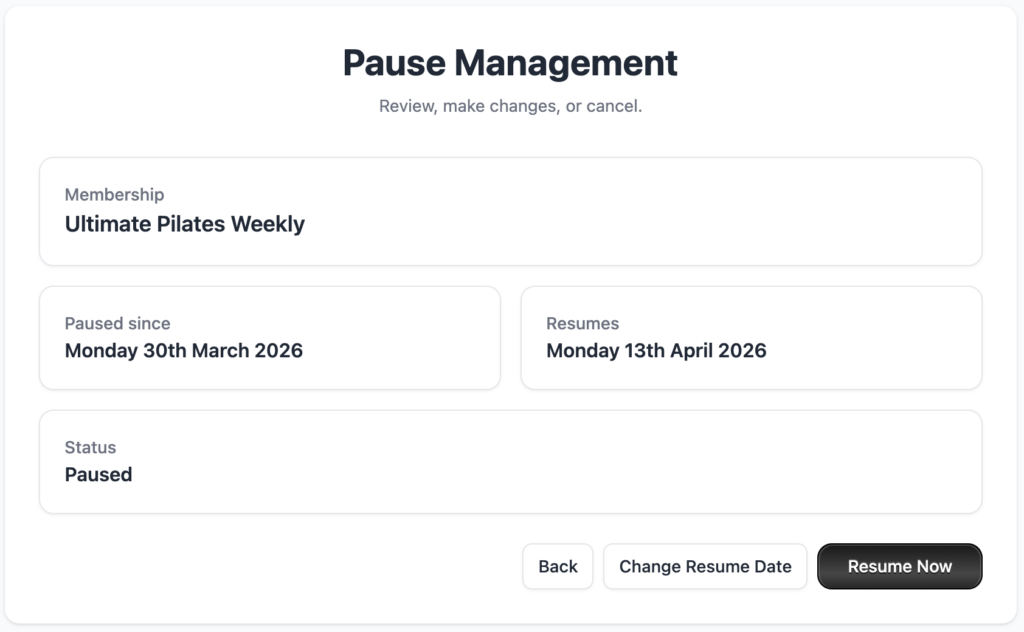
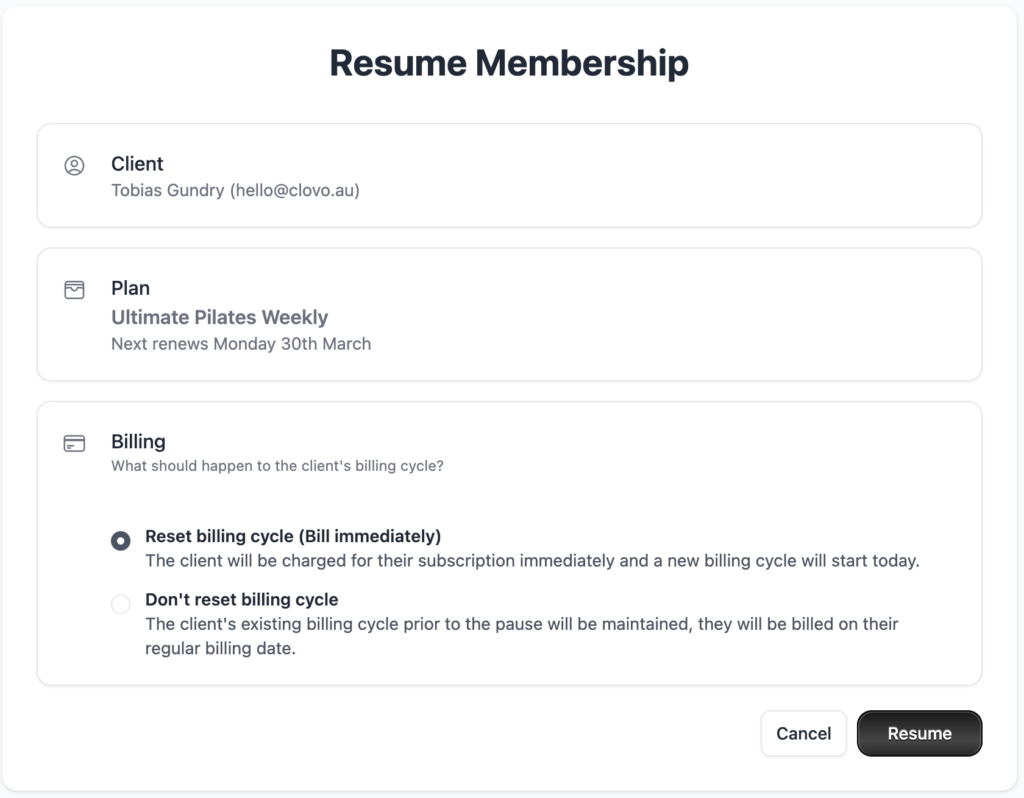
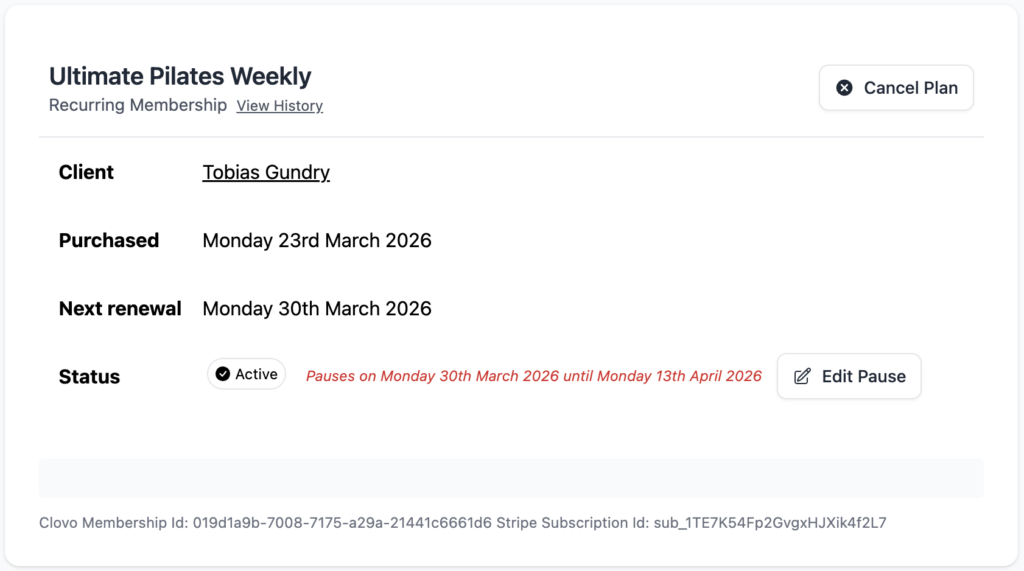
Just browse or search the client in Clovo, tap into their membership, click ‘Edit Pause’ then the ‘Resume Now’ button.
When resuming a membership manually, you must choose what happens to the clients billing cycle. You can choose from:
Reset billing cycle: this is most likely the option you want. This will reset the client’s billing cycle to start from today and instantly bill the client when you click ‘Resume’.
Don’t reset billing cycle: you will likely only use this option if your client has specifically requesed their existing billing cycle remain untouched.
Note if you choose NOT to reset the billing cycle, you are effectively comping any time between when you resume the membership and when the next billing cycle occurs. The recommend action is to reset the billing cycle, which is the default selected option on this screen.
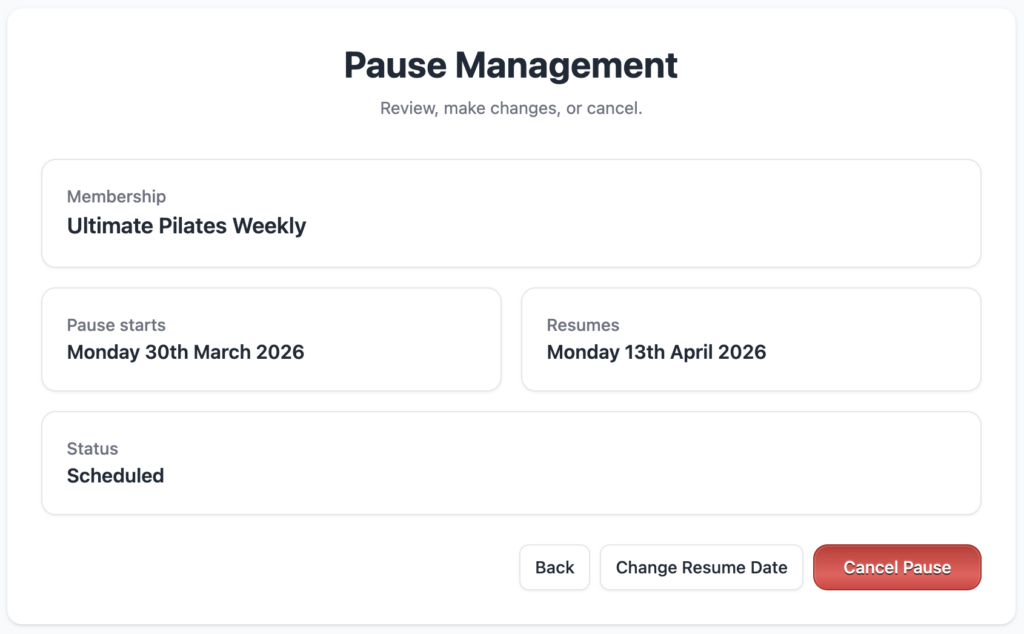
Cancel a scheduled pause
If you’ve set a client’s membership to pause at a future date but something’s changed and the client no longer wants their membeship paused, you can easily cancel the scheduled pause.
Just click on the ‘Edit Pause’ button from the membership view screen
Then click ‘Cancel Pause’ from the pause management screen
What happens during a pause?
When your client’s membership is paused they will no longer be automatically charged for their membership fee for the duration of the pause.
Clients cannot book classes for the period their membership is paused. This means if a membership is paused indefinitely, that client can no longer book at all once the pause has begun. However, if there is a resume date set, your client can book for classes that occur after that renew date.
Clients can continue to book outside of pause periods
Your clients are only restricted from booking during the paused period. This means clients can still use their membership for paid for membership periods and for periods when their membership will be active again.
For example:
If it’s the 20th of April and your client has asked for their membership to be paused from the 1st of May until the 14th of May. They will be able to book in line with their membership plan up until the 1st of May and again from the 14th of May onwards.
They will not be able to make bookings for or having existing bookings for the period between the 1st of May and the 13th of May. They can however use their membership between those dates to make bookings for the 14th of May onward, when their membership will be resumed.
April 20th: pause scheduled
May 1st: membership paused, bookings no longer possible
May 2nd – 13th: bookings no longer possible, existing bookings for this period must be cancelled
May 14th: membership set to automatically resume
May 14th and onward: bookings allowed to be made before and during pause period
Clovo is branded mobile apps for Australian pilates, yoga and group fitness studios that handle all your booking and payment needs in the palm of your client’s hand.
There are no monthly or setup fees, just a small percentage of each transaction each time you sell a membership or credit pack.
Need more help?
If these support articles aren’t cutting it, get in touch. Our Australian support staff are happy to help.