
Written by Tobias Gundry
If a client attended classes before completing their membership purchase, you can move the membership start date back to include those classes.
This also moves the next renewal date earlier by the same number of days.
Before you begin
You can change the start date only while the membership is still in its first period. The option is unavailable after the membership has renewed.
The new date must:
- Be today or earlier
- Be earlier than the current start date
Change the start date
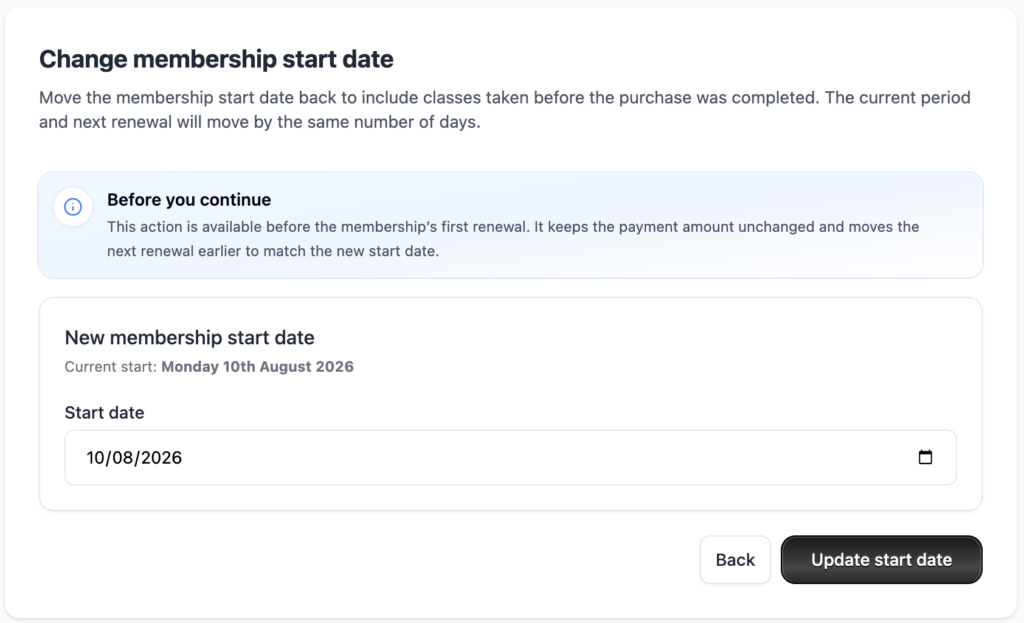
- Open the client’s profile.
- Open the relevant membership.
- In the Purchased row, select Change start date.
- Choose the date the membership should have started.
- Select Update start date.
The membership period and renewal date are adjusted automatically.
Any eligible, non-refunded classes within the updated period are also assigned to the correct membership period.
What the client will see
If the purchase date and start date are different, the membership shows both dates. For example:
Purchased 28th August 2026 — started 20th August 2026
Billing
The payment amount remains unchanged. For recurring memberships, the next renewal moves earlier to match the new start date. No prorations are created.
-
Location in Clovo
-
Estimated Time To Complete
15 -
Information For
Studio Owner -
Platform Components
Clova Studio, Clova iOS, Clova Android -
Last Updated
August 14, 2026 -
Need more help?
Get in touch hello@clovo.au
