
Track attendance by checking-in clients on your phone or desktop

Tobias Gundry
Updated
Check clients in to record who attended a class in addition to who booked.
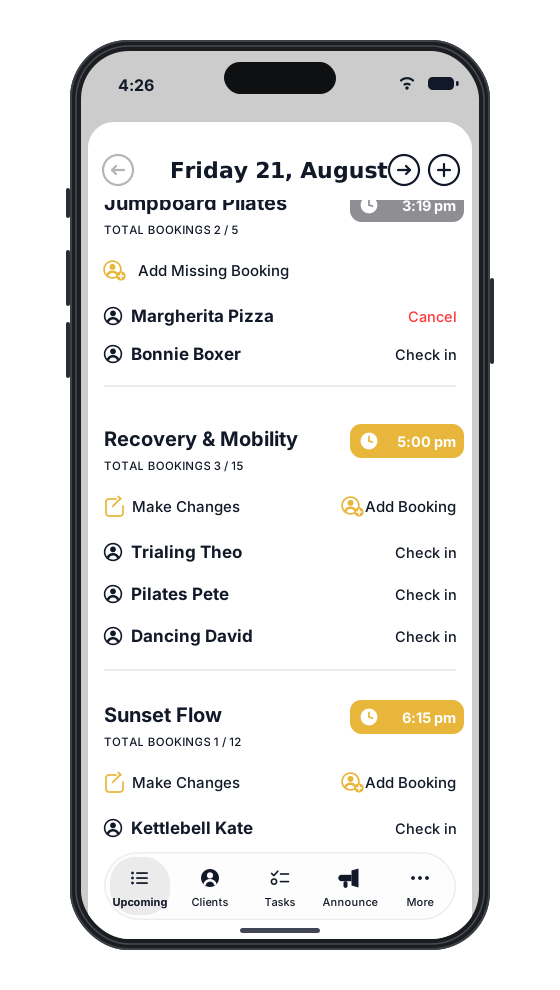
Check-ins are also required if you use no-show penalties.
There are multiple ways to check clients in with Clovo. You can use your phone, iPad, or desktop to accomplish the task, depending on your management style.
Checking in your clients as they arrive on the app
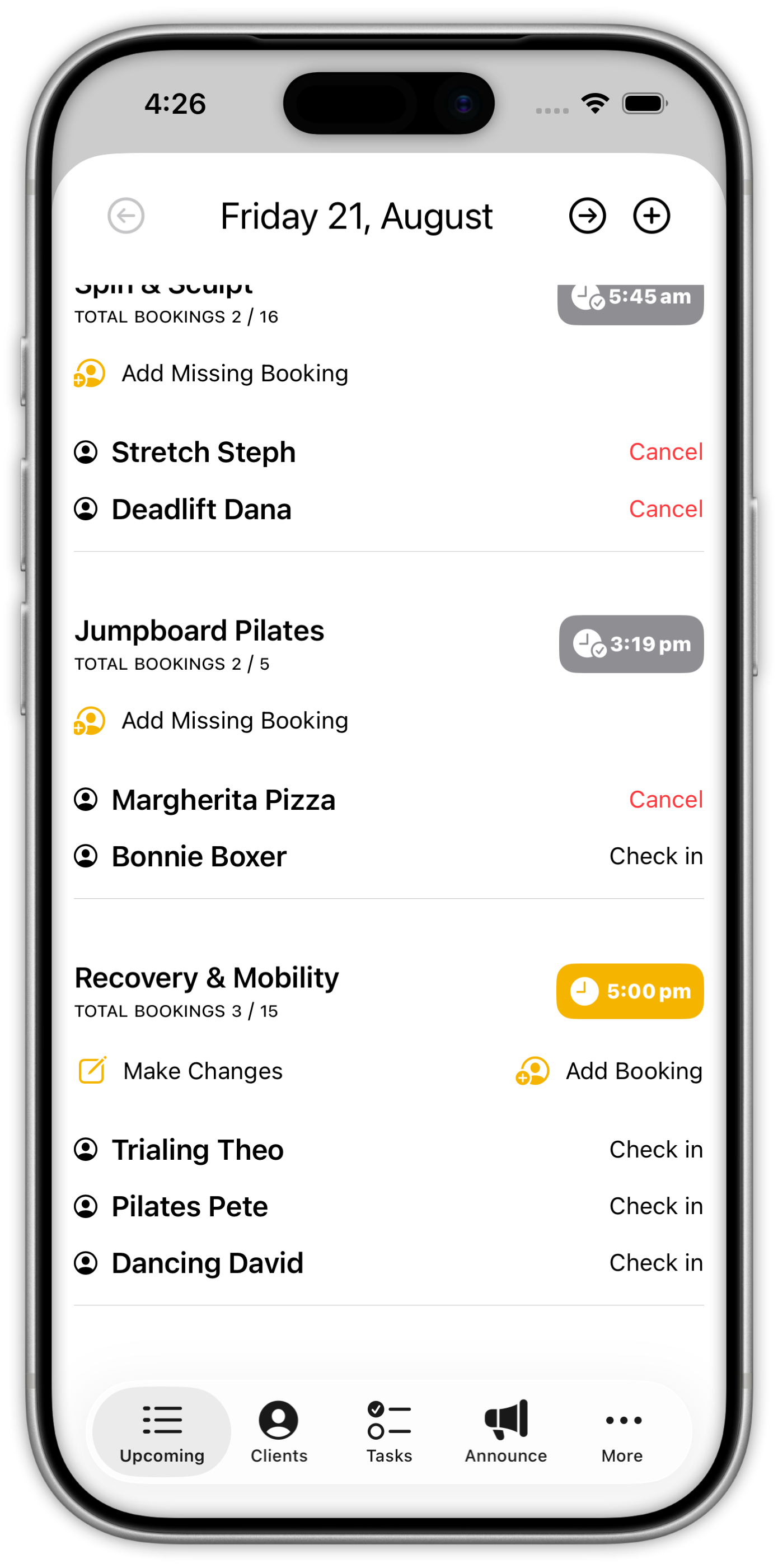
You can use the Clovo app to manage attendance as clients arrive. Sign in with an owner or staff account, then:
- From the ‘Our Studio’ tab, tap the ‘Manage’ button that appears under your studio logo when logged in as an owner or staff.
- You’ll get an overview or your day, with all today’s classes listed. Below each class is a list of clients who’ve booked in for that class.
- To the right of client’s name is a ‘Check-in’ button.
- Tap Check-in. Tap Undo if you need to reverse the check-in.
Checking in on Desktop
You can also choose to check your clients in using Clovo on the desktop. This is a great option for any studio with a front of house or reception area.
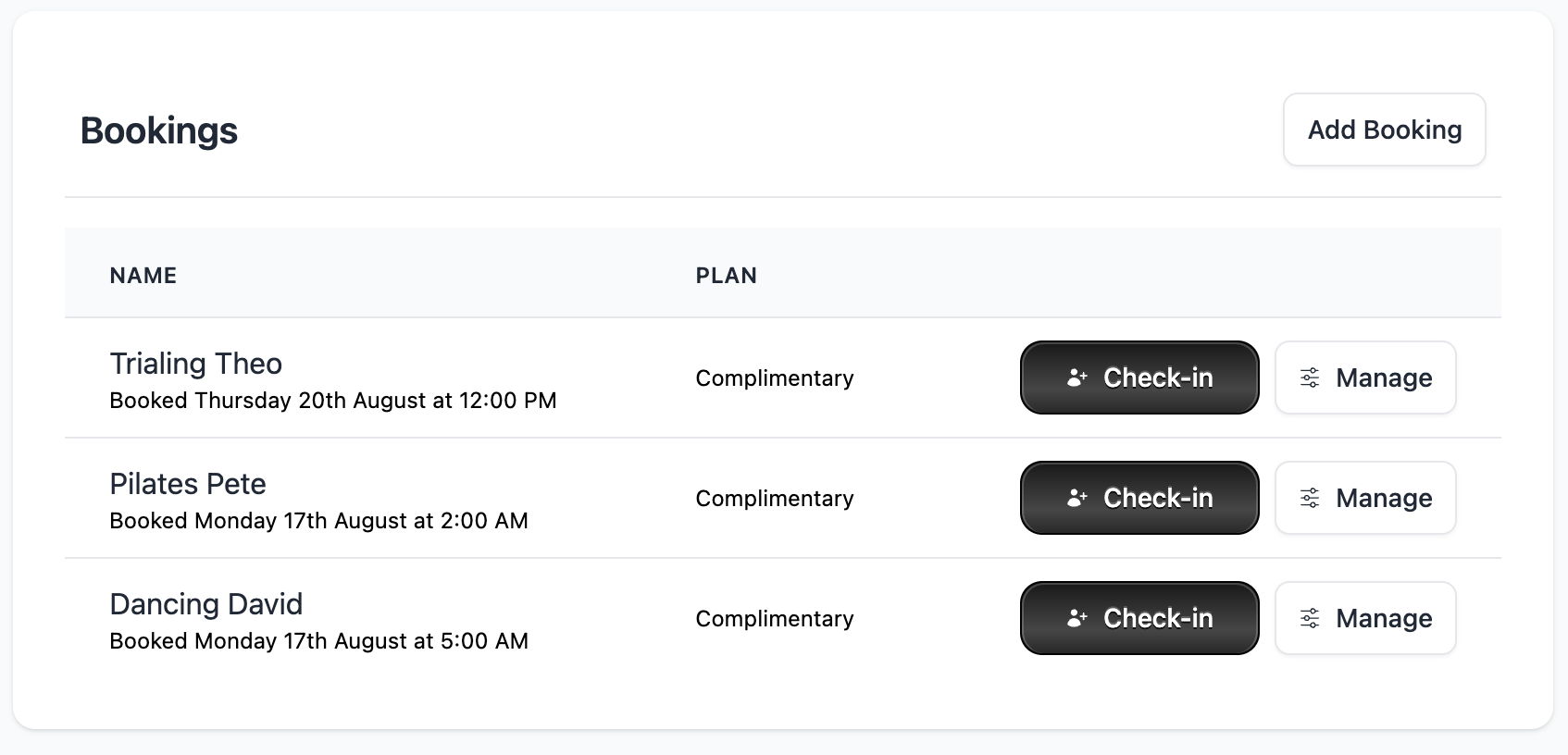
In Clovo Studio, open the class, find the client’s name, then select Check-in.
You can undo check-ins by tapping the undo button.
Related articles
Understand Clovo app download size and storage
Check how much data Clovo needs to download, how much space it uses on your phone, and why a small app download matters for your business.
Get started in the Clovo app when your studio moves to Clovo
Your studio now takes bookings through Clovo and has already set up your account. Download the app, find your studio, then sign in with a code sent to your email or set a password with a reset.
Use dark mode in Clovo
Switch the Clovo Dashboard to dark mode from your account menu, understand where the setting is remembered, and see how the iPhone and Android apps follow each person's own device.
Add a client to your studio manually
Create a client profile from the dashboard, record the required consent dates, confirm the email address, and understand which emails the client receives straight away.