
Written by Tobias Gundry
Whether it’s a public holiday, a studio renovation, or a well-earned break, there will be times when you need to temporarily close your studio. Clovo’s Closures feature lets you schedule closures in advance so new class openings are hidden from clients, your members are kept informed, and their memberships can be adjusted for the time you’re closed.
What is a closure?
A closure is a defined period during which one of your locations will not be operating. When you create a closure, Clovo stops generating bookable class openings for those dates, and can show your members a notice — in the member apps and on your studio landing page — so they know exactly what to expect.
How to create a closure
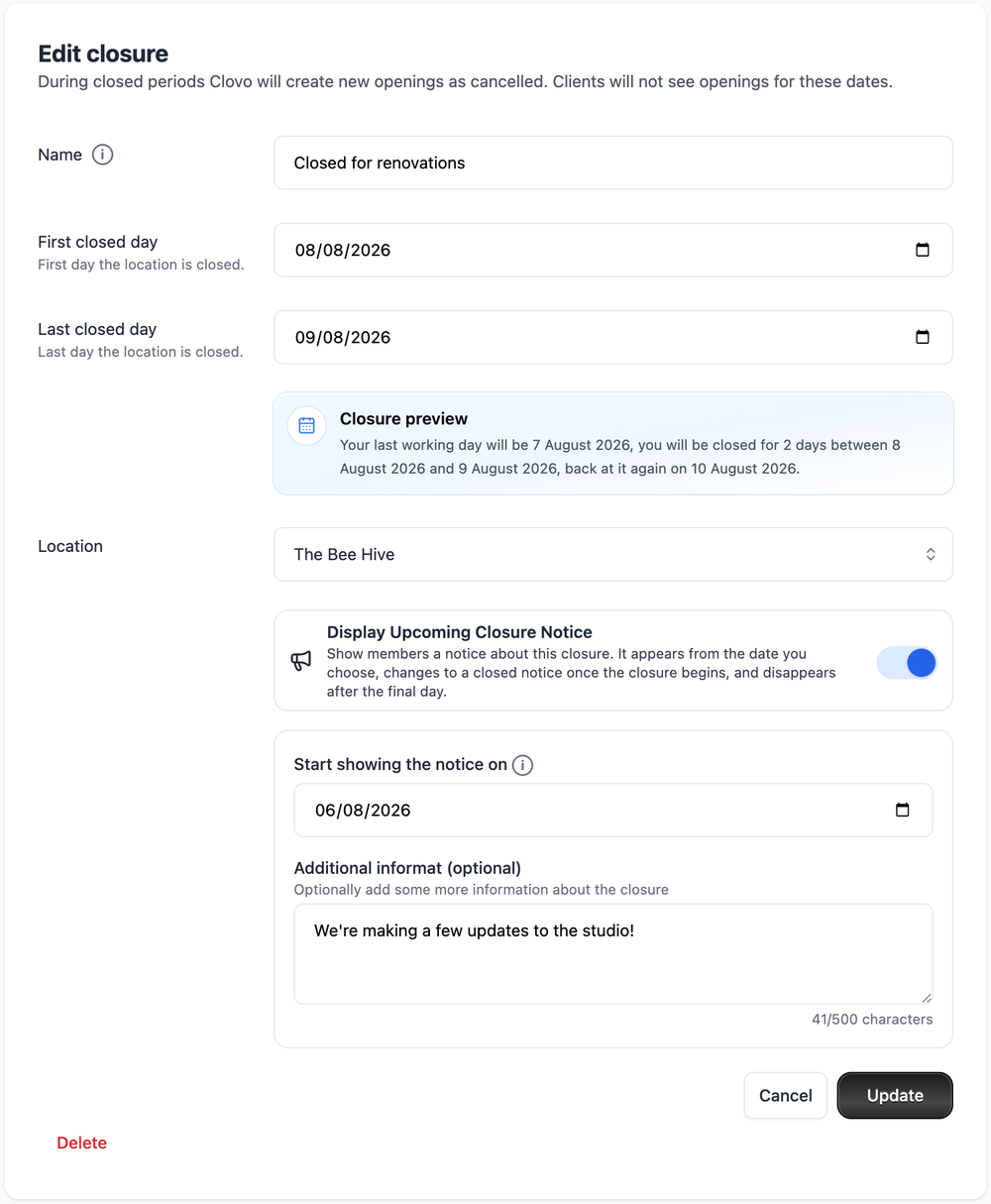
- In Clovo Studio, go to Operations > Closures.
- Click Add Closure.
- Give the closure a Name. This is used as the heading of the notice your members see, so keep it clear and friendly (for example “Studio painting” or “Christmas break”).
- Set the First closed day and Last closed day. The Closure preview underneath confirms your last working day, how many days you’ll be closed, and the day you reopen.
- Choose the Location the closure applies to.
- Optionally turn on Display Upcoming Closure Notice to let members know — see the next section.
- Click Update (or Save) to schedule the closure.
Let your members know with a closure notice
Closures can display a notice to your members across the Clovo member apps (iOS and Android) and your studio landing page, so nobody turns up to a locked door.
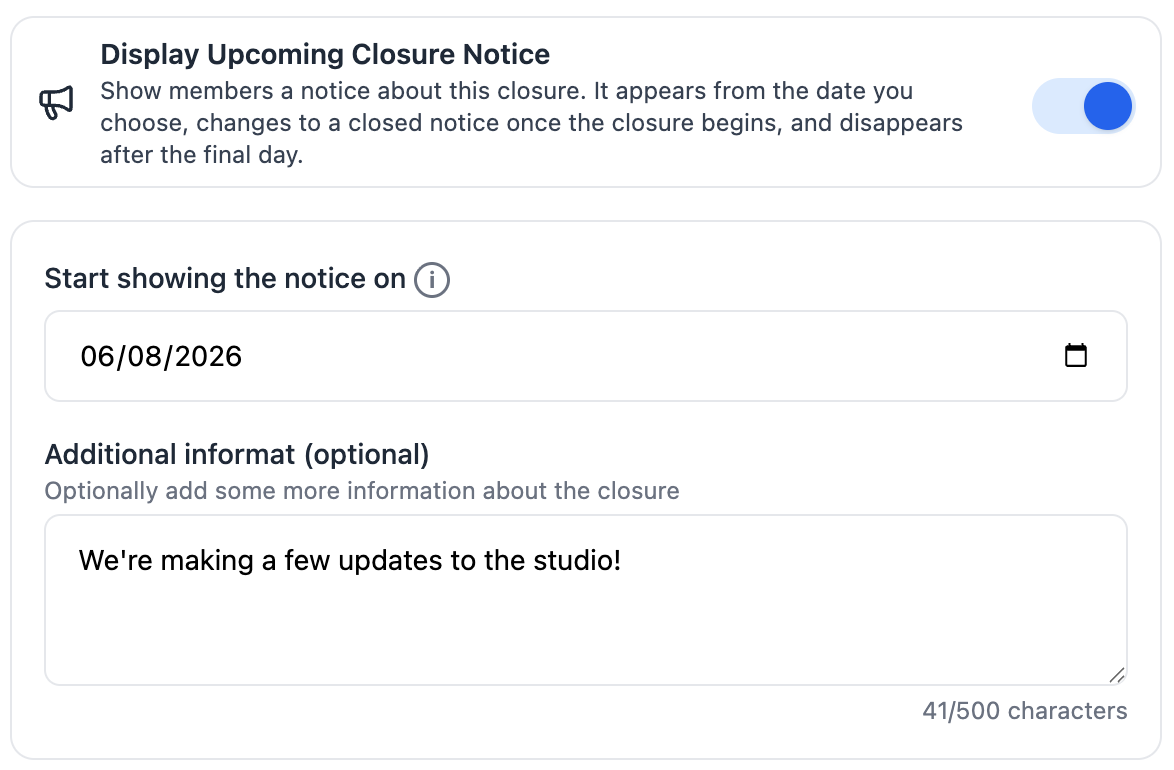
To turn it on, switch on Display Upcoming Closure Notice when creating or editing a closure, then set:
- Start showing the notice on — the date the notice first appears to members. Use this to give plenty of warning ahead of the closure.
- Additional information (optional) — a short message shown beneath the closure name (up to 500 characters). If you leave it blank, members simply see the closure name.
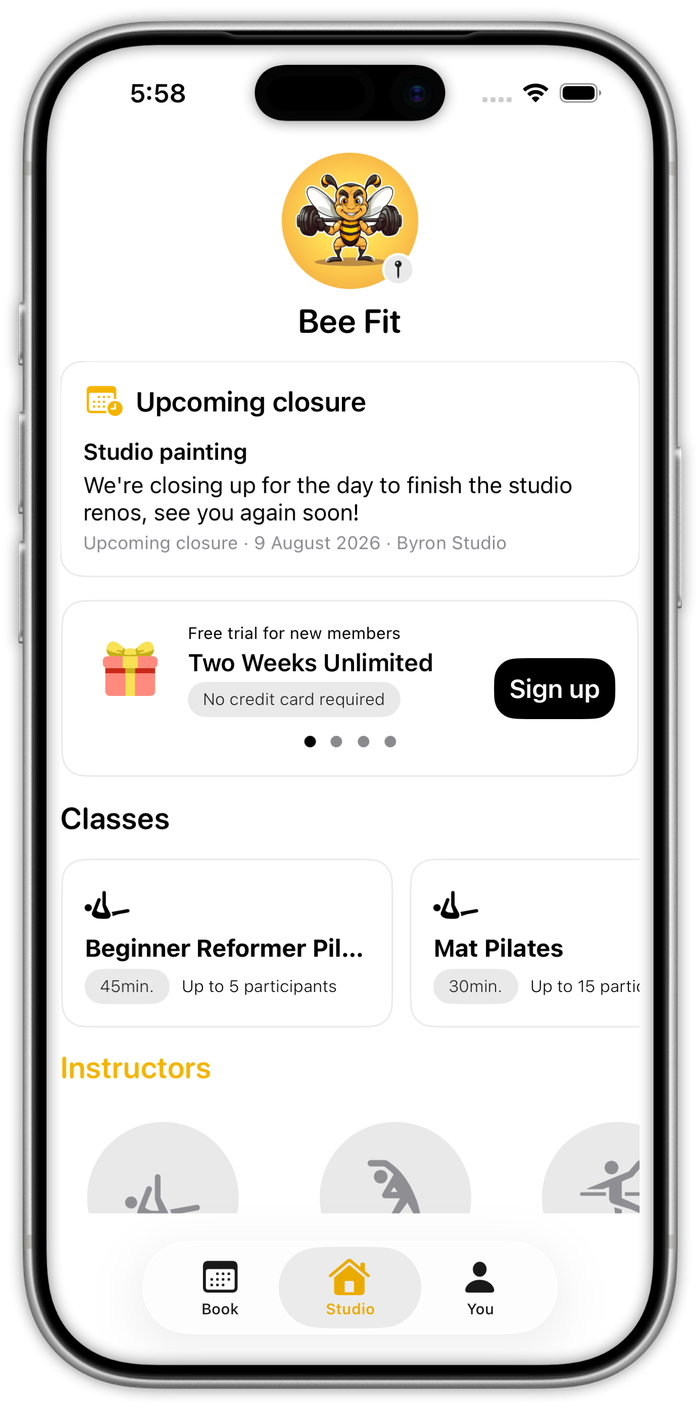
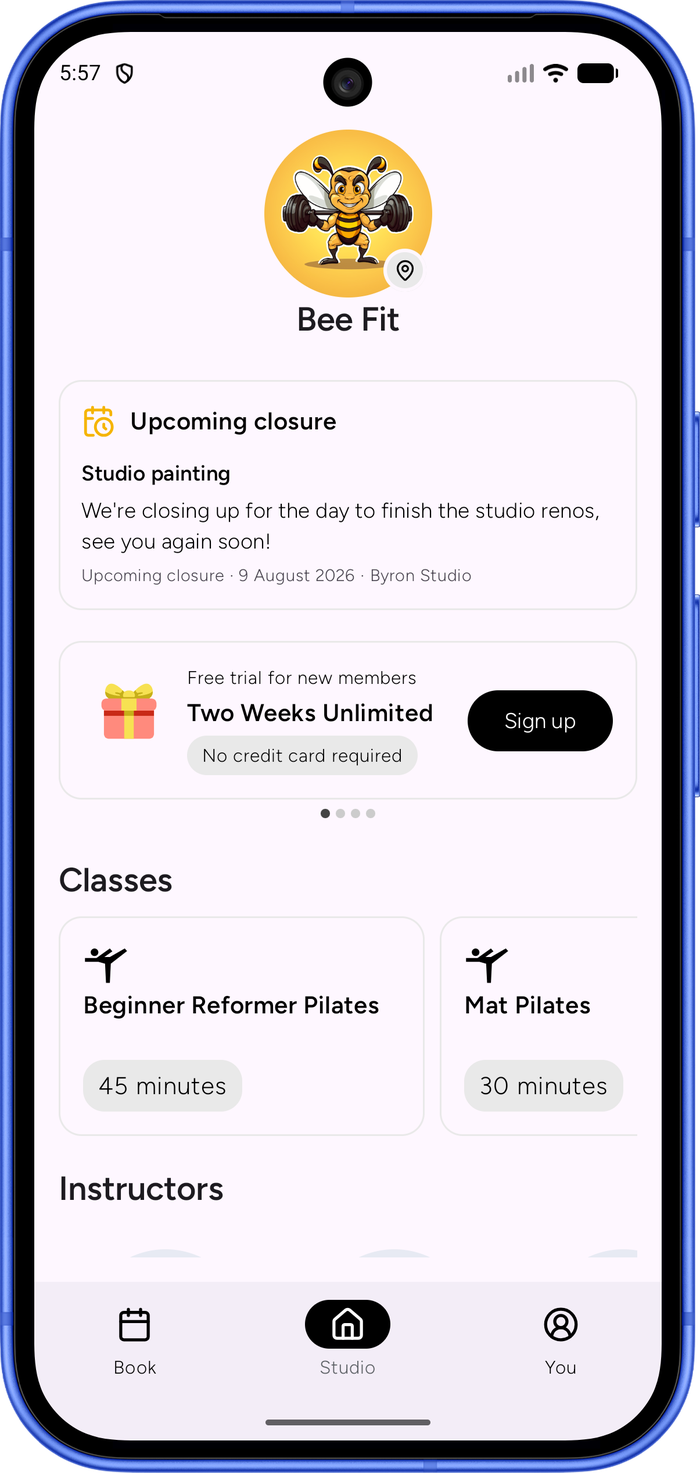
What your members see
The notice updates itself automatically as the closure approaches and passes:
Before the closure — from your chosen start date until the first closed day, members see an Upcoming closure notice.
During the closure — once the first closed day arrives, it automatically changes to a Currently closed notice.
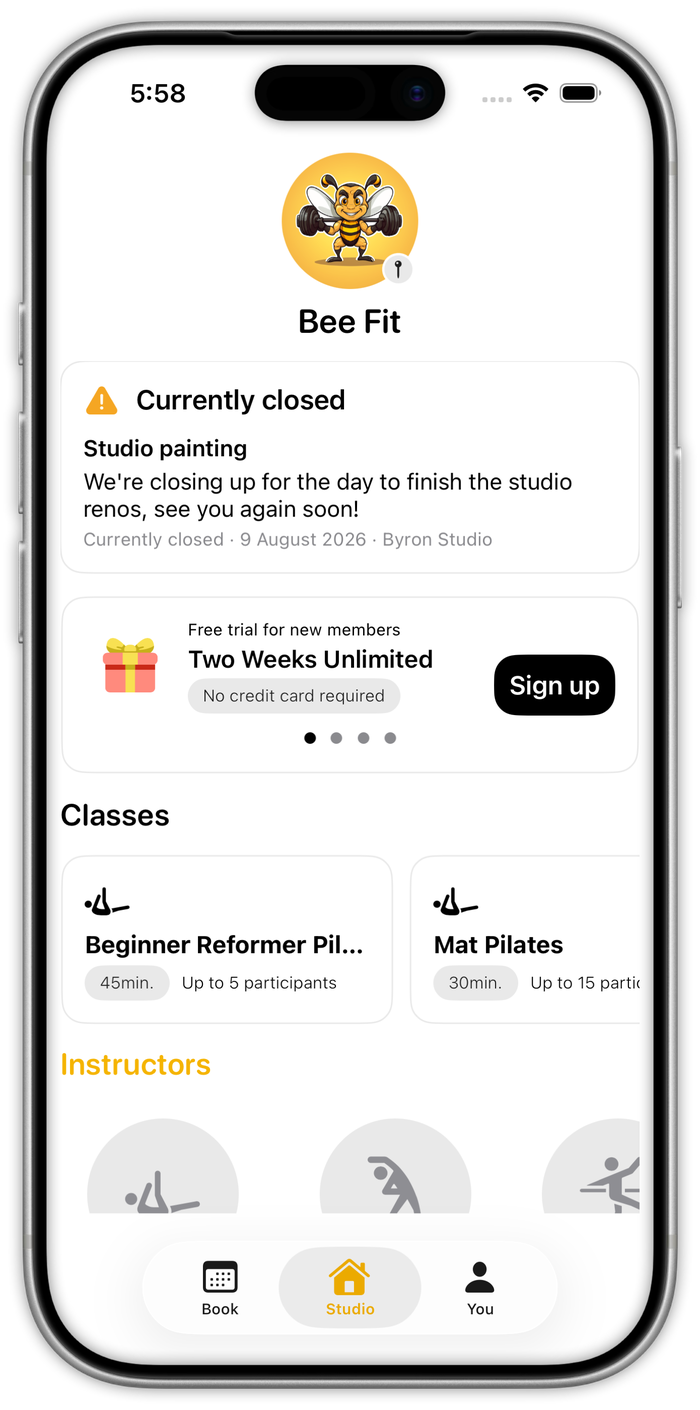
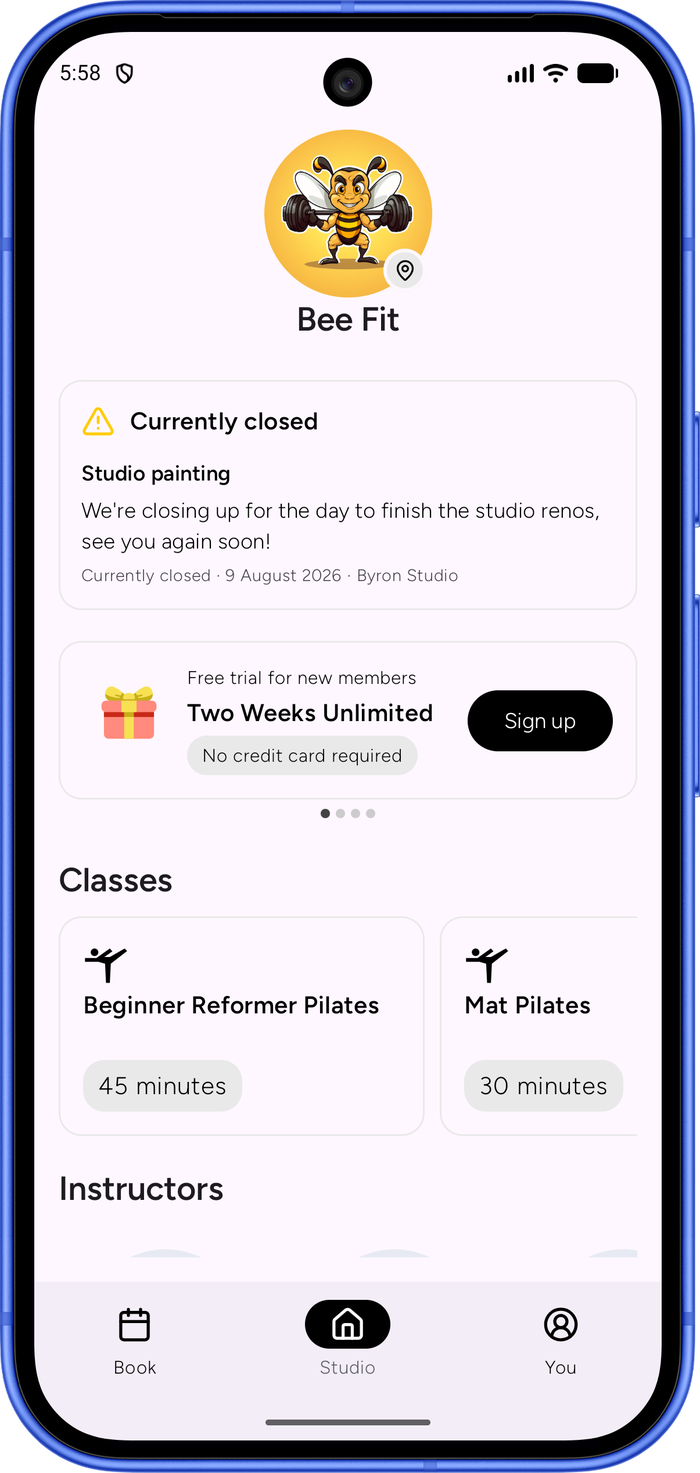
After the closure — the notice disappears on its own after the final closed day. The notice uses the local time at each location, so it flips to “currently closed” on the right day even if you run studios in different timezones.
What happens during a closure
- New openings are hidden — for any date inside the closure, Clovo creates class openings as cancelled, so clients can’t see or book them.
- Existing openings aren’t cancelled automatically — classes you had already opened before setting up the closure stay on the timetable. Clovo lists these under Affected Openings so you can review and cancel them (see below).
- Clients are kept informed — when you cancel an affected opening, booked clients are notified and any credits they used are returned to their pack.
- Your weekly schedule is preserved — your underlying schedule isn’t changed, so classes resume automatically once the closure ends.
Review affected memberships
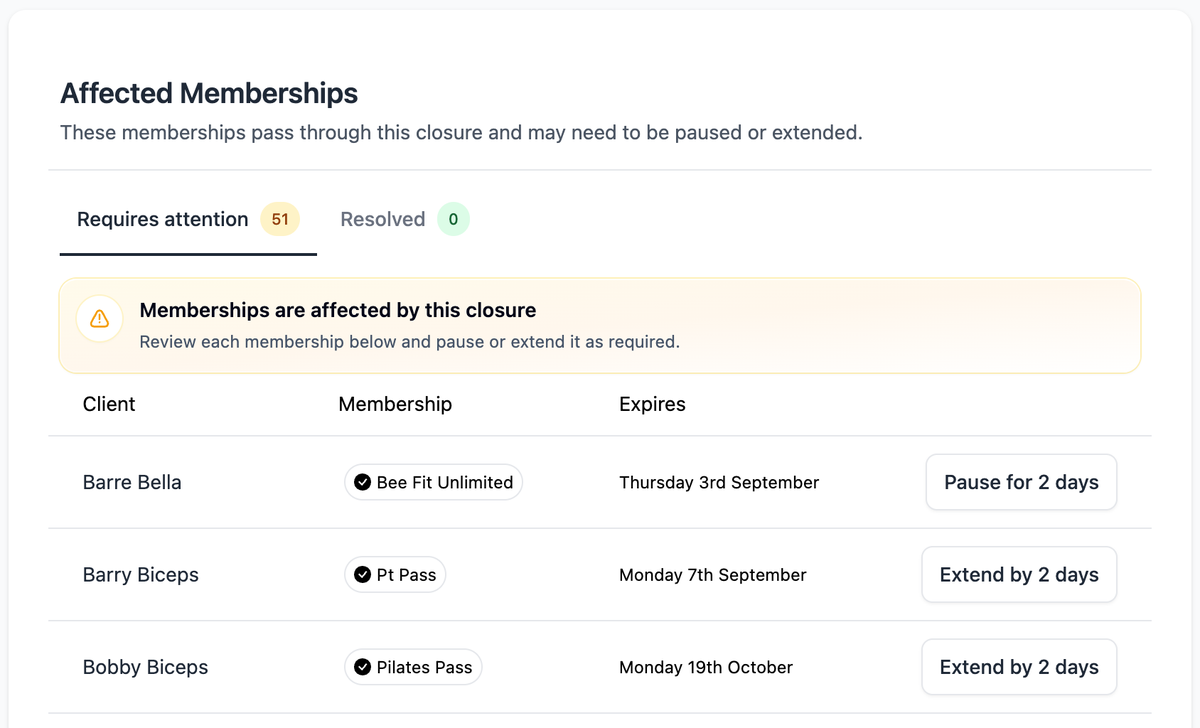
Ongoing memberships that run through a closure may need a small adjustment so members don’t lose time they’ve paid for. On the closure screen, the Affected Memberships section lists everyone whose membership passes through the closure dates, split into Requires attention and Resolved tabs.
For each membership you can:
- Extend by [x] days — for class packs and trials, this pushes the expiry date out by the number of closed days.
- Pause for [x] days — for recurring plan memberships, this pauses the membership for the length of the closure.
Once you’ve actioned a membership it moves to the Resolved tab, so you can work through the list and be confident nothing was missed.
Review affected openings
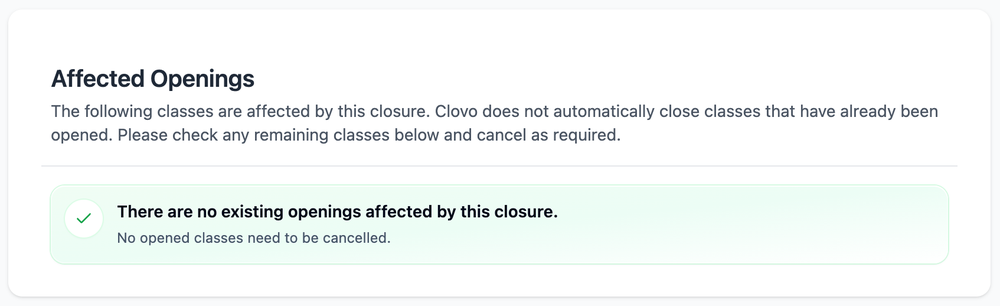
Clovo won’t automatically cancel classes that were already opened before you created the closure. The Affected Openings section shows any that fall inside the closure so you can cancel them as required. If there aren’t any, you’ll see a confirmation that nothing needs cancelling.
Closures vs. cancelling individual classes
If you only need to cancel a single class, use the cancel class feature instead. Closures are designed for multi-day shutdowns where cancelling each class individually would be impractical — and they add the member notice and membership adjustments that a one-off cancellation doesn’t.
Tips
- Create closures as early as possible, and set the notice to start showing well in advance so clients can plan around them.
- Write a friendly closure name and message — it’s what members read in the app and on your landing page.
- Work through the Affected Memberships and Affected Openings lists before the closure begins so nothing slips through.
-
Location in Clovo
-
Estimated Time To Complete
15 -
Information For
Studio Owner -
Platform Components
Clova Studio, Clova iOS, Clova Android -
Last Updated
August 8, 2026 -
Need more help?
Get in touch hello@clovo.au
