
Give your clients free credits to book any of your classes, with Super Credits

Tobias Gundry
Updated
Super Credits let you give a client a free class. Use them for rewards, make-goods, or other studio-approved credits.
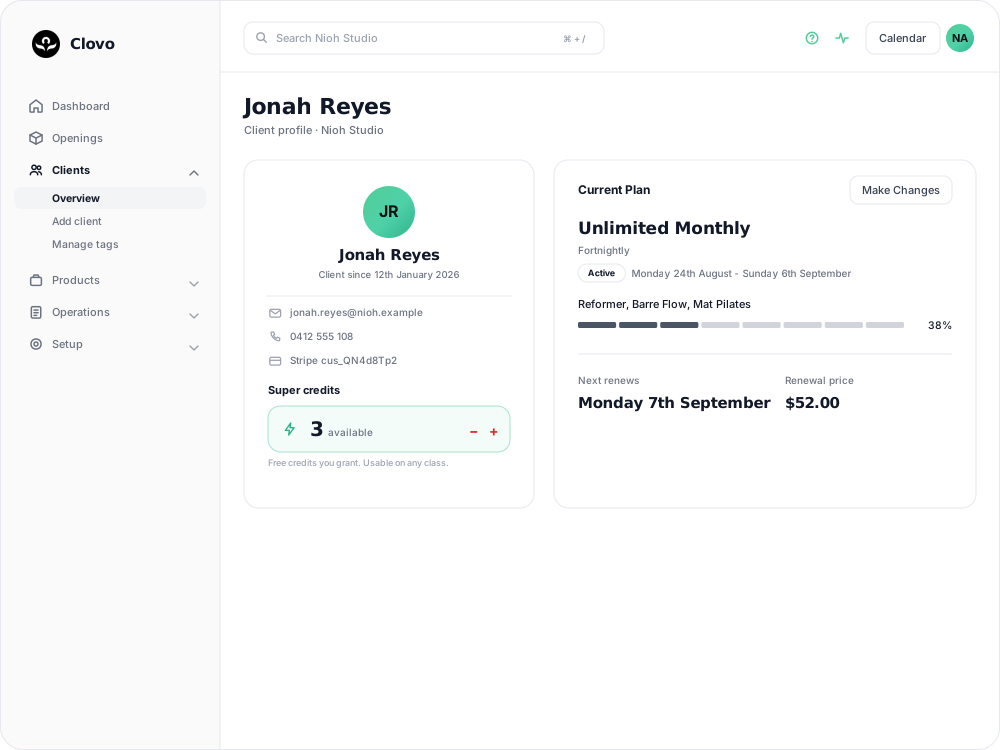
Super Credits give clients a flexible way to pay for eligible services in your studio. This article explains what Super Credits are, how clients use them, and where you can check a client’s balance.
How Super Credits Work
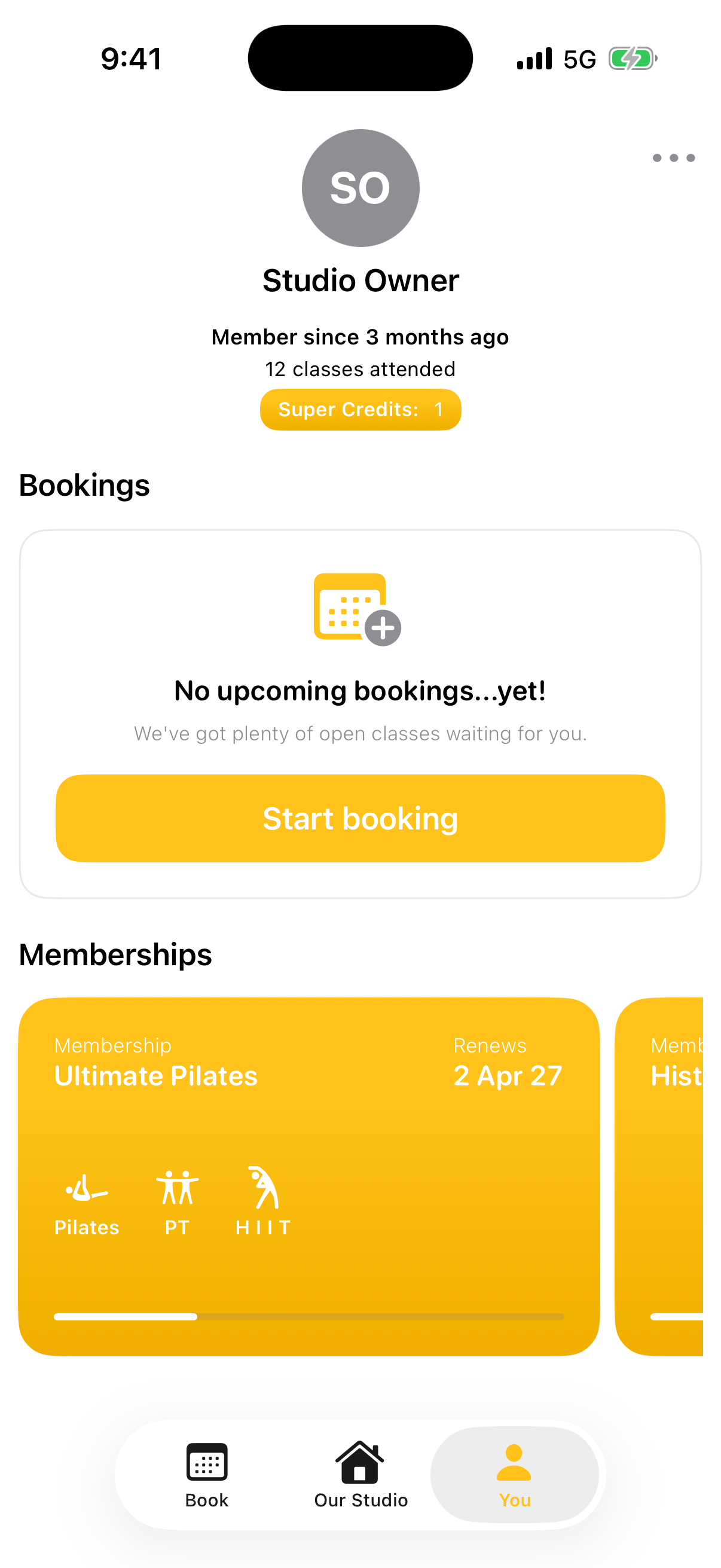
Clients can use Super Credits to book any available class and see their remaining balance when they sign in.
Super Credits are not a membership and do not create bookings by themselves. A client still needs to complete the normal booking or purchase flow.
Check a Client’s Super Credit Balance
- Open Clients in the Clovo dashboard.
- Search for and open the client profile.
- Find the Super Credits section.
- Review the client’s available balance and credit history.
If the Super Credits section is not visible, check that you have opened the intended client profile and have permission to manage client accounts.
How Clients Use Super Credits
- The client selects a class opening
- At checkout, the client chooses to apply their Super Credits.
- The client completes the booking
Related articles
Prevent repeat intro purchases with Blocked Purchasers
Block a client from buying a credit pack, including clients who bought your intro offer on another platform before moving to Clovo.
Track the usage of memberships and packs
Read the usage panel on a client’s membership or credit pack, see what each credit was spent on, and correct a balance when it needs fixing.
Credit packs in Clovo
Credit packs let clients book into classes with your studio without committing to a recurring subscription.
Deactivate a pack or membership plan
Remove a credit pack or membership plan from future sales while letting clients who already have it keep using it.