
Let multiple staff manage an appointment calendar

Tobias Gundry
Updated
Use Additional managers when more than one staff member needs to manage a calendar and hear about its bookings. They receive the same appointment updates and approval actions as the instructor or manager.
Choose the responsible staff
A Person calendar uses the instructor's linked staff account. A Location calendar has a Manager, which you choose when creating it. Both can also have additional managers.
- Open Appointments and select the calendar.
- Open Calendar settings using the settings icon beside Repeat Schedule.
- For a location calendar, select or change the Manager if needed.
- Select the staff you want under Additional managers.
- Select Save.
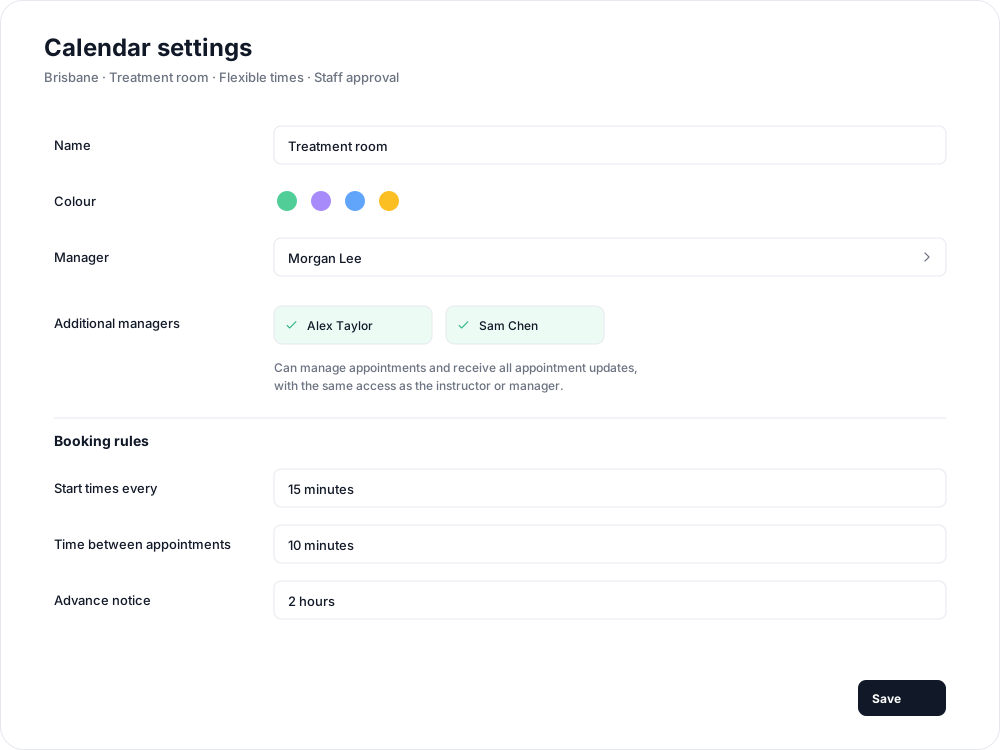

You can make the same selections while creating a calendar. Only active staff from your studio are available.
What managers receive
The assigned instructor or manager and additional managers receive appointment updates, including requests awaiting approval, confirmations, rescheduling and cancellations. Pending requests include approval actions where available. These updates do not depend on the staff member's class-booking notification preference.
Managers can act on requests from the dashboard, the iPhone app's Admin > Appointments area, or the approval buttons in their appointment email. Opening an email button displays a confirmation page; they still need to confirm the decision.
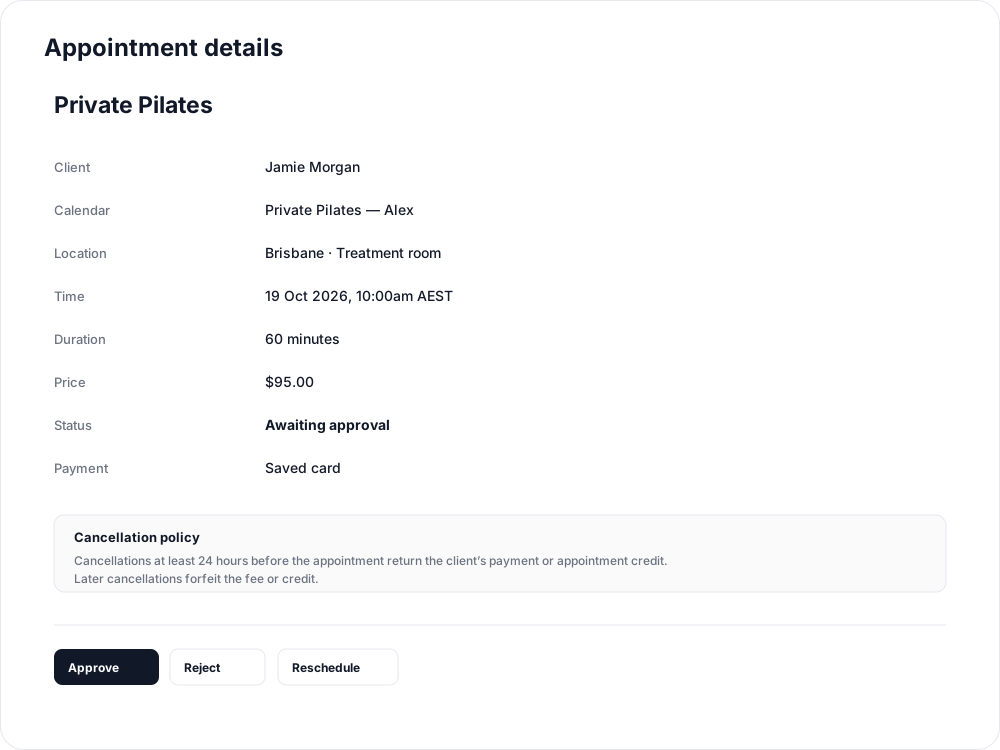
Assignments do not restrict the access other administrators already have. They determine who is responsible for the calendar and receives its updates. Selecting someone who is already the instructor or manager does not send them duplicate updates.
To stop sending a staff member updates for this calendar, remove them from Additional managers and save. If they are the location's Manager, select a replacement. For a person calendar, the instructor's linked staff account remains responsible.
Related articles
Appointments in Clovo
Bring private sessions, room bookings and wellness appointments into Clovo, with flexible availability, staff approval and payments.
Book an appointment on behalf of a client
Choose a client, select an available appointment and take payment or submit it for staff approval.
Create an appointment calendar for a facility
Make an infrared sauna, massage chair or similar facility bookable through a room/location calendar.
Create an appointment calendar for a room or location
Let clients reserve a room or an entire location, and assign staff to manage its appointments.