
Appointments in Clovo

Tobias Gundry
Updated
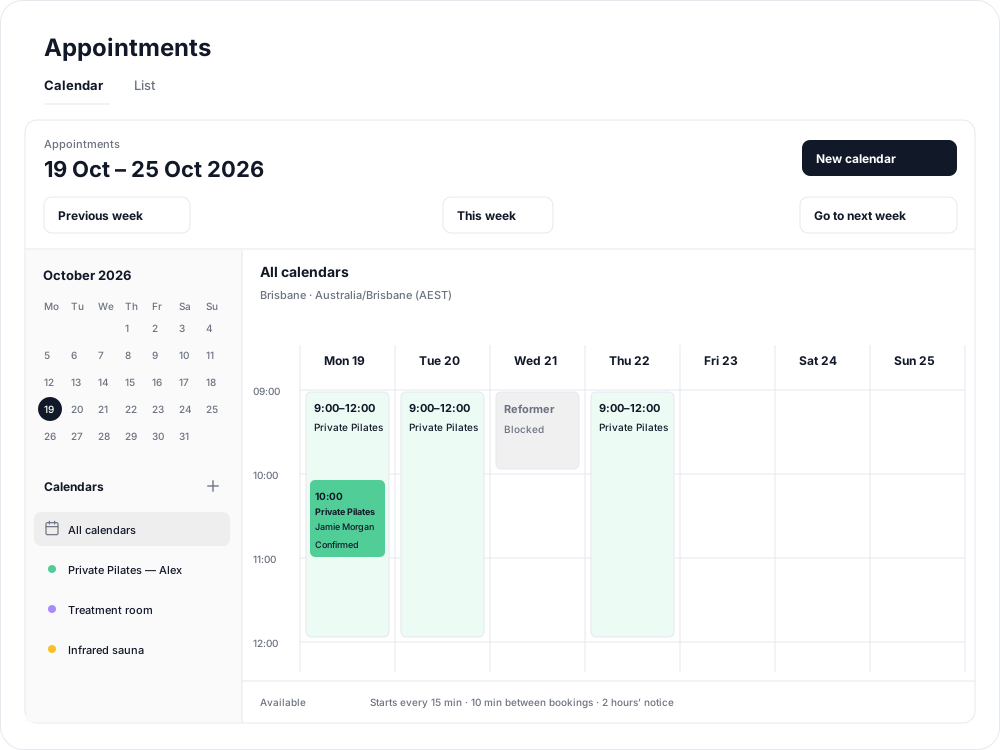
Give clients a clear way to book time with your team or reserve a space. Appointments brings private instruction, consultations and bookable facilities into Clovo, alongside your class timetable. Clients can choose a time on your studio website or in the Clovo iPhone app, while staff manage bookings from the dashboard.
Make room for more than classes
Use a Person calendar for private Pilates, personal training or a consultation with a particular instructor. Use a Location calendar for exclusive use of a room, a whole location or a facility such as an infrared sauna. Name each calendar so clients can recognise what they are booking.
A calendar controls when and where clients can book. An appointment type describes what they book, with a price for each available length. For example, one instructor calendar can offer both a 30-minute consultation and a 60-minute private session.
Choose how bookings fit your studio
- Flexible times: set available hours and let clients choose a start time and appointment length that fit. Add preparation time between bookings and advance notice if you need it.
- Fixed appointments: publish exact start times and lengths. This works well for a set of private sessions or dedicated sauna appointments.
- Staff approval: reserve the requested time, then approve before charging the client's saved card.
- Immediate confirmation: confirm and take card payment as the client books.
These choices work independently: either fixed or flexible calendars can use staff approval or immediate confirmation. Compare fixed and flexible calendars or set up approval before payment.
Set up your first appointments
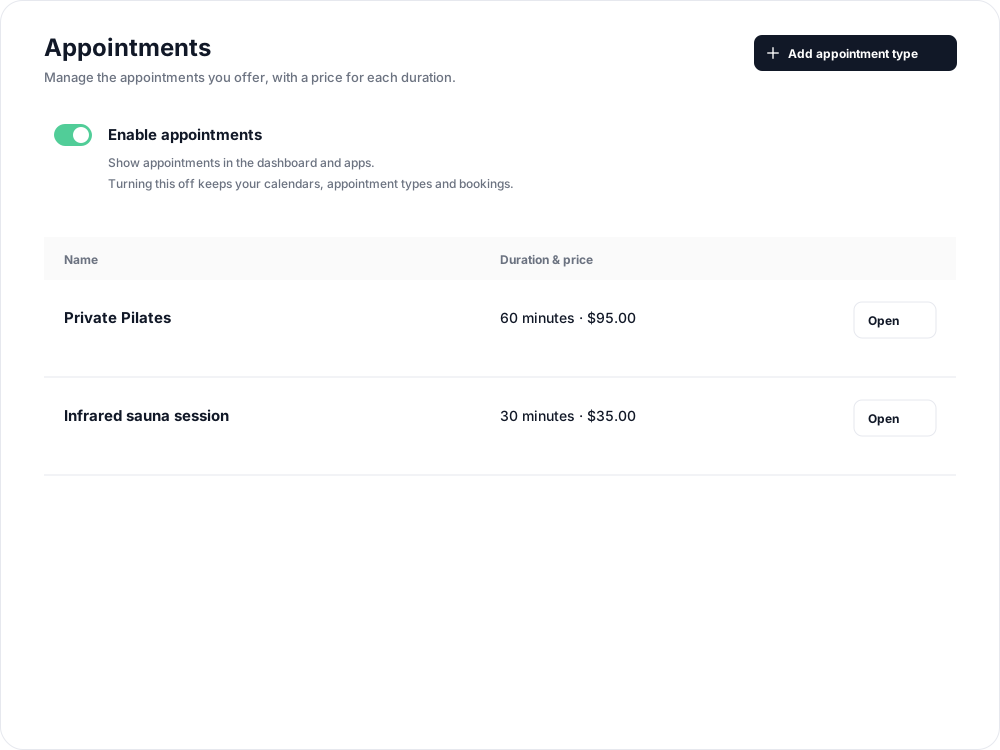
- Open Setup > Appointments and turn on Enable appointments.
- Create appointment types, including lengths, prices and cancellation terms.
- Open Appointments below Openings and create a calendar for an instructor, room or location, or facility.
- Add the hours or fixed times clients can book, then repeat the schedule into future weeks.
Keep the team and clients informed
Assign additional managers so the right staff receive updates and can act on requests. Use List in Appointments to see upcoming bookings across calendars, or book on a client's behalf.
Clients receive booking updates, and you can add preparation instructions, a form and an optional appointment reminder. Follow how clients book appointments to see both booking styles and payment timings.
Before changing or cancelling a booking, review its cancellation terms and refund outcome.
Related articles
Book an appointment on behalf of a client
Choose a client, select an available appointment and take payment or submit it for staff approval.
Create an appointment calendar for a facility
Make an infrared sauna, massage chair or similar facility bookable through a room/location calendar.
Create an appointment calendar for a room or location
Let clients reserve a room or an entire location, and assign staff to manage its appointments.
Create an appointment calendar for an instructor
Offer one-to-one sessions with an instructor, choose a booking style and publish their available times.