
Book an appointment on behalf of a client

Tobias Gundry
Updated
Book from the dashboard when a client calls, visits reception or asks your team to arrange a time.
Choose the calendar and client
- Open Appointments and select the calendar you want.
- Click a time inside its available hours or an available fixed slot. You can also select Book appointment.
- Search by the client's name or email, then select their record.
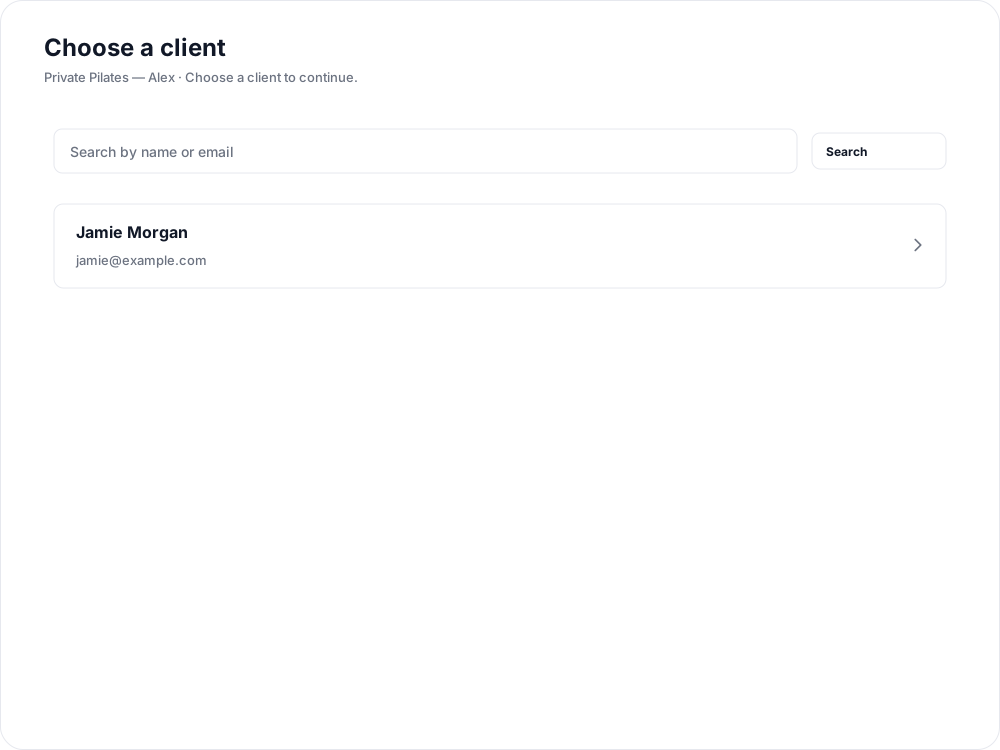
Starting from available time carries the date and time into the booking form. Starting from a fixed slot also carries its appointment length.
Review the booking and payment
Check Appointment and Date and time, then choose Payment:
- An eligible pack or plan that includes the appointment length.
- Charge saved card to use the client's saved card.
- Enter card details to enter a card for this booking.
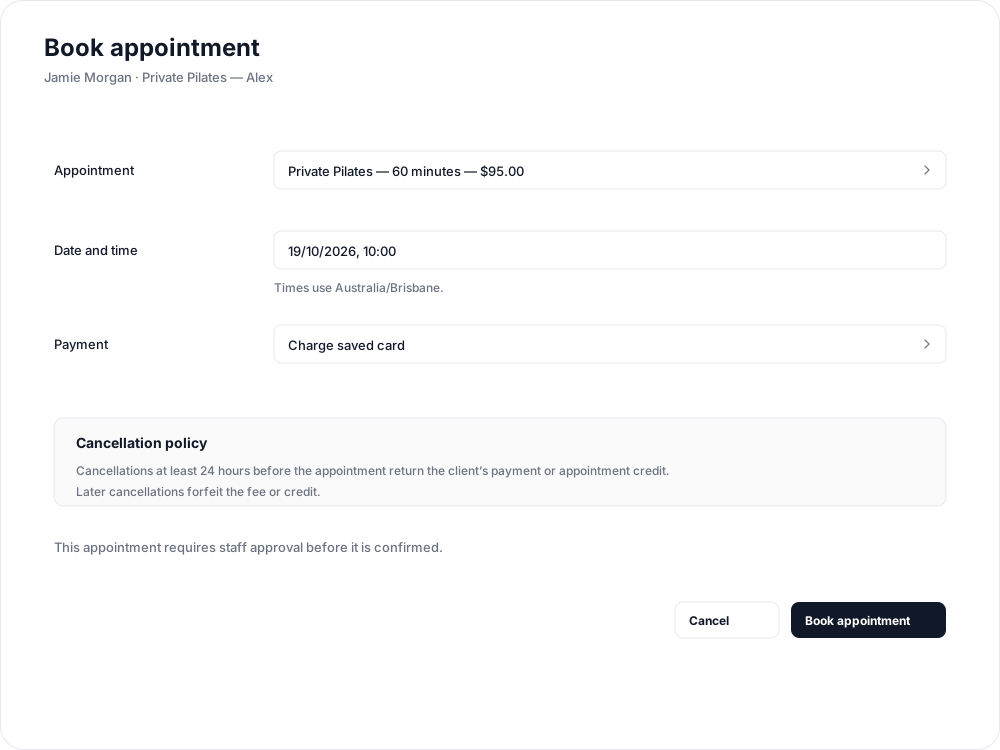

Unavailable payment choices show a reason. If a pack or plan cannot cover the selected length, choose an eligible option before continuing. There is no pay-later choice in this form.
Review the Cancellation policy with the client, then select Book appointment.
Know when the booking is confirmed
On an Immediate confirmation calendar, a saved-card booking is charged at booking and confirms after payment succeeds. On a Staff approval calendar, a saved-card or pack/plan booking awaits approval; approve the request before the appointment starts.
Enter card details opens a secure payment form and confirms immediately after payment succeeds, even on an approval calendar. It does not replace the client's saved card. Use another payment option if the request still needs approval.
If payment is processing, keep the existing booking open and use Check payment result rather than making a second booking. If card entry is incomplete, the details screen offers Continue card payment.
Clients receive the appropriate request or confirmation update. Open the appointment to review its status, reschedule or cancel if needed.
Related articles
Appointments in Clovo
Bring private sessions, room bookings and wellness appointments into Clovo, with flexible availability, staff approval and payments.
Create an appointment calendar for a facility
Make an infrared sauna, massage chair or similar facility bookable through a room/location calendar.
Create an appointment calendar for a room or location
Let clients reserve a room or an entire location, and assign staff to manage its appointments.
Create an appointment calendar for an instructor
Offer one-to-one sessions with an instructor, choose a booking style and publish their available times.