
Create an appointment calendar for a room or location

Tobias Gundry
Updated
Use a location calendar when the space itself is being booked. Select a room for exclusive use of that room, or leave Whole location selected when a booking needs the entire location.
Create the calendar
Make sure your location and rooms are ready. In Setup > Appointments, enable appointments and create the appointment types and lengths clients will book.
- Open Appointments and choose New calendar from All calendars, or use the + beside Calendars.
- Select Location under Calendar type.
- Choose Flexible times or Fixed appointments, then your confirmation option.
- Enter the Calendar name, choose a colour and select the Location.
- In Room, choose the specific room or Whole location.
- Choose a Manager. Add Additional managers if more staff should receive updates and manage bookings.
- Select Create calendar.
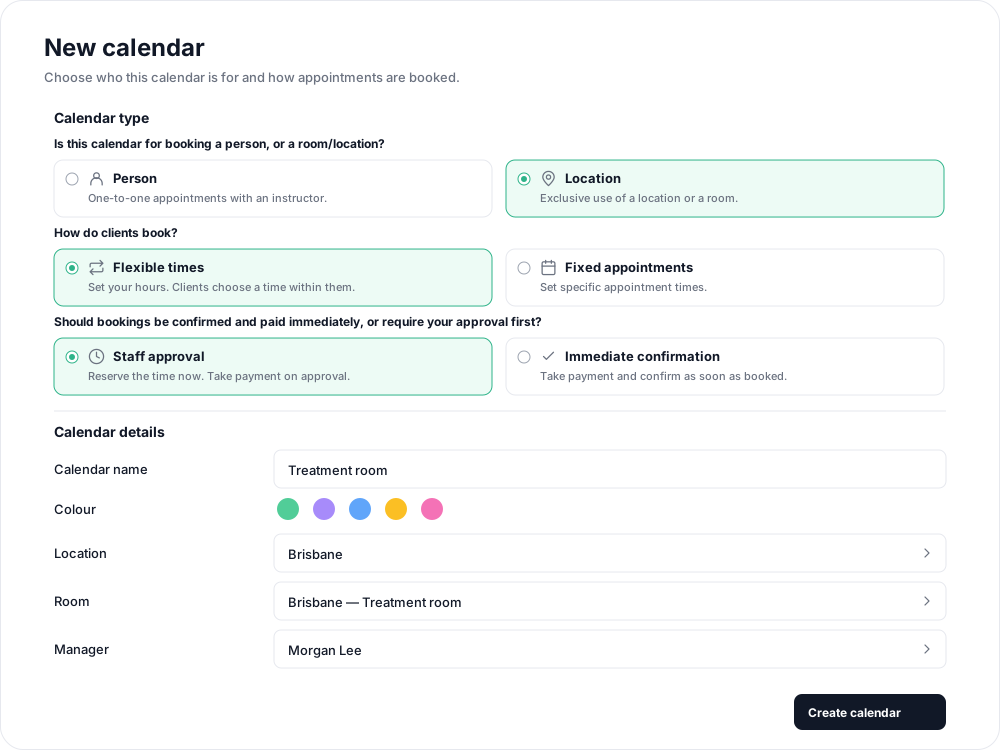
Choose the space carefully
A room booking reserves that room. A whole-location booking reserves the entire location, including its rooms. Use Whole location only when that is the access you intend to offer.

A location calendar does not reserve a particular instructor. For a service that needs both a person and a room, create an instructor calendar and select that room instead.
The resource and booking choices cannot be changed after creation. You can change the calendar name, colour, manager and additional managers in Calendar settings.
Make the room bookable
For a flexible calendar, drag over the available hours on a date, select the appointment types to offer, and save with Add availability. For a fixed calendar, select a time in the grid, choose Appointment and length, and save with Add appointment time.
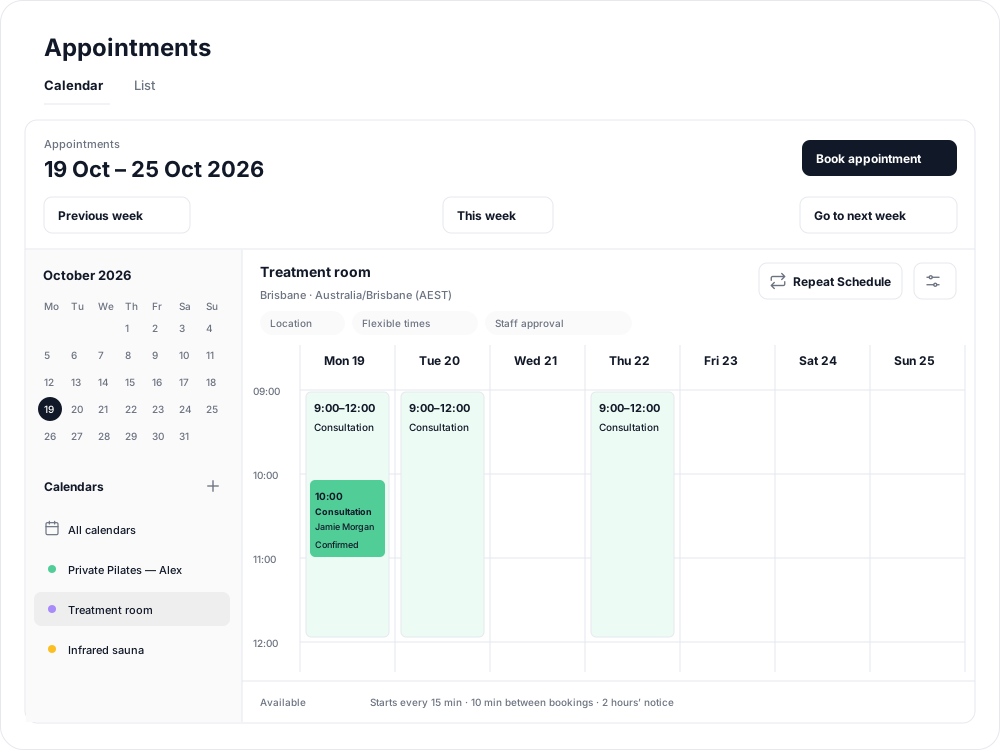
Use Repeat Schedule to publish the same pattern into future weeks. Availability does not repeat automatically.
Related articles
Appointments in Clovo
Bring private sessions, room bookings and wellness appointments into Clovo, with flexible availability, staff approval and payments.
Book an appointment on behalf of a client
Choose a client, select an available appointment and take payment or submit it for staff approval.
Create an appointment calendar for a facility
Make an infrared sauna, massage chair or similar facility bookable through a room/location calendar.
Create an appointment calendar for an instructor
Offer one-to-one sessions with an instructor, choose a booking style and publish their available times.