
Send a client a password reset

Tobias Gundry
Updated
If your clients are having trouble accessing their accounts, you can help them reset their passwords directly from Clovo Dashboard. This is quicker than asking the client to navigate the password reset process on their own.
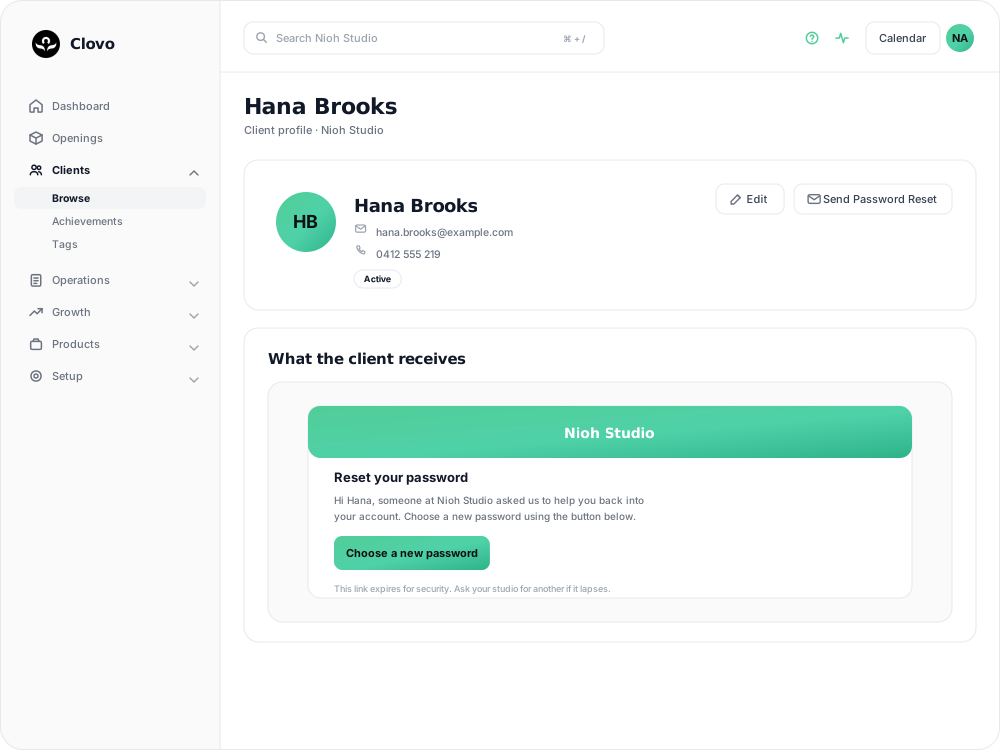
How to send a password reset
- Log in to Clovo Dashboard.
- Navigate to Clients and find the client who needs a password reset.
- Open their client profile.
- Click the option to send a password reset.
- The client will receive an email with a link to create a new password.
Things to know
- The reset link is sent to the email address on file for that client — check that their email is correct before sending
- Reset links expire after a set period for security — if the client doesn’t use it in time, you can send another one
- Clients can also initiate a password reset themselves from the login screen of the Clovo app
- If a client repeatedly has trouble logging in, confirm the email address they are using. They may have more than one account registered under different addresses
Related articles
Archive a client without deleting their history
Archive a client to hide them from day-to-day lists and stop them signing in, while keeping their record so you can bring them back later.
Deleting a client from your studio
Schedule a client for permanent deletion, cancel it while the grace period is still running, and understand when immediate deletion is available.
Track attendance by checking-in clients on your phone or desktop
Check clients in to record who attended a class in addition to who booked.
Answer questions about your clients with Client Insights
Explore attendance, memberships and spending to answer questions about your clients, then save or export the results.