
Create a paid introductory offer with a credit pack

Tobias Gundry
Updated
Use a paid intro offer when you want a new client to make a small first purchase before choosing a membership.
Build the offer
-
Open Products → Packs.
-
Select Add pack.
-
Give the pack a clear introductory name and add the small number of credits you want new clients to use.
-
Enter the special introductory price, then set how long the credits stay valid.
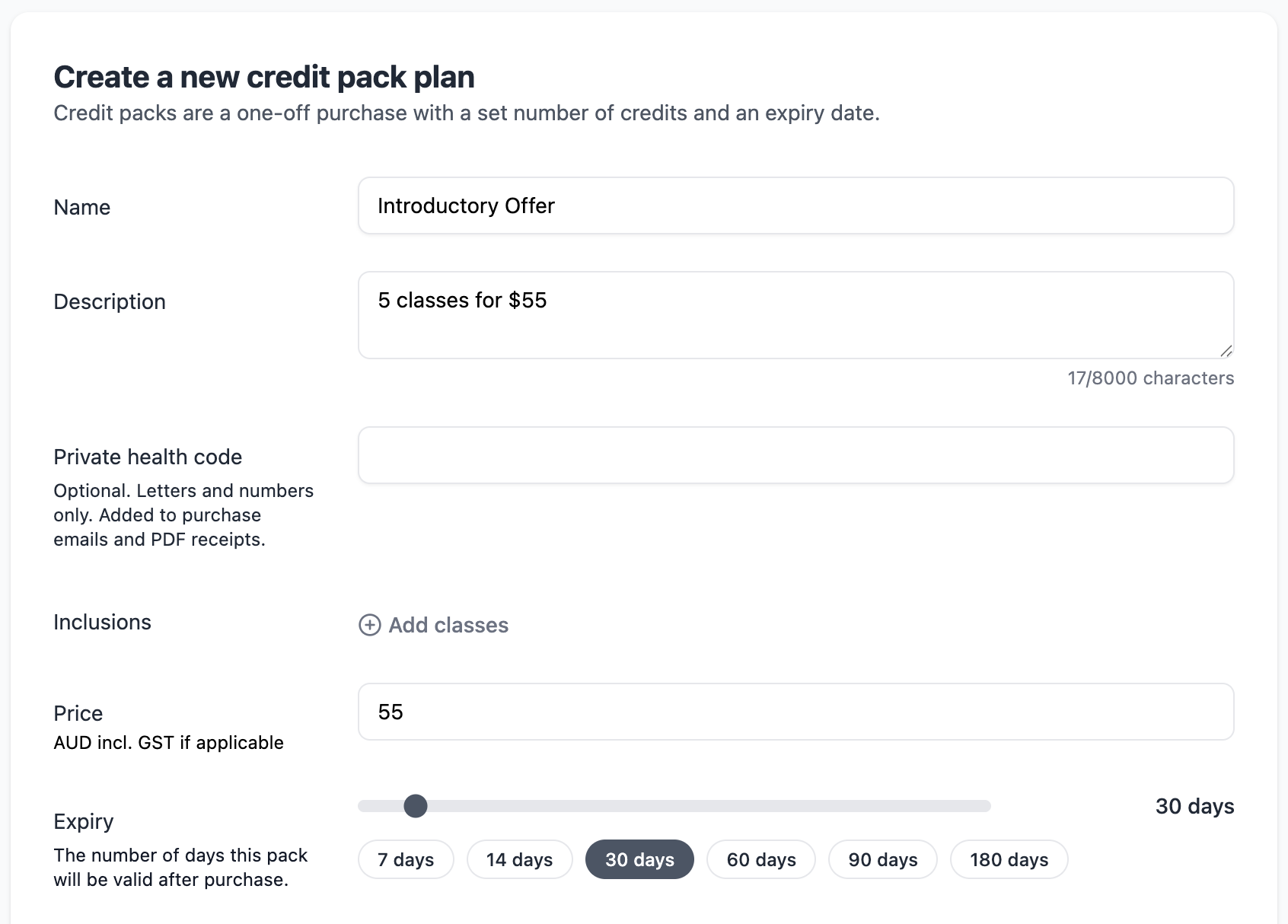
-
Turn on Special offer and Single Purchase. Single Purchase stops a client buying the intro offer more than once, and Special offer highlights it across your purchase screens.
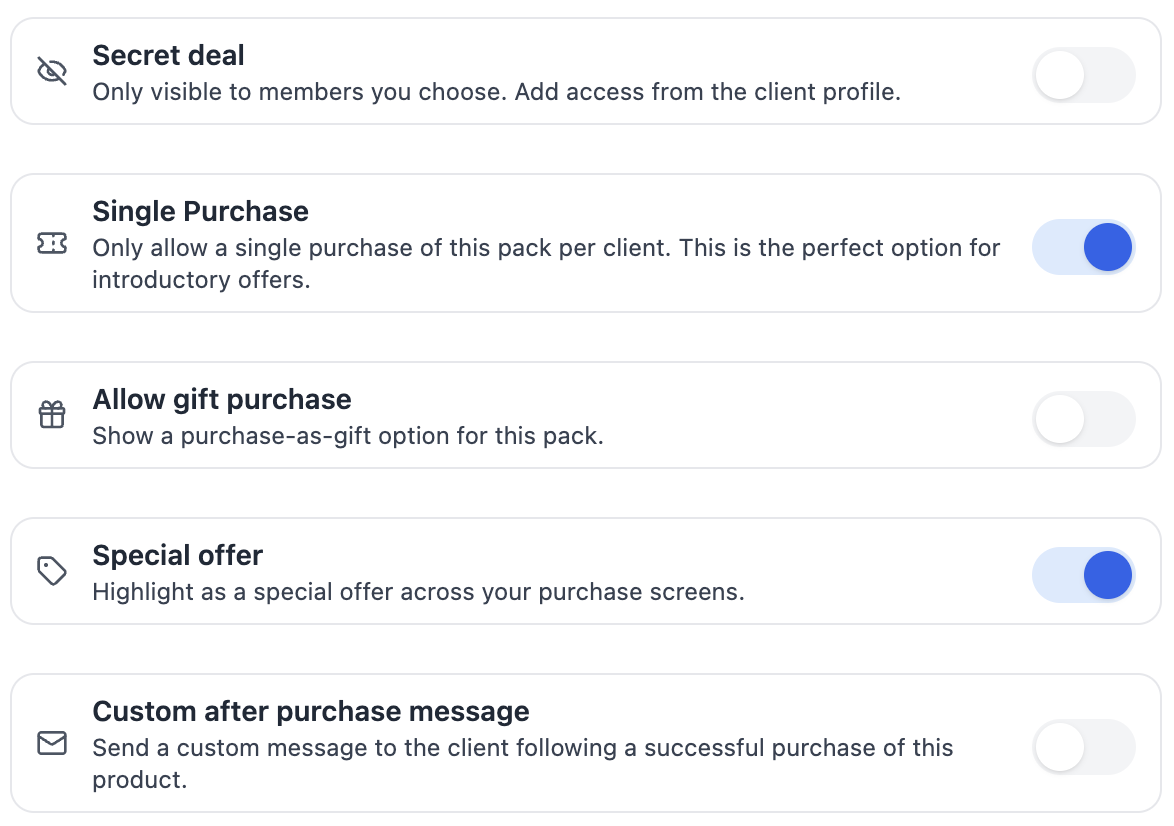
-
Save the pack and publish it through your normal client sales or booking flow.
Moving from another platform? Add clients who already bought your intro offer to the pack’s Blocked Purchasers list so they cannot buy it again.
When to use a trial instead
Use a free trial when you want to let someone try your studio without charging them. Trials are limited to 30 days. Use this paid offer when a small commitment is a better fit.
Review the offer
Check the price, credits, expiry, and the classes those credits can book before sharing the offer. Remove or edit the pack when you no longer want it available.
Related articles
Prevent repeat intro purchases with Blocked Purchasers
Block a client from buying a credit pack, including clients who bought your intro offer on another platform before moving to Clovo.
Create a free trial for a new client
Create a trial when you want a new client to try your studio before committing to a paid plan.
Track your clients milestones with achievements
Celebrate client milestones with automatic tracking in Clovo’s Achievements feature, and reach out when clients reach milestones with your studio.
What changed with achievements?
Why achievements have changed, how the new milestones and notifications compare with the old system, and which settings to check.