
Track your clients milestones with achievements

Tobias Gundry
Updated
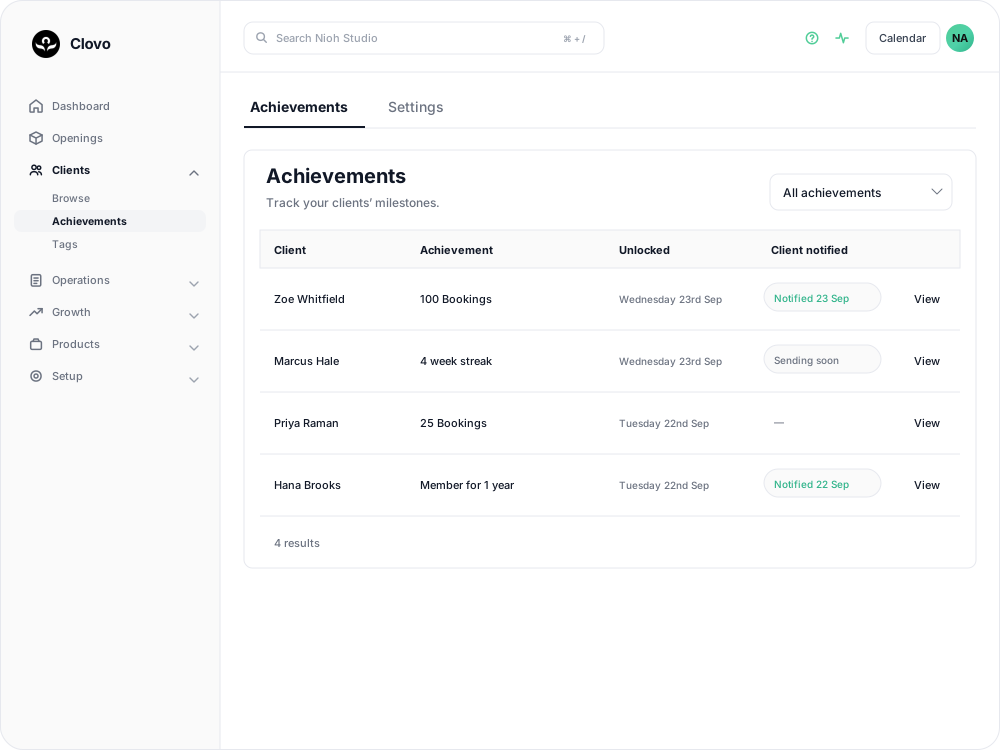
Clovo’s Achievements feature tracks client milestones automatically, so you can reach out and celebrate when clients reach them.
What are achievements?
Achievements recognise class totals, time with your studio and consecutive weeks of classes. Clovo tracks these milestones automatically and can send clients a celebration by email and push notification.
For a comparison with the previous system, see What changed with achievements?.
Setting up achievements
- In Clovo Dashboard, go to Clients > Achievements > Settings.
- Review Bookings require check-ins. Turn it on if bookings should count towards class and streak milestones only when the client has checked in. Leave it off if your studio does not record check-ins.
- Choose whether to enable Send notifications to let clients know automatically when they reach a milestone, then select Save changes.
Clovo provides the milestone catalogue; you do not need to create milestones. With automatic notifications off, you can open an achievement using View, preview the celebration and select Send notification. Turning automatic notifications back on does not send achievements that unlocked while it was off.
Ideas for celebrating milestones
- Personal recognition — a quick message or shout-out during class goes a long way
- Social media feature — share the milestone on your studio’s Instagram (with client permission)
- Small reward — a free class, branded merchandise, or a handwritten card
- Studio wall of fame — display achievement milestones in your studio space
Related articles
What changed with achievements?
Why achievements have changed, how the new milestones and notifications compare with the old system, and which settings to check.
Create a paid introductory offer with a credit pack
Use a paid intro offer when you want a new client to make a small first purchase before choosing a membership.
Set up late cancellation and no-show penalties
Set late cancellation and no-show rules, choose credit forfeiture or membership-only fees, and check the penalties applied to bookings.
Close the studio for a date range
Record a closure so Clovo stops opening classes at that location, then cancel the openings already on the timetable and extend or pause the memberships the closed days run through.