
Add Program Notes to keep clients in the loop

Tobias Gundry
Updated
Program Notes let you share extra information about a specific class, such as what to bring, a session focus, equipment changes or anything else clients should know before arriving.
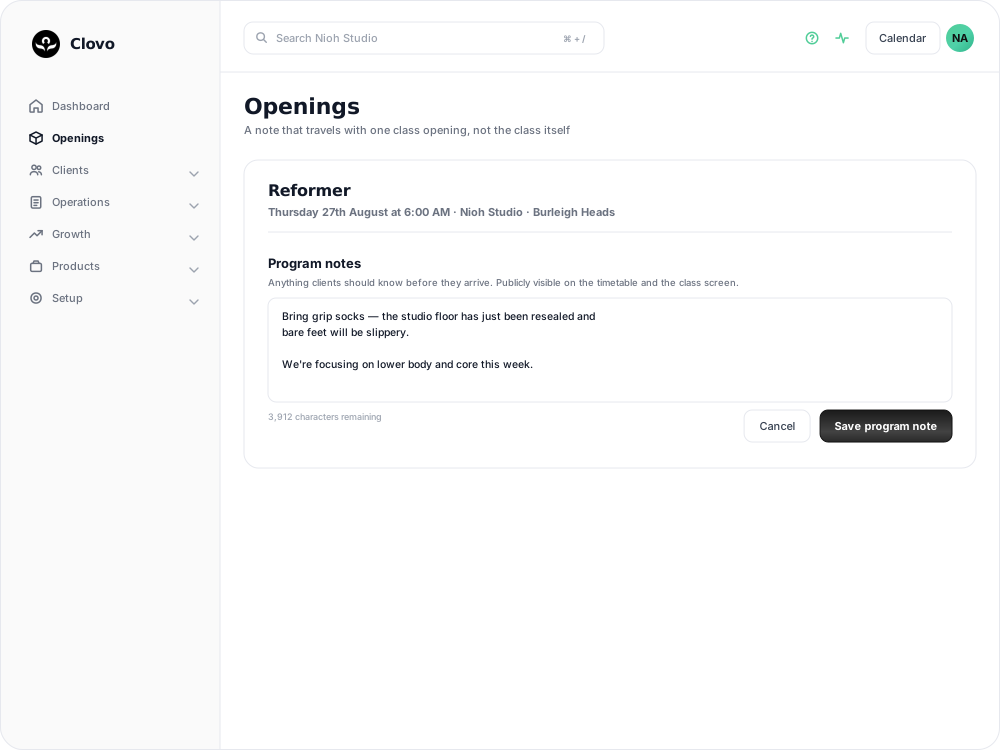
Notes are publicly visible to clients, so only include information you’re happy for everyone viewing the class to read.
Add a Program Note in the app
- Open the class you want to update.
- Tap Add Program Note.
- Enter your note.
- Tap Save.
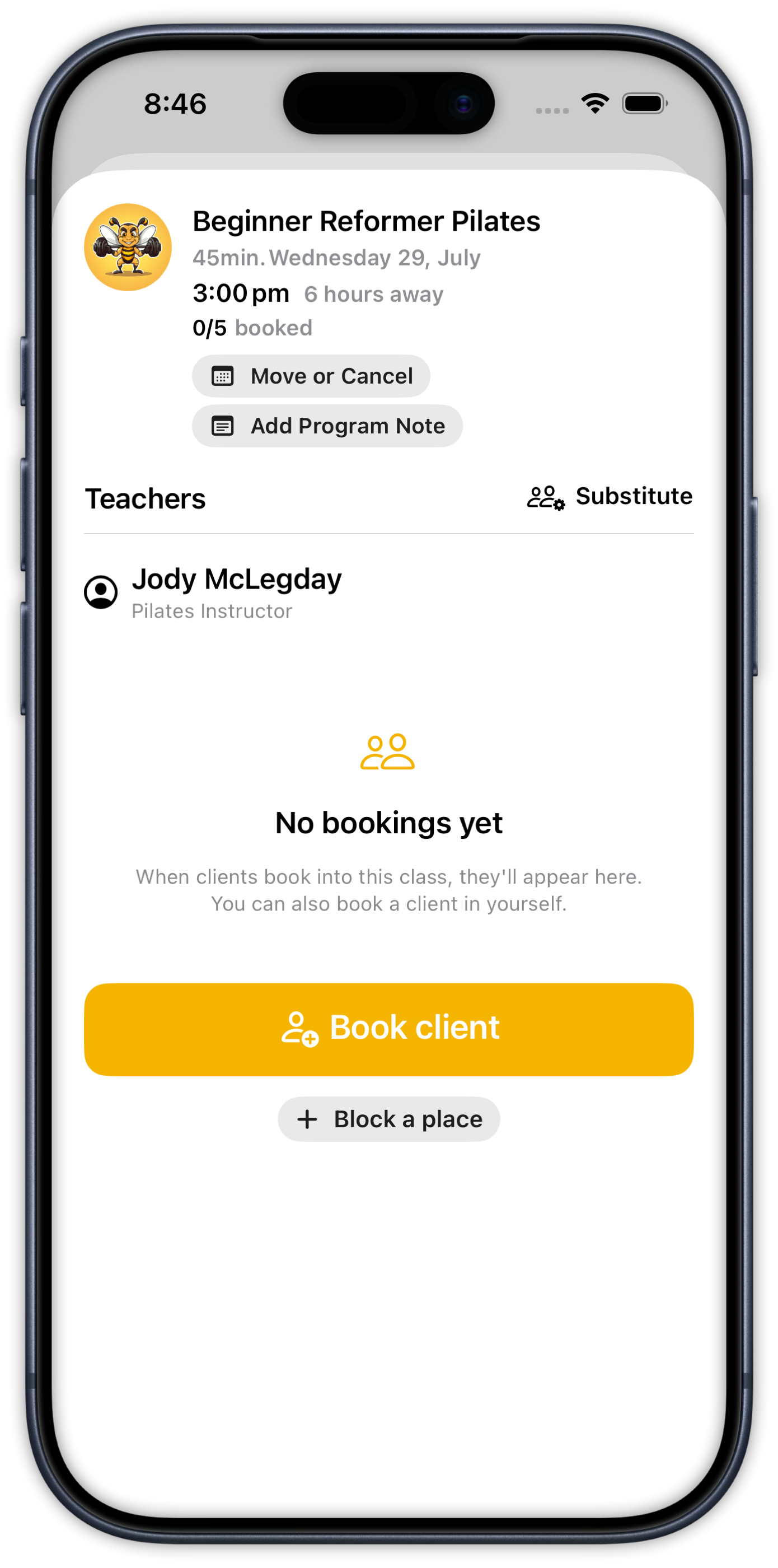
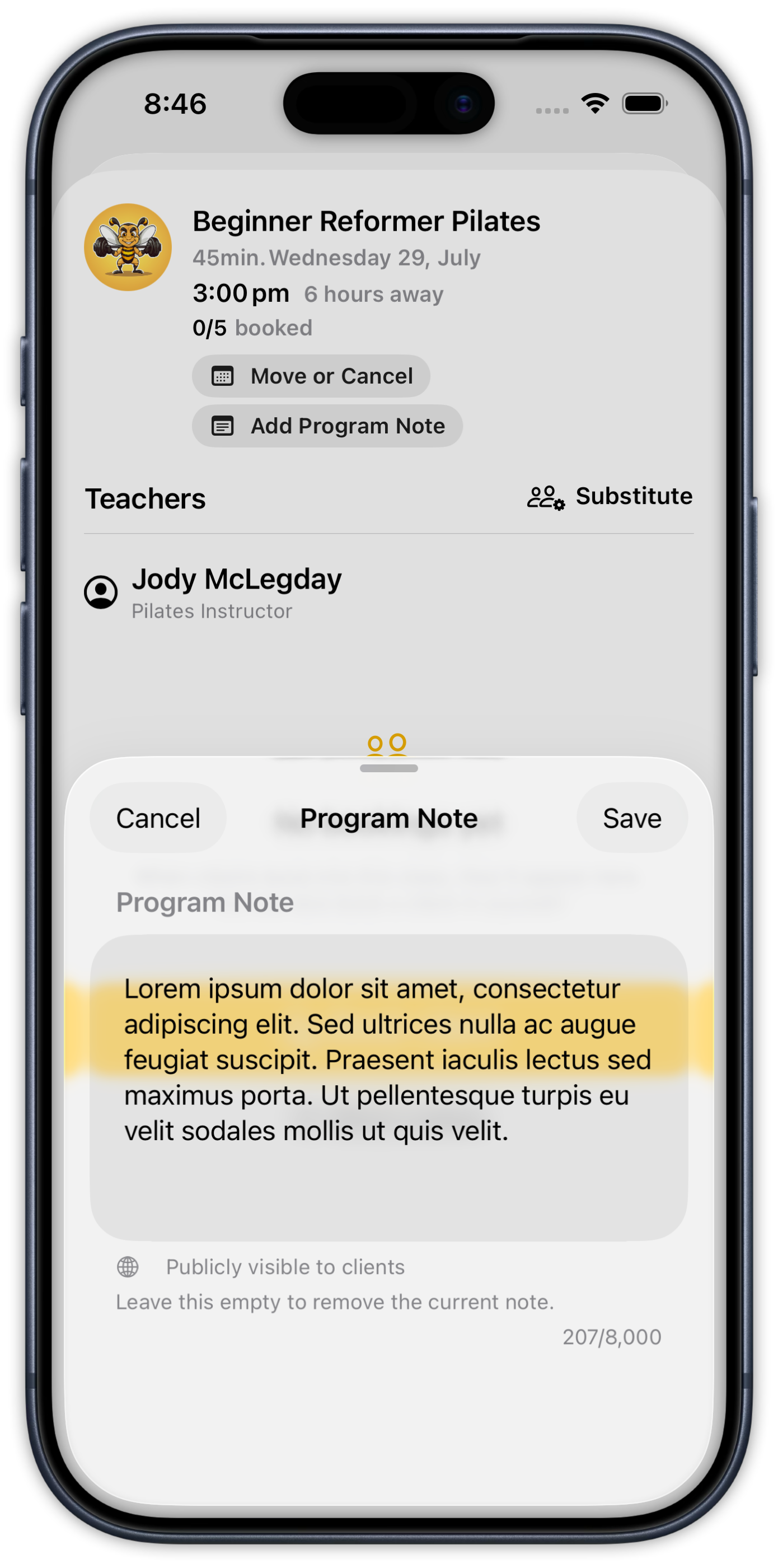
You can enter up to 8,000 characters. To remove an existing note, clear the text field and save it again.
Add a Program Note from the dashboard
- In Clovo Dashboard, go to Openings.
- Select the class you want to update.
- Scroll to Program notes.
- Enter or update the note, then save your changes.
A Program Note applies only to the selected class opening. It won’t change the description of the class or add the note to future sessions.
What clients see
Classes with a Program Note show the note directly on the timetable, making important information easy to spot before booking.

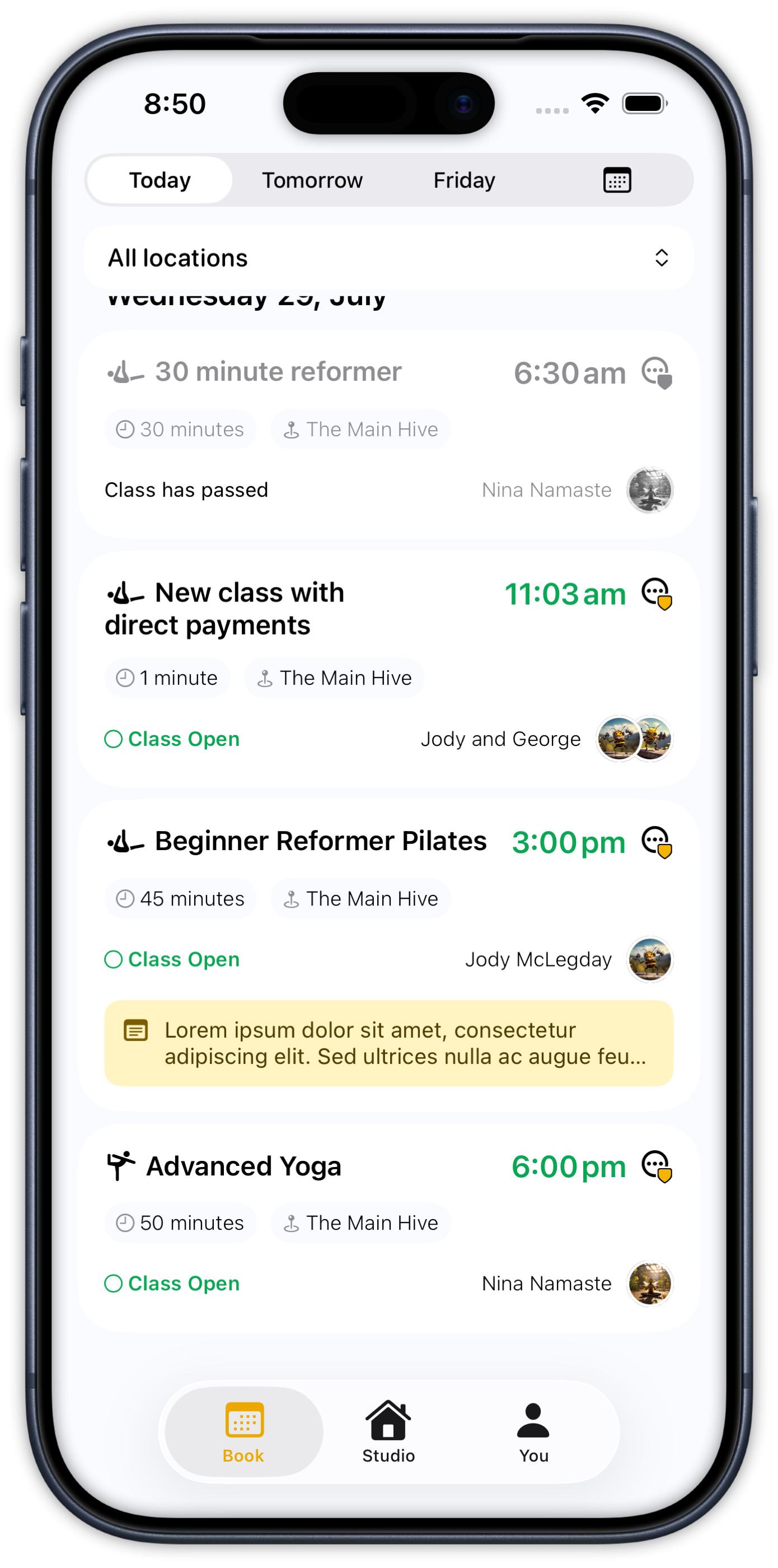
The complete note also appears on the class details screen.
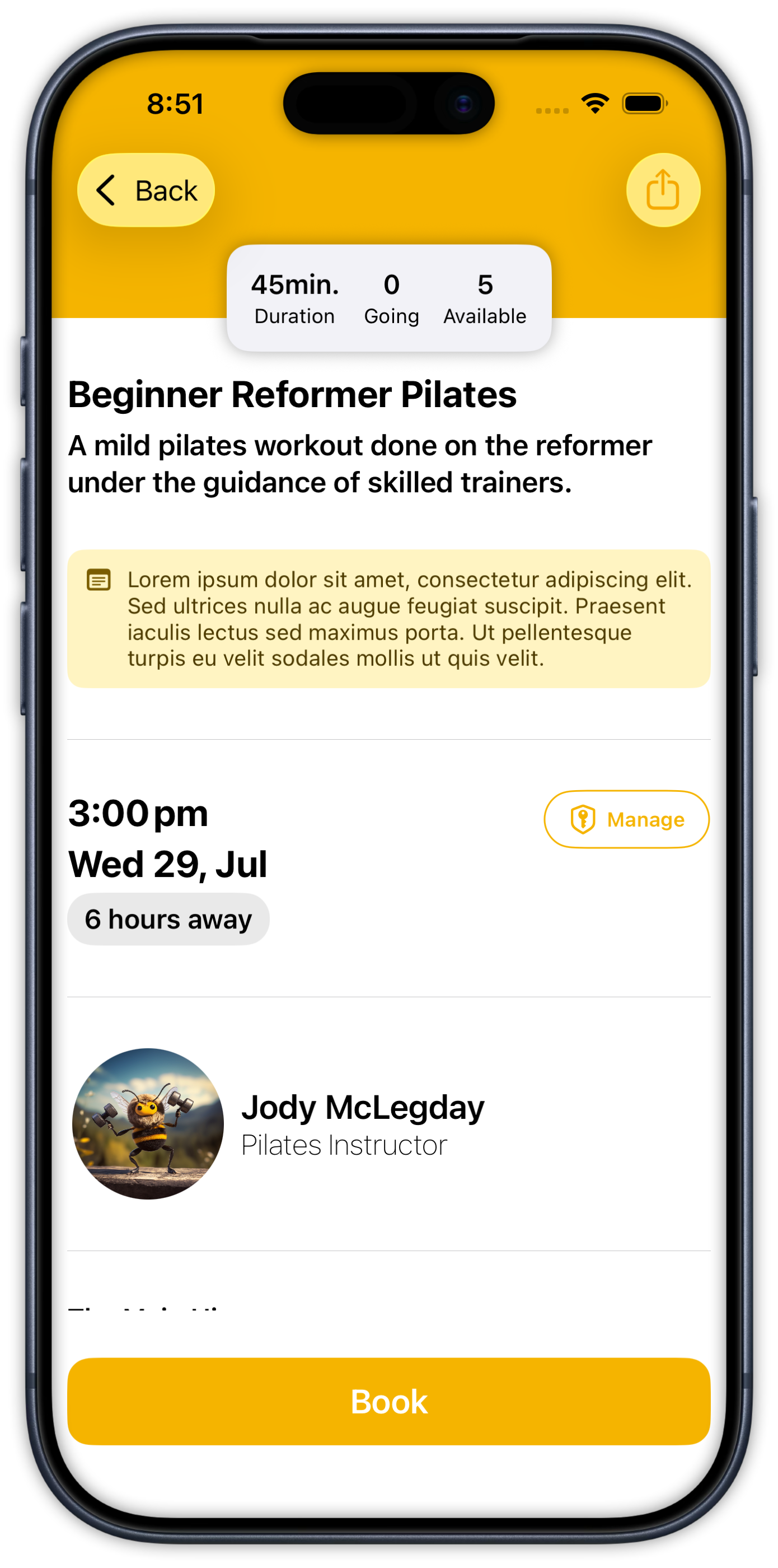
That’s it — once saved, the latest note is available to clients viewing that class.
Related articles
Send an announcement to clients
Send an announcement to all clients, the people booked into one class opening, or the current clients on a membership plan.
Change the reply to address for your studio
Choose where replies go for client emails and staff onboarding emails.
Customise the welcome email that is sent to new clients when they join
You can now customise the welcome email your studio sends to new clients when they join.
Give your clients branded support
Every Clovo studio has a member-facing help centre, live right now, with no setup required. It sits on your landing page, it’s written in your studio’s voice, and it wears your branding.