
Work out what a client is worth over their whole time with you

Tobias Gundry
Updated
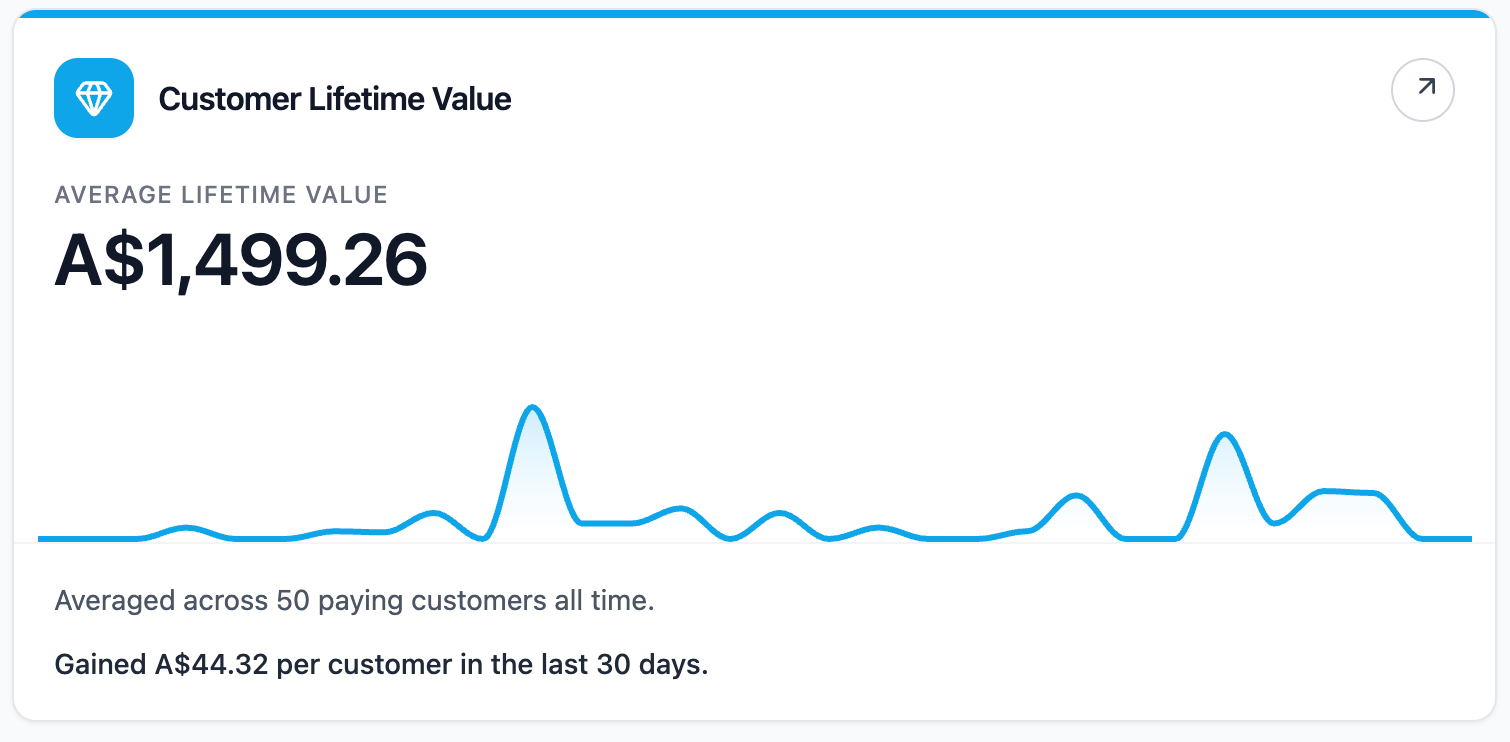
The Customer Lifetime Value report shows the average amount a paying customer has spent across their whole relationship with your studio.
Where To Find It
Open Reporting, then select Customer Lifetime Value.
Why This Report Matters
Lifetime value helps you understand how much customer relationships are worth over time. It can guide decisions around acquisition spend, membership strategy, retention work, and customer experience.
This report is most useful as a long-term signal. It becomes more meaningful as your studio builds more payment history.
How To Read It
- Average lifetime value is the average all-time spend per paying customer.
- Paying customers shows how many customers have successful payment history.
- Total lifetime revenue shows successful payments after refunds, including partial refunds.
- Paid in last 30 days shows how many paying customers made a payment recently.
- Median customer shows the middle customer value, which can be useful when a small number of high spenders lift the average.
- Top 10% customers shows the average spend among your highest-contributing customers.
What The Number Means
A rising average lifetime value usually means customers are continuing to spend, staying longer, or purchasing higher-value products. A flat or lower movement can happen when many new customers enter with smaller first purchases, or when recent payments are lighter than historical customer value.
Compare the average with the median. If the average is much higher than the median, a smaller group of high-spend customers may be lifting the overall result.
How Clovo Calculates It
Clovo totals successful payments after refunds, including partial refunds, for each paying customer across their whole relationship with the studio, then averages those totals.
The report also shows how the past 30 days changed the average lifetime value. Staff and deleted accounts are excluded.
To review individual clients, owners and Finance staff can use Client Insights → Highest lifetime spend.
Related articles
Find where booked places are being lost with the Cancellations & No-Shows report
Read the Cancellations & No-Shows report: what its 30-day window really covers, why the 24-hour late-cancel split is not your penalty policy, and what the Leakiest classes list leaves out.
Spot members leaving before it shows in your revenue with the Churn Rate report
The Churn Rate report measures the recurring memberships cancelled in the past 30 days against the member base you started that window with, counted from the day each member asked to leave.
Answer questions about your clients with Client Insights
Explore attendance, memberships and spending to answer questions about your clients, then save or export the results.
See what each client spends with you every month with the Spend per Customer report
The Avg Spend per Customer report shows how much each paying customer has spent on average during the past 30 days.