
Understand how your clients prefer to pay with the Member/Casual Ratio report

Tobias Gundry
Updated
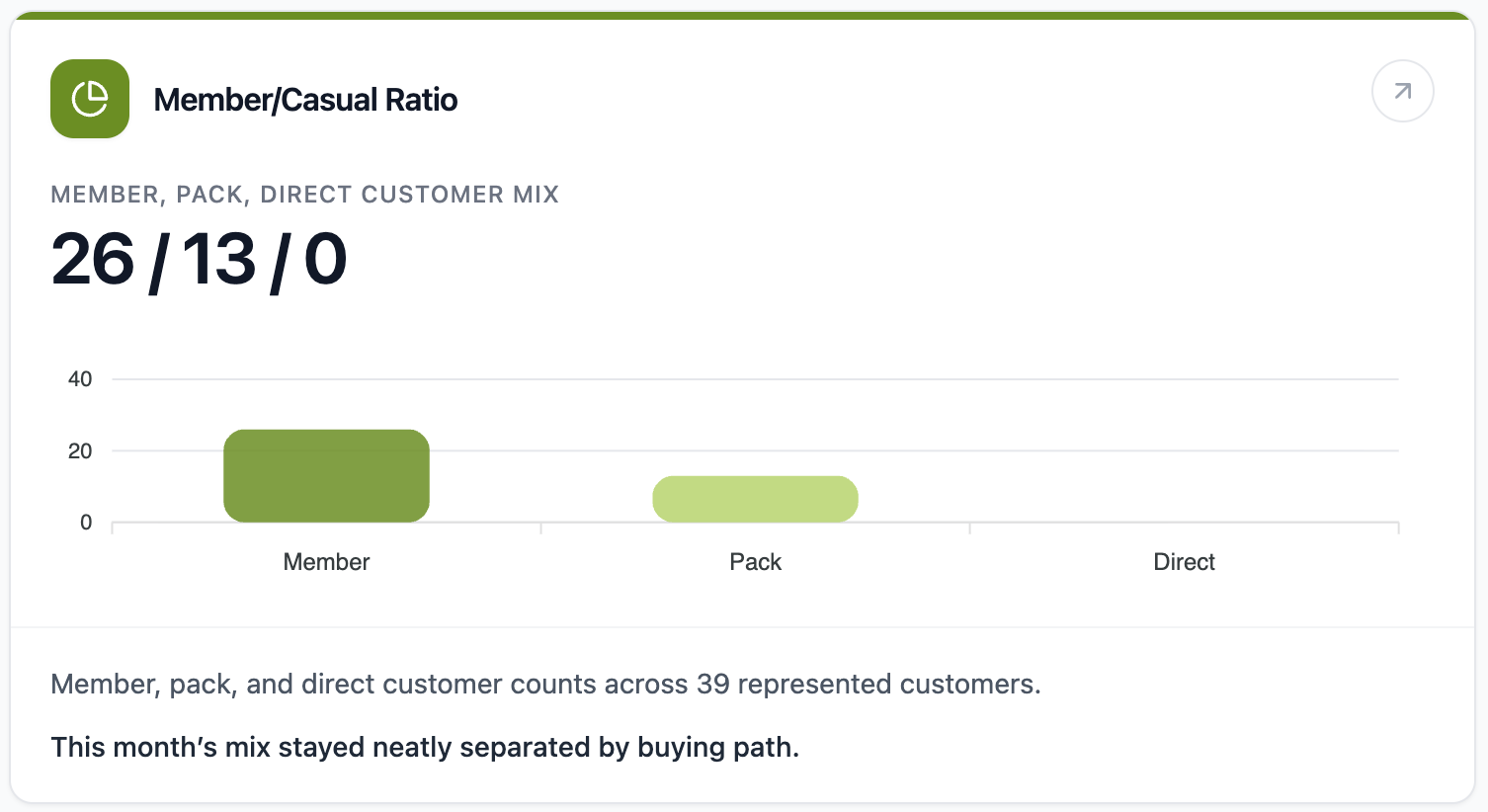
The Member/Casual Ratio report shows how your active customers are choosing to pay for classes. It compares member, pack, and direct-purchase behaviour across the past 30 days.
Where To Find It
Open Reporting, then select Member/Casual Ratio.
Why This Report Matters
Your customer mix affects revenue predictability, retention, and how you plan offers. A member-heavy mix usually points to a stronger recurring base. More pack and direct-purchase activity can show casual demand, trial behaviour, or customers who may be ready to convert into a membership.
This report is useful when you are deciding whether to promote memberships, class packs, intro offers, or casual booking options.
How To Read It
- Member, pack, direct customer mix shows the number of customers who used each paid path.
- Member customers used an eligible recurring membership.
- Pack customers used a non-trial pack or credit-based product.
- Direct customers paid directly for a booking.
- Represented customers shows how many customers appear in the paid mix.
- Overlap shows customers who used more than one paid path in the same window.
What The Number Means
A higher member count usually supports steadier revenue. A higher pack or direct count can signal flexible purchasing behaviour and possible conversion opportunities.
Overlap is especially useful. If customers are using more than one paid path, they may be testing different ways to attend. That can be a good prompt to review membership positioning or staff follow-up.
How Clovo Calculates It
Clovo reviews non-cancelled customer bookings in the past 30 days and groups customers by the paid path used for those bookings.
Customers can appear in more than one bucket if they used more than one paid path during the window. Complimentary bookings and trial-backed visits are excluded from this mix.
Related articles
Find where booked places are being lost with the Cancellations & No-Shows report
Read the Cancellations & No-Shows report: what its 30-day window really covers, why the 24-hour late-cancel split is not your penalty policy, and what the Leakiest classes list leaves out.
Spot members leaving before it shows in your revenue with the Churn Rate report
The Churn Rate report measures the recurring memberships cancelled in the past 30 days against the member base you started that window with, counted from the day each member asked to leave.
Answer questions about your clients with Client Insights
Explore attendance, memberships and spending to answer questions about your clients, then save or export the results.
Work out what a client is worth over their whole time with you
The Customer Lifetime Value report shows the average amount a paying customer has spent across their whole relationship with your studio.