
Create appointment types, lengths and prices

Tobias Gundry
Updated
An appointment type describes the service clients book. Give it a clear name, then add one or more lengths with a price for each. Your calendars decide where and when those services are available.
Add an appointment type
- Open Setup > Appointments. Turn on Enable appointments if needed.
- Select Add appointment type.
- Enter the Name and a description of what the client can expect.
- Choose the cancellation policy. Turn on Refund cancellations if you want payments or appointment credits returned when the required notice is given, then set Minimum notice (hours).
- Optionally enable an Appointment reminder, After booking message or After booking form.
- Select Save.
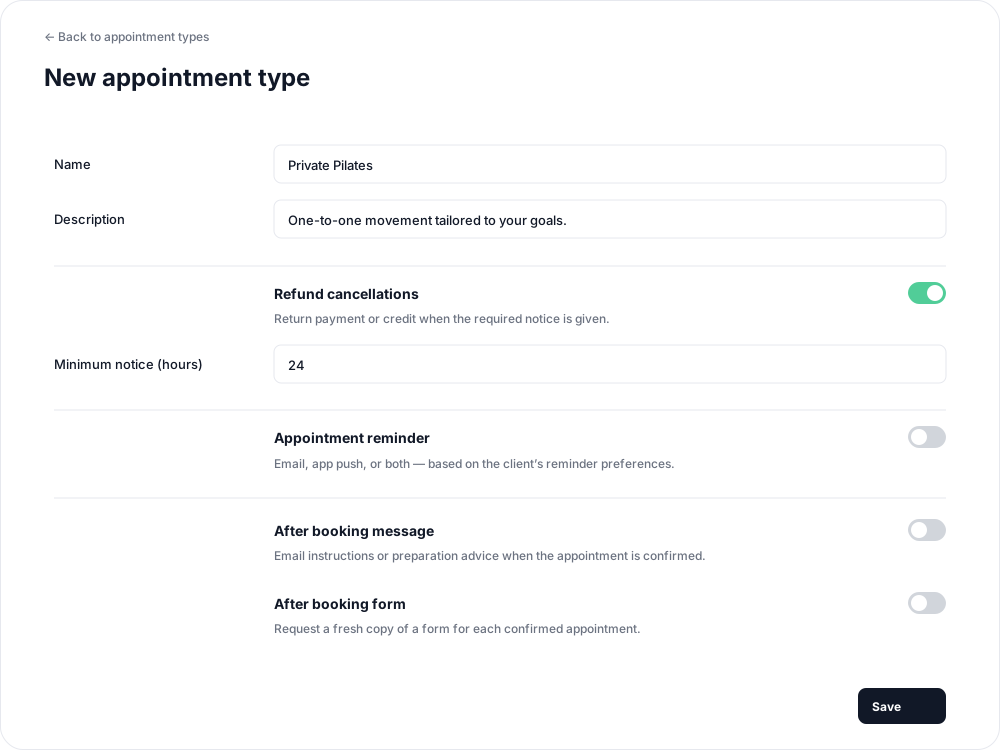
Refund cancellations is off by default. When it is off, cancelled bookings forfeit their payment or credit. If enabled, a minimum notice of 0 allows refunds until the appointment starts. Read more about cancellation outcomes.
Add lengths and prices
On the type's Durations and prices screen, enter a duration and price under Add a duration, then select Add duration. Repeat for any other lengths you offer, such as 30 and 60 minutes.
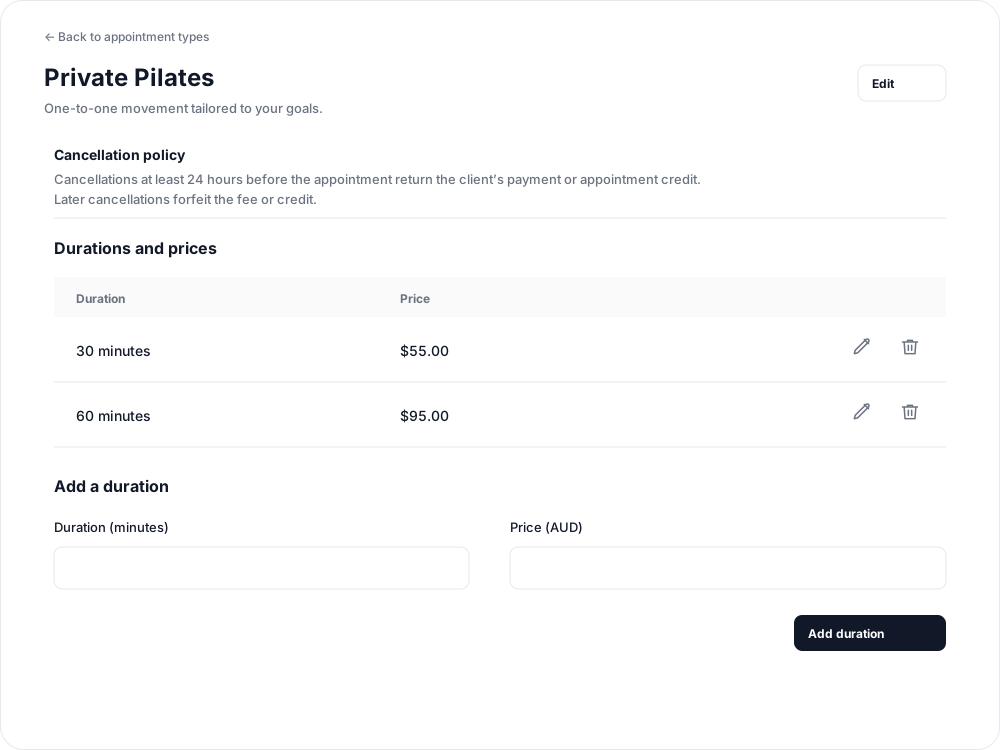
Add at least one length before offering the type in flexible hours. A fixed slot uses one specific appointment and length.

Offer the type on a calendar
For Flexible times, add or edit available hours and select the type under Appointments available during these hours. Clients can choose its available lengths.
For Fixed appointments, select the type and length under Appointment and length when adding each appointment time.
Clients can pay by card or an eligible pack or plan that includes the selected appointment length. Creating a type does not add it to existing packs or plans.
Update your services
Open a duration to edit its price, or use its remove action to stop offering that length. Use Archive type when the service is no longer offered. Existing appointments retain their booked name, length, price and cancellation terms; editing the type does not rewrite them.
Related articles
Appointments in Clovo
Bring private sessions, room bookings and wellness appointments into Clovo, with flexible availability, staff approval and payments.
Book an appointment on behalf of a client
Choose a client, select an available appointment and take payment or submit it for staff approval.
Create an appointment calendar for a facility
Make an infrared sauna, massage chair or similar facility bookable through a room/location calendar.
Create an appointment calendar for a room or location
Let clients reserve a room or an entire location, and assign staff to manage its appointments.