
Send appointment forms and rebooking reminders

Tobias Gundry
Updated
Choose what clients receive when an appointment is confirmed and after their visit ends. Use preparation messages and intake forms before the visit, then a follow-up form or a prompt to book the next appointment afterwards.
You need owner or Setup access to change these settings. They are set separately for each appointment type.
Send instructions or a form after booking
- Open Setup > Appointments, open the appointment type and select Edit.
- Under After booking, turn on After booking message to write preparation instructions. Clients receive this message by email.
- Turn on After booking form and choose a form if clients should complete it before their visit.
- Select Save.
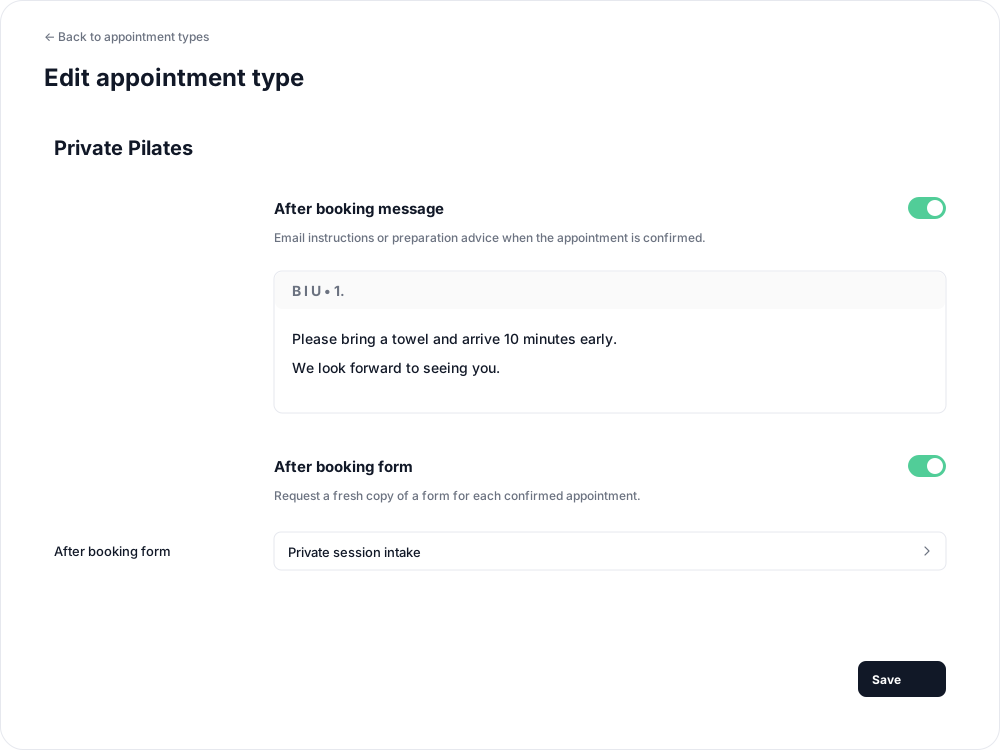
These are sent when the appointment is first confirmed, after staff approval and successful payment where required. They are not sent while a request is awaiting approval, and rescheduling or reapproving the same booking does not send them again.
Request a form after the visit
For a post-visit check-in or feedback form:
- In the same appointment type's edit screen, scroll to After appointment.
- Turn on After appointment form and choose the form.
- Select Save.
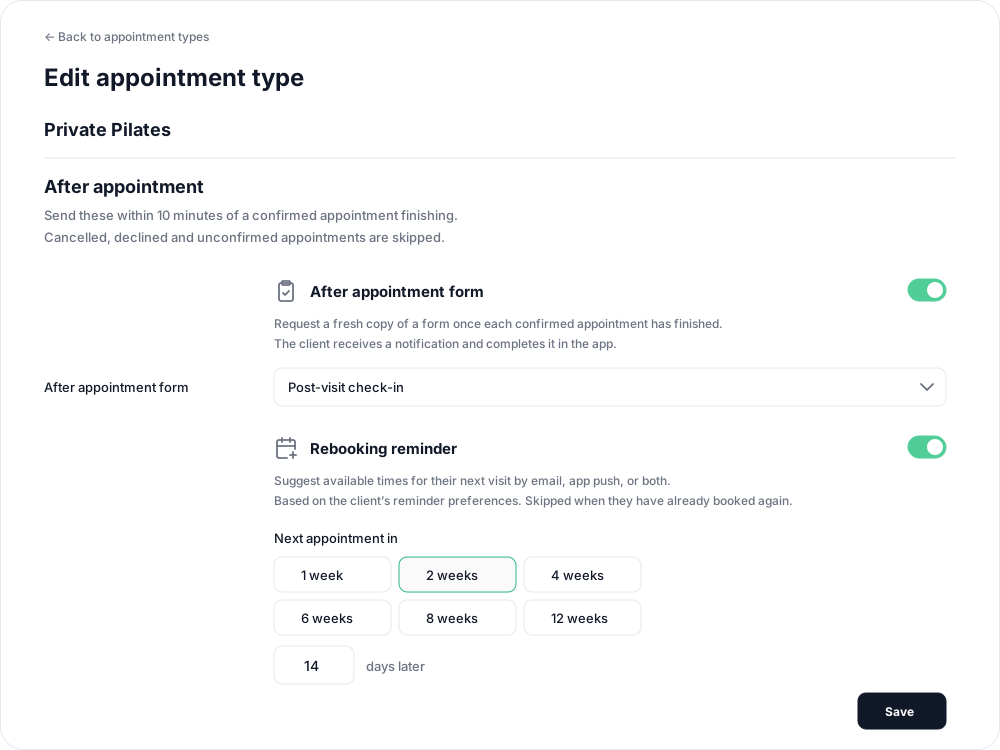
The client receives a notification and completes a fresh copy in the Clovo app for each visit, even if they have completed that form before. The after-booking form also requests a fresh copy for each separate booking.

For either form setting, choose an active, self-service client form. Staff-only and archived forms cannot be selected. Create a client form first if you need one. Sending an appointment form does not make it a requirement for booking the appointment.
Remind clients to book their next appointment
- Under After appointment, turn on Rebooking reminder.
- Set Next appointment in using a week shortcut or enter a whole number from 1 to 365 days. The initial interval is 14 days.
- Select Save.
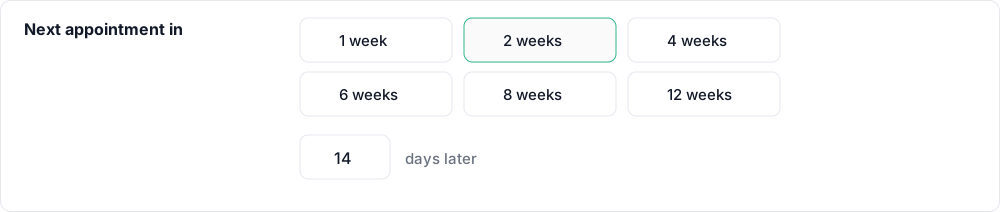
The reminder is sent shortly after the current appointment finishes. The interval tells the client when to book their next visit, rather than how long to wait before sending the reminder. For example, choose 2 weeks to send a prompt after today's visit recommending another visit in two weeks.
Email reminders include available times for the same calendar and appointment length, with links to review a booking or browse other times. If no suggested times are available, the email still links to the calendar. The client must complete the booking; the reminder does not reserve a time or book automatically.
Delivery follows the client's booking-reminder preferences: email, app push or both. Clients with both channels off receive no rebooking reminder. It is also skipped if they already have an upcoming booking or request for the same appointment type, or if the calendar, type or length is no longer offered.
When follow-ups arrive
After-appointment forms and rebooking reminders are sent within 10 minutes of a confirmed appointment finishing. Cancelled, declined and unconfirmed appointments are skipped. Appointments must remain enabled for your studio.
These settings do not send follow-ups for visits that finished more than 24 hours ago. Turn a setting off and save to stop using it; turning off the rebooking reminder keeps your chosen interval for later.
To remind clients before their current visit instead, set up an appointment reminder.
Related articles
Appointments in Clovo
Bring private sessions, room bookings and wellness appointments into Clovo, with flexible availability, staff approval and payments.
Create appointment types, lengths and prices
Define the services clients can book, including duration, price, cancellation terms and preparation instructions.
Set up appointment reminders for clients
Enable an appointment reminder, choose 1–72 hours notice and understand which clients receive it.
What appointment notifications are sent?
Understand booking updates for clients and assigned staff, plus optional preparation messages, forms, visit reminders and rebooking prompts.