
Set up appointment reminders for clients

Tobias Gundry
Updated
Appointment reminders give clients a prompt before a confirmed appointment. Set the timing on each appointment type, so a private consultation and a sauna session can use different notice periods.
Turn on a reminder
- Open Setup > Appointments.
- Open the appointment type, then select Edit.
- Turn on Appointment reminder.
- Under Remind before, choose a shortcut or enter a whole number from 1 to 72 hours.
- Select Save.
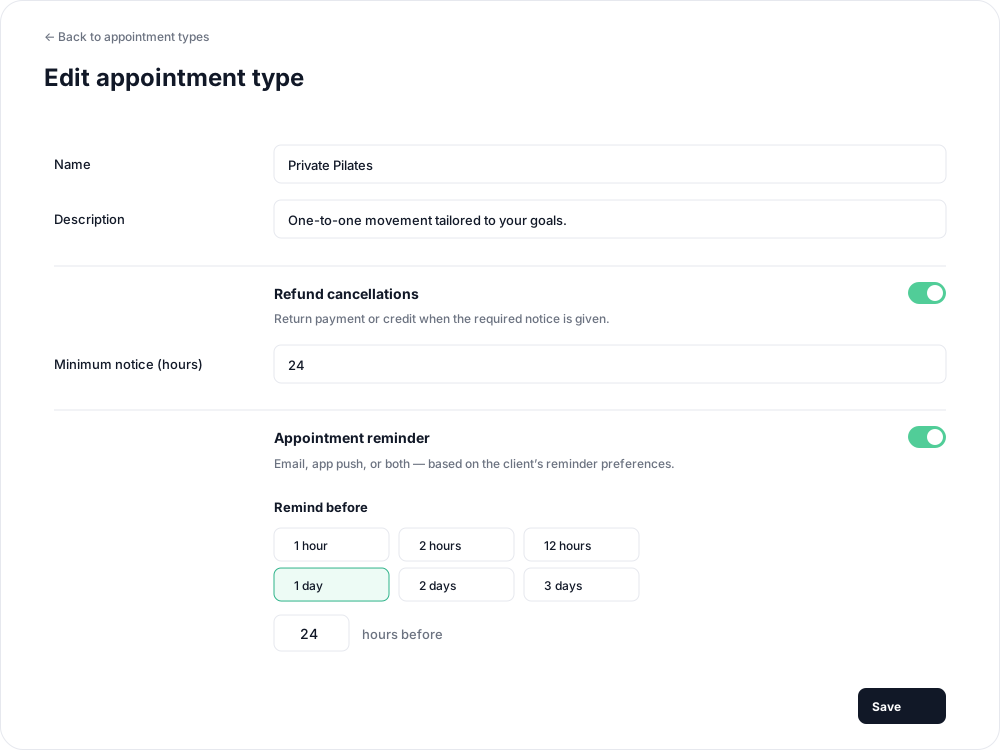
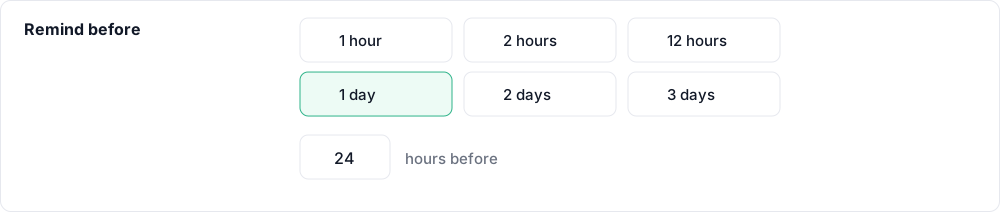
Reminders are off by default. The initial timing is 24 hours. You can choose an exact value, such as 7 hours, without using a shortcut. Turning the reminder off keeps the chosen timing for when you enable it again.
Changes apply to upcoming appointments that have not already received a reminder.
When clients receive it
The reminder can arrive up to 10 minutes after the selected lead time. For a 24-hour reminder before a 10:00 appointment tomorrow, expect delivery around 10:00–10:10 today.
Only confirmed appointments receive reminders. A request awaiting approval or a booking still processing payment does not. If staff confirm inside the reminder window, a reminder can still arrive shortly afterwards, provided the appointment has not started.
The message includes the appointment and length, date, time, timezone and location. Tapping an app push opens the appointment.
Which channels are used?
Delivery follows the client's existing booking-reminder preferences: email, app push, or both. A client with both channels turned off receives no appointment reminder. Preparation messages and booking confirmations are separate from this setting.
If a client is missing reminders, check that the appointment type has reminders enabled, the booking is confirmed, and the client has a reminder channel enabled. Appointments must also remain enabled for the studio.
Changes and cancellations
Rescheduling allows a fresh reminder for the new time. If the change needs staff approval again, the reminder waits until the booking is confirmed. Cancelled or rejected appointments do not receive reminders.
For the messages sent when a booking is made or changed, see appointment notifications.
Related articles
Appointments in Clovo
Bring private sessions, room bookings and wellness appointments into Clovo, with flexible availability, staff approval and payments.
Book an appointment on behalf of a client
Choose a client, select an available appointment and take payment or submit it for staff approval.
Create an appointment calendar for a facility
Make an infrared sauna, massage chair or similar facility bookable through a room/location calendar.
Create an appointment calendar for a room or location
Let clients reserve a room or an entire location, and assign staff to manage its appointments.