
View current subscribers of a membership plan

Tobias Gundry
Updated
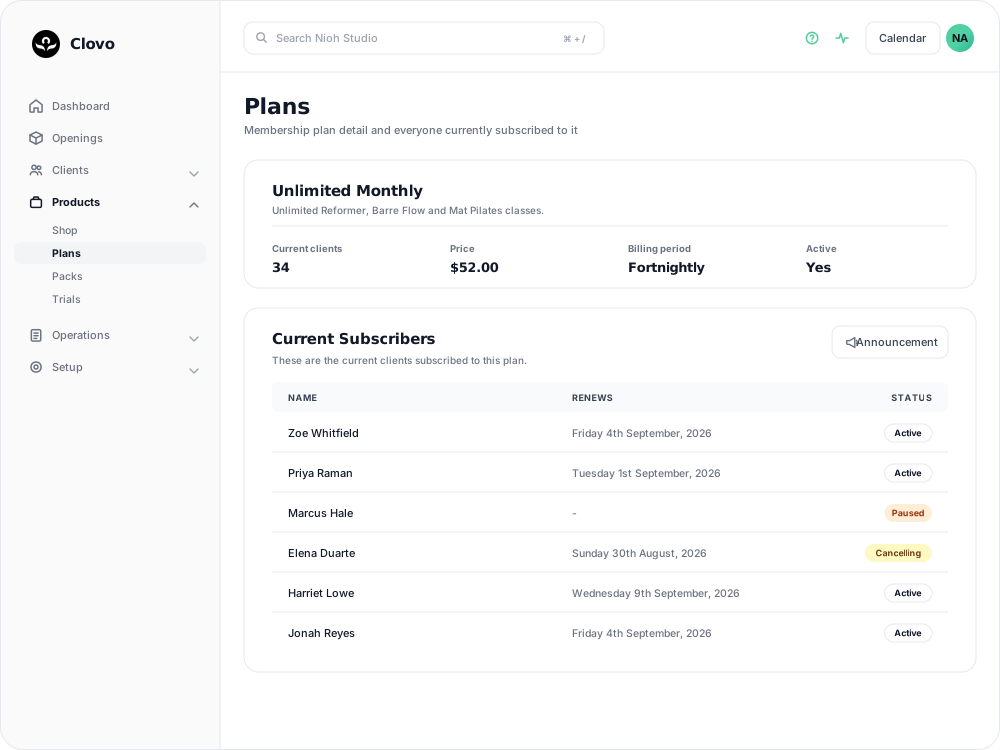
Every membership plan has its own page listing the clients on it, when each of them next renews, and what state their membership is in. It is also where you send a message to everyone on the plan.
Open the plan
- Go to Products → Plans.
- Select the plan you want to look at.
The card at the top of the plan answers “how many”: Current Clients counts the memberships on this plan that are still running. Alongside it are Price, Billing Period, Allowance and Contract — the minimum term, the agreement members sign, and the cancellation notice period — plus whether the plan itself is Active and available to buy.
Read the subscriber list
Current Subscribers sits below the plan card and has three columns.
- Name opens that client’s membership, which is where you pause it, change plan or cancel it.
- Renews is the date the next billing period starts. A paused membership shows a dash instead, because no renewal is scheduled while the pause is running.
- The last column is a status pill: Active, Paused, Cancelling, Payment Hold and so on. See Understand the meaning of different plan statuses in Clovo for what each one means.
A Payment Hold pill means a renewal payment failed and the membership is on hold. Hover it to see the date it went on hold. The hold is released on its own once the payment goes through, so it is not something staff need to clear by hand.
Rows run from the latest renewal date downwards, and memberships that have finished stay in the list at the bottom. That is why the table can name more people than the Current Clients count.
Message everyone on the plan
Announcement, at the right-hand end of the Current Subscribers header, opens a new announcement with every client currently on the plan already ticked in the Recipients list. Untick anyone who should not receive it, write the title and message, then send. The recipient list follows the Current Clients count rather than every row in the table, so members who have already left are not included.
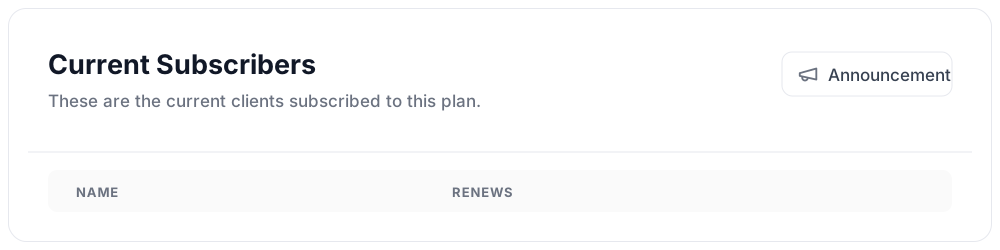
The button appears once at least one client is on the plan. Until your studio has finished onboarding it stays greyed out, and hovering it shows “Announcements will be available once you finish onboarding.”
Related articles
Change a client’s membership plan
Move a client to another recurring plan at their next renewal, and know when the new price and allowance begin.
Create and manage membership contracts
Write a membership contract, choose whether it needs a hand-drawn signature, and see which plans and members use it.
See what a member agreed to when they joined
Choose whether to require a hand-drawn signature, and find the contract each member accepted on their Agreements tab.
Set a minimum membership term and cancellation notice period
Write a membership contract, set a minimum term and cancellation notice period, and understand when a membership can end.