You can pause a client’s membership for a set period or indefinitely, then choose when and how billing resumes.
Membership pauses can accommodate travel, illness, injury, or other changes in a client’s circumstances. Clovo manages the pause and scheduled return so access and billing can resume on the agreed date.
Pausing a client’s membership
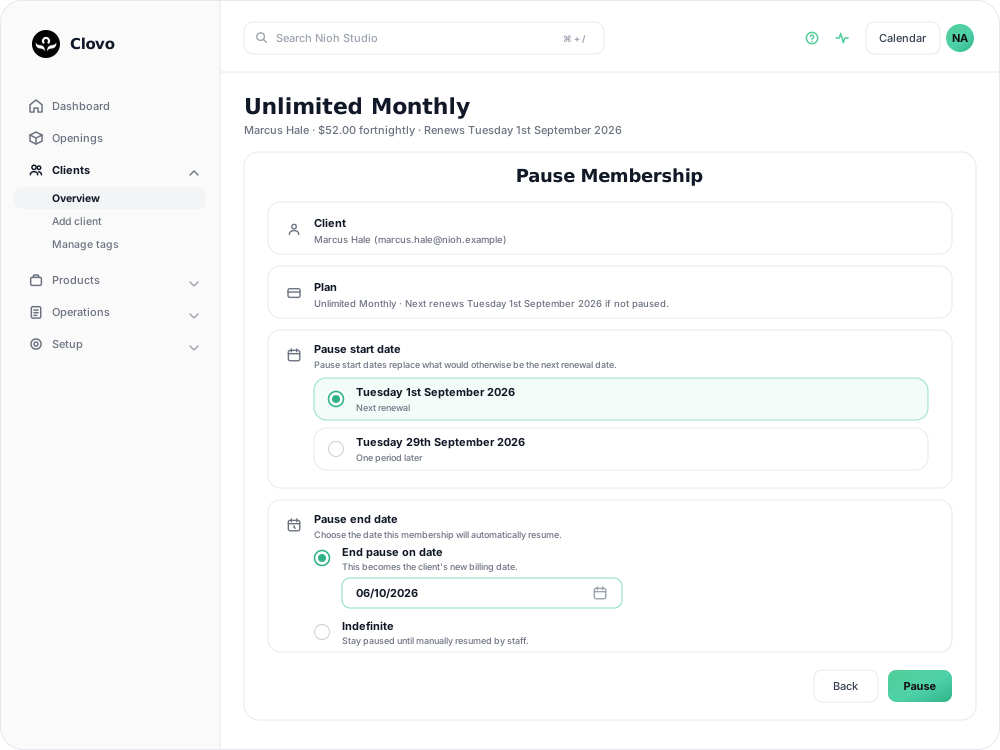
Membership pauses are managed by studio owners and staff rather than by clients directly. To pause a membership, browse to or search for the client in Clovo, open their profile, then open the membership.
Choose options
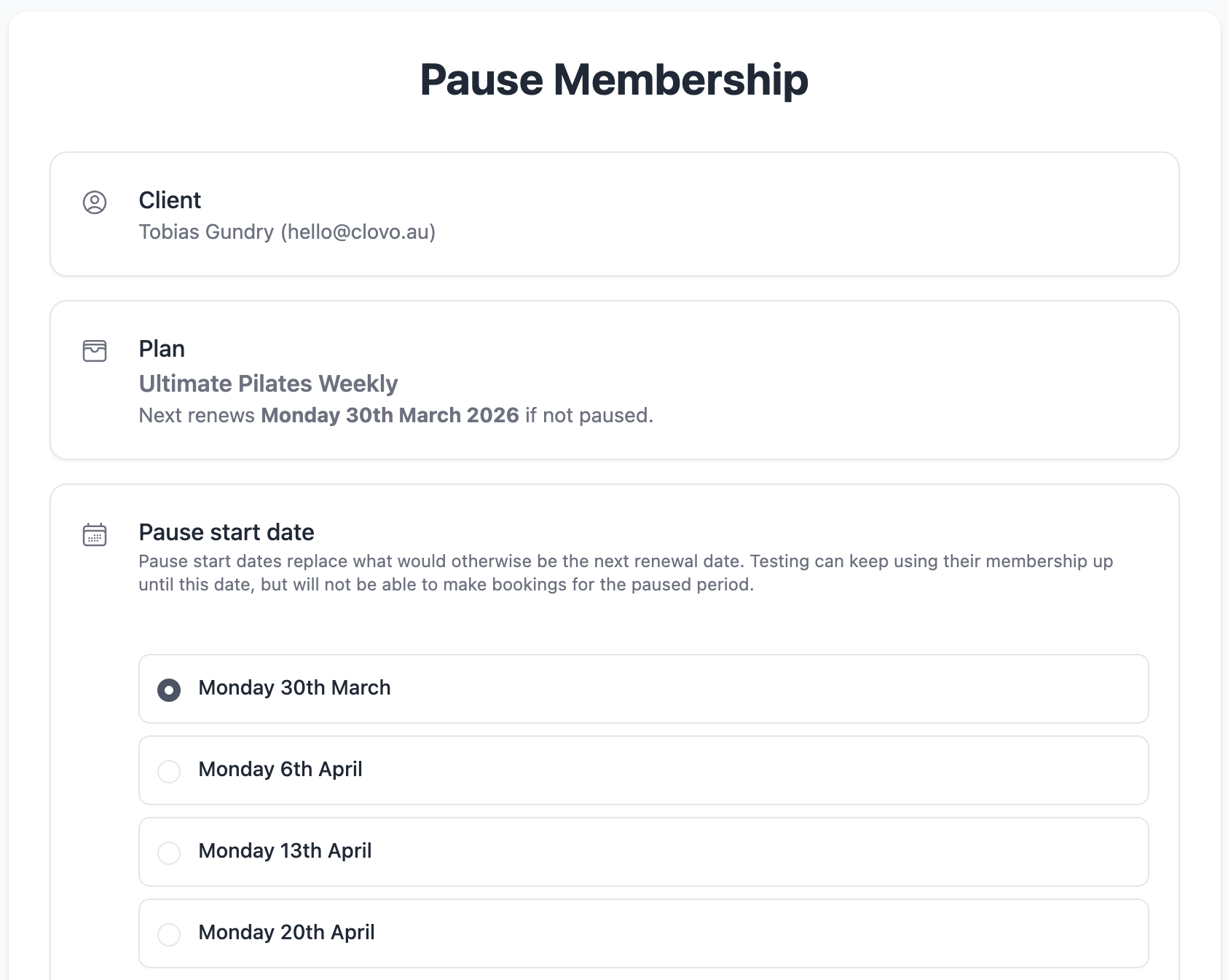
Choose a date to start the pause
Pause dates are aligned with renewal dates so that pauses don’t interfere with existing billing cycles or restrict clients from being able to use paid for benefits.
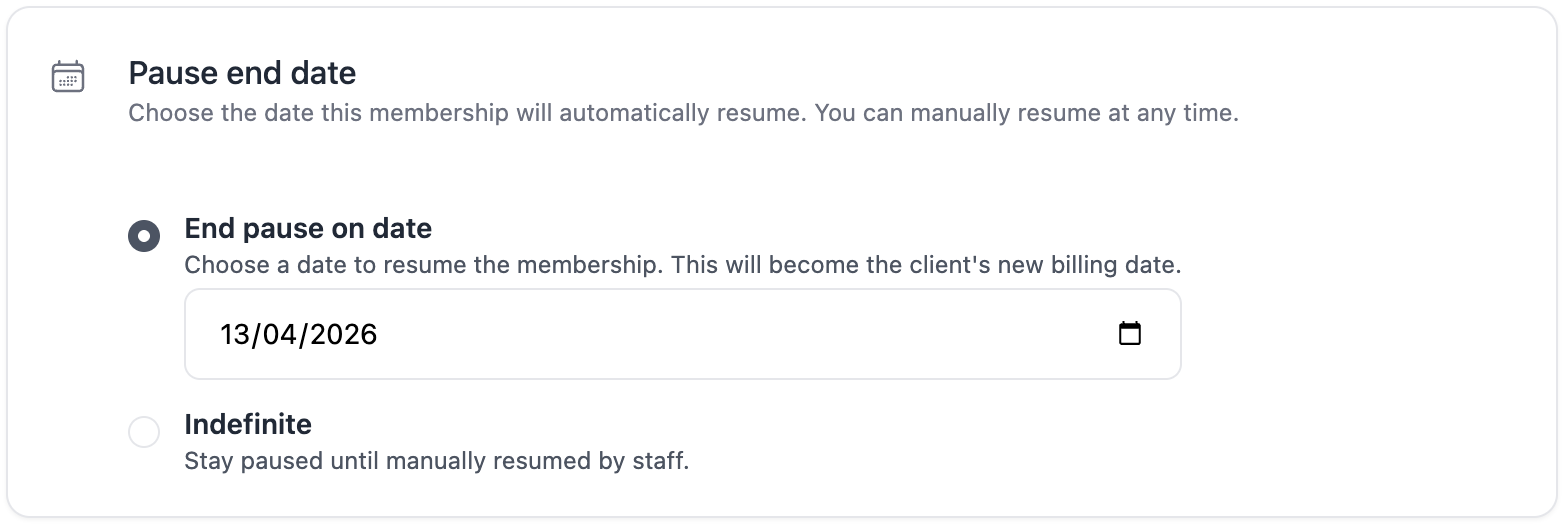
End the pause on a given date or pause indefinitely
Bookings cannot be made during the pause period
When a membership is paused, it cannot have bookings during the paused period.
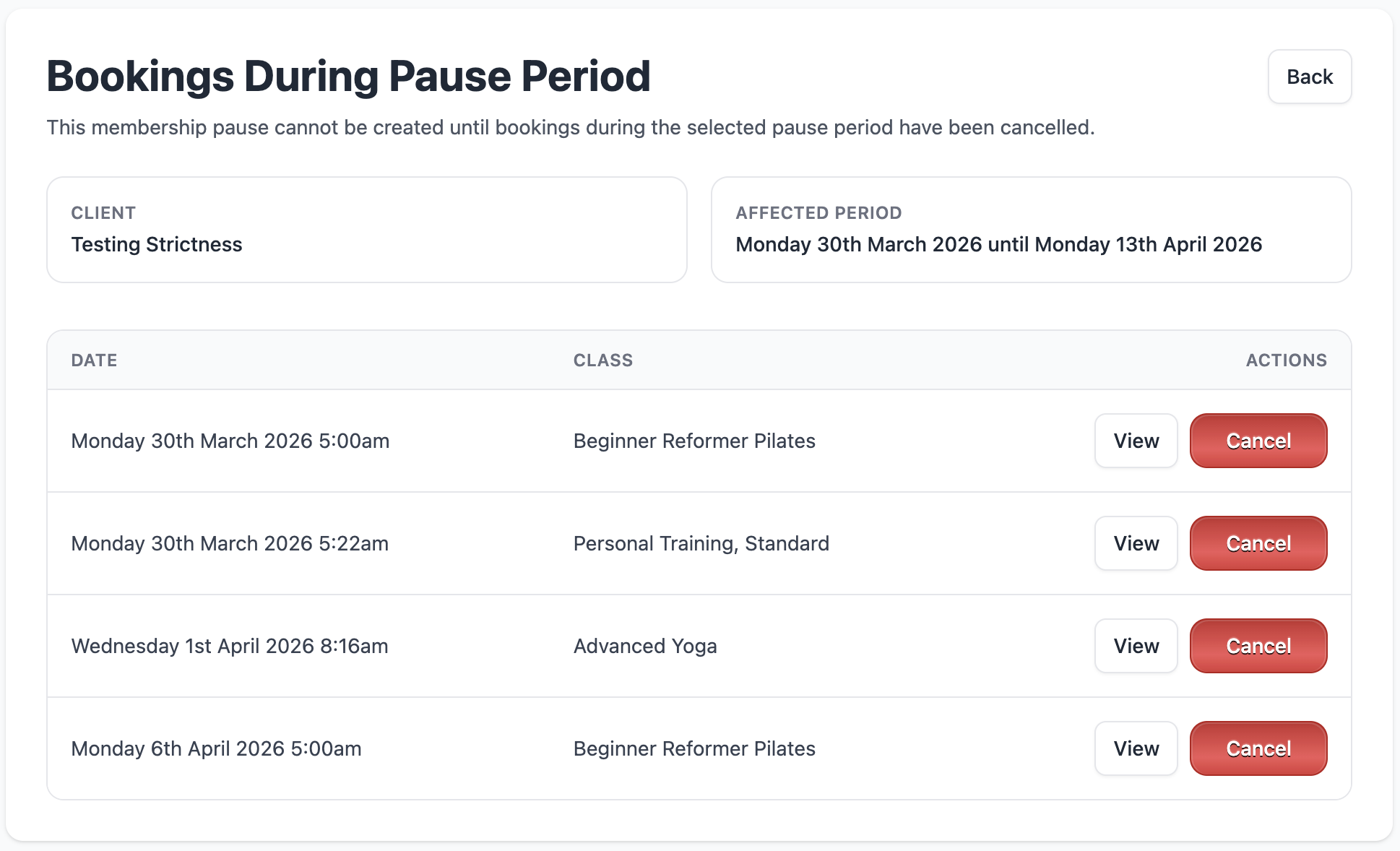
If your client has existing bookings during the proposed pause period, you will not be able to pause the membership.
However, Clovo will step you through cancelling any existing bookings during the pause period as seen in the screenshot below.
Resuming a client’s membership
If you set a resume date when pausing the membership, Clovo resumes it automatically on the date you selected.
Resuming automatically
If you and the client agree on a resume date, Clovo can restart the membership automatically on that date, charge the next payment, and restore booking access.
When a resume date is set, the client can book classes that take place after that date while the membership is still paused.
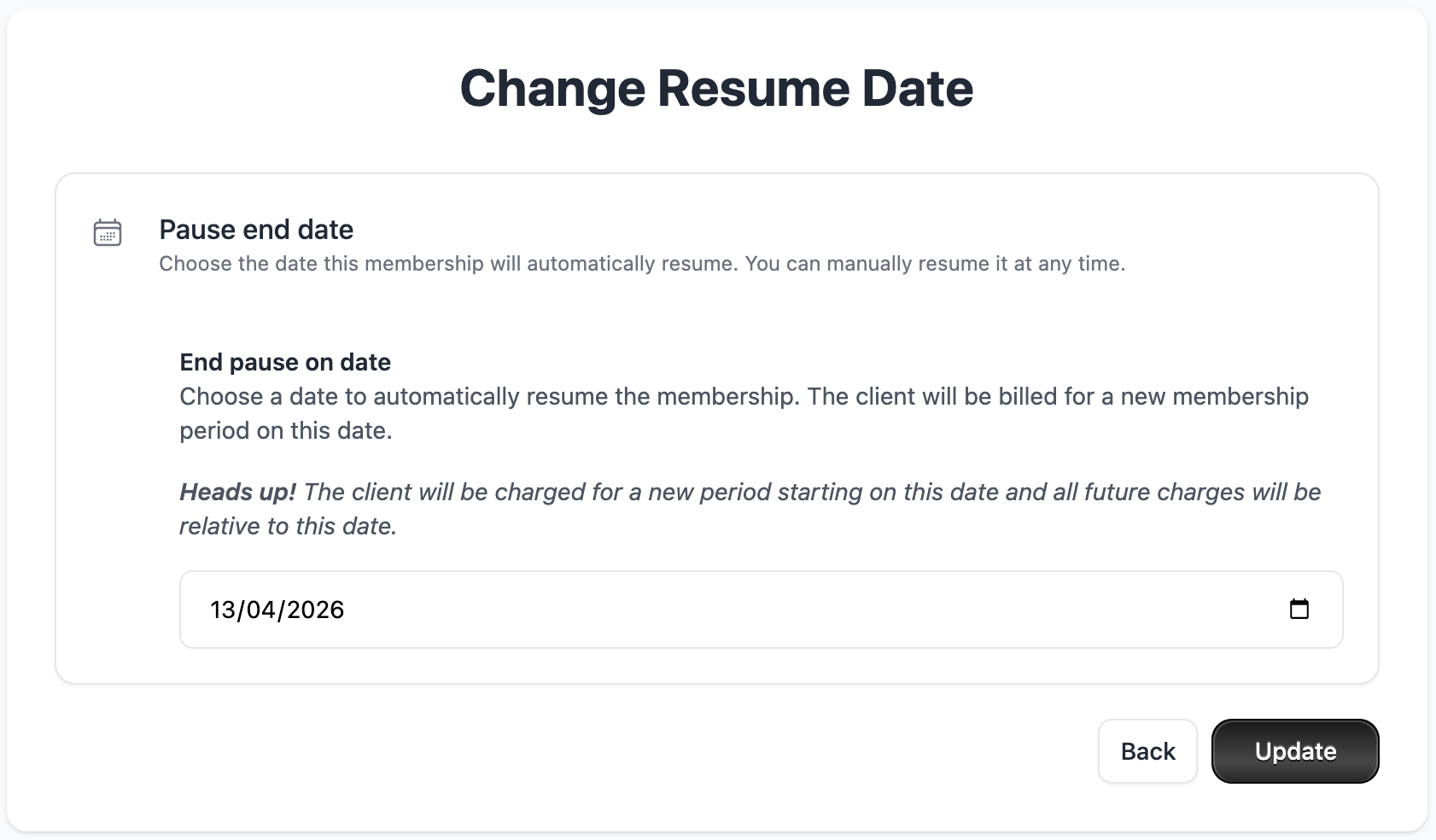
Changing a resume date
You can change the client’s resume date at any time.
Resuming a membership manually
If a membership was paused indefinitely or your client wishes to resume earlier you can manually resume a paused membership at any time.
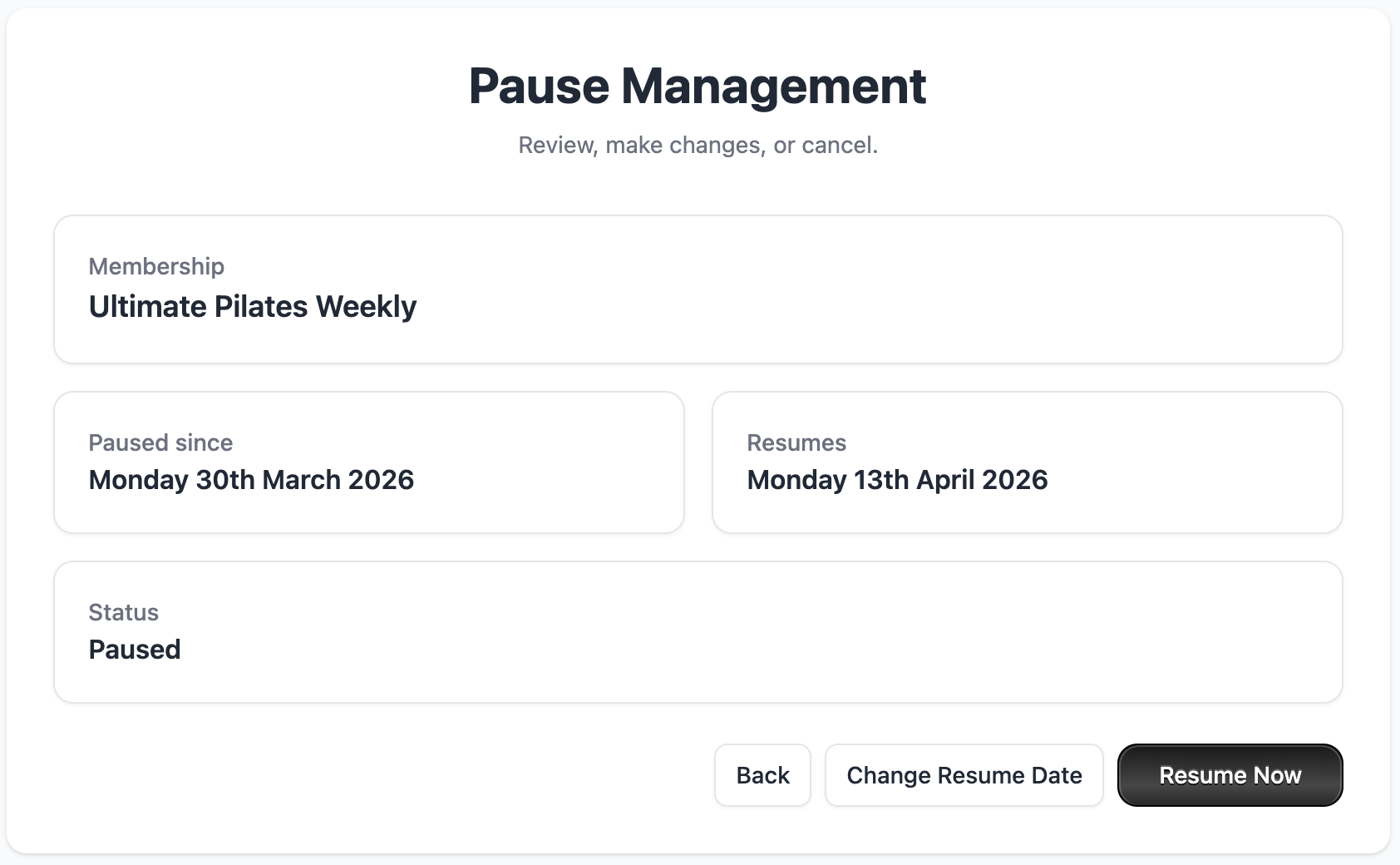
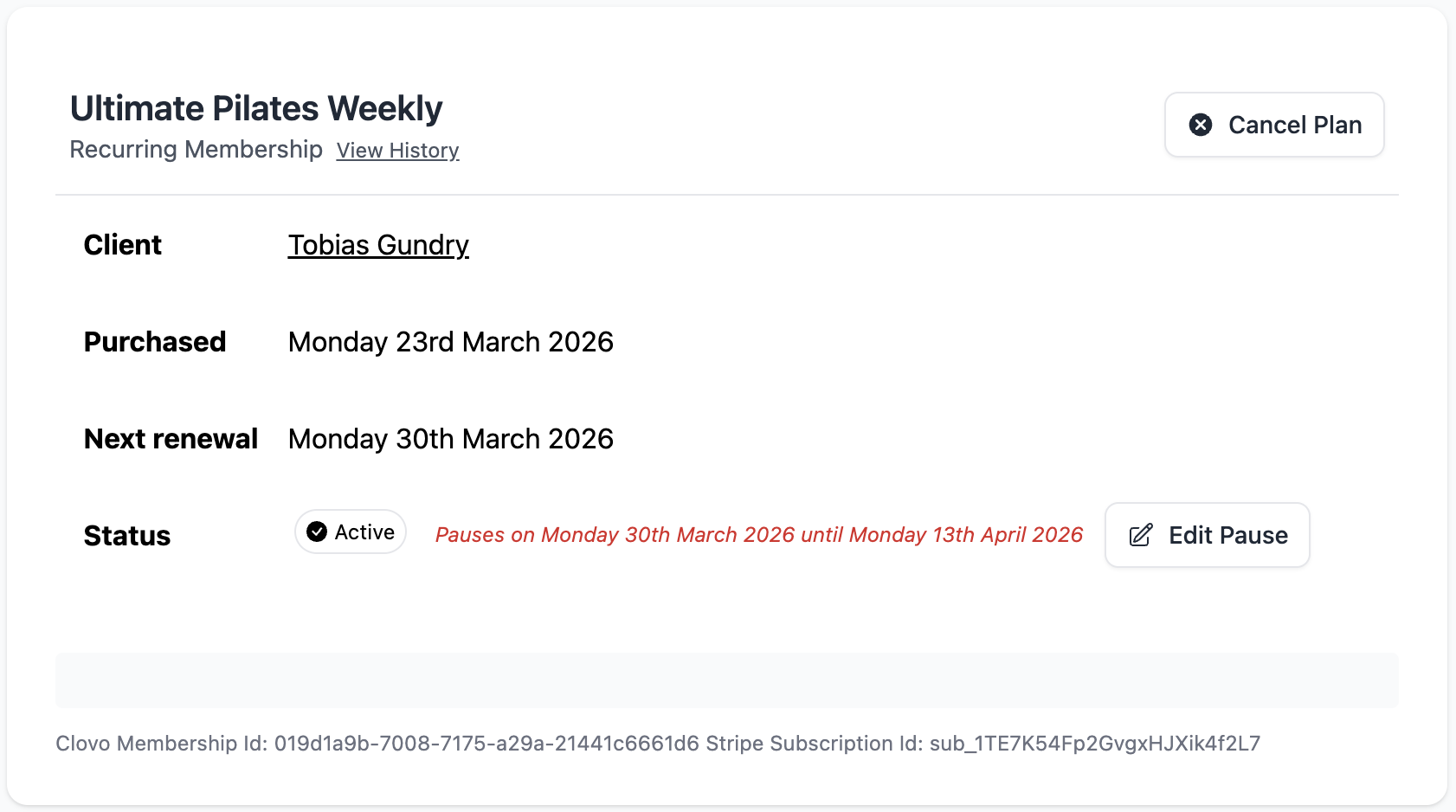
Browse or search for the client in Clovo, open their membership, select Edit Pause, then select Resume Now.
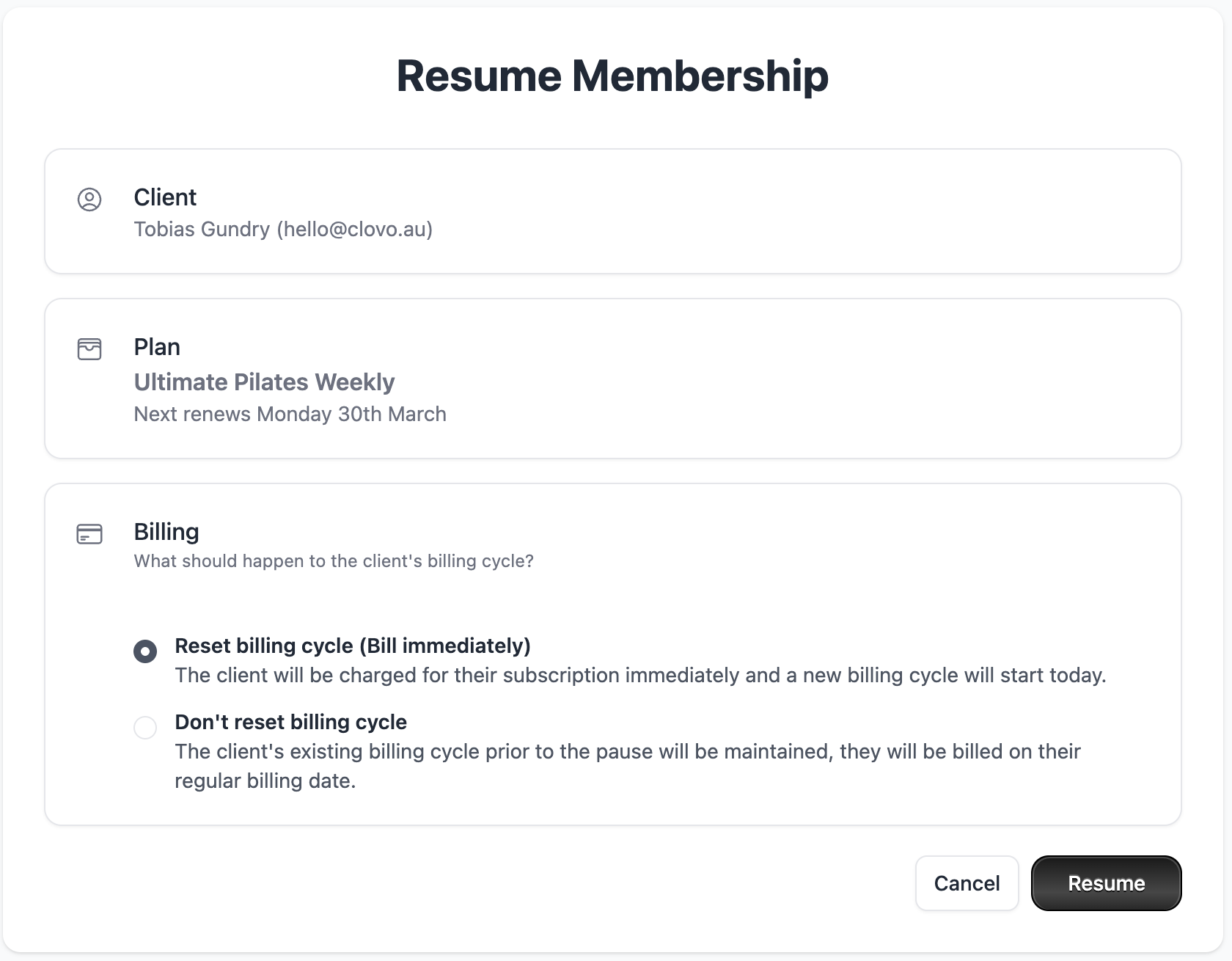
When resuming a membership manually, choose what happens to the client’s billing cycle:
Reset billing cycle: Starts a new billing cycle today and charges the client when you select Resume.
Don’t reset billing cycle: Keeps the existing billing date. Use this when you and the client have agreed that the billing cycle should remain unchanged.
If you do not reset the billing cycle, the client is not charged for the time between resuming and their next existing billing date. Reset billing cycle is selected by default; review the choice against what you agreed with the client.
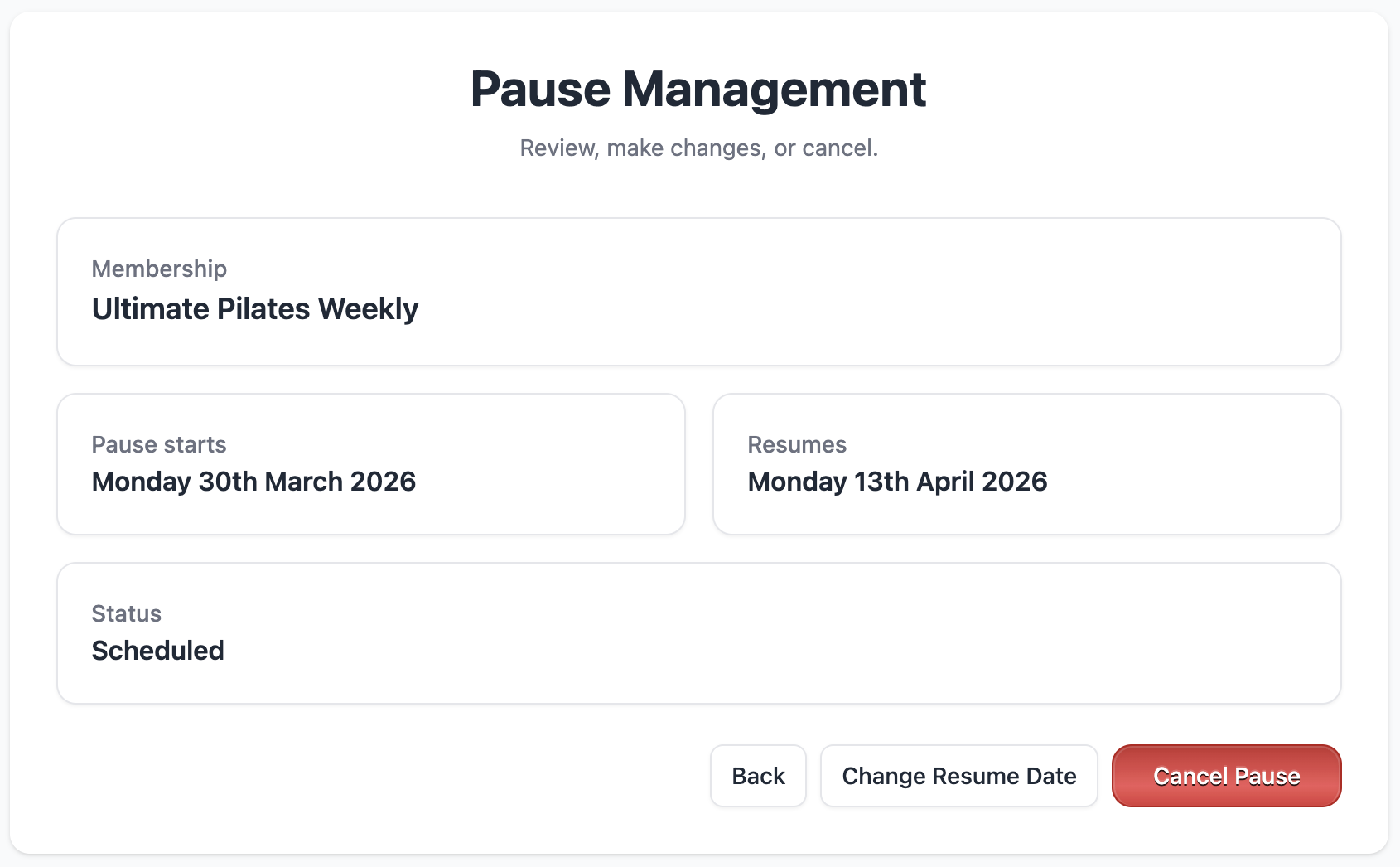
Cancel a scheduled pause
If a client no longer wants a scheduled pause, you can cancel it before the pause begins.
Select Edit Pause from the membership screen
Then click ‘Cancel Pause’ from the pause management screen
What happens during a pause?
When your client’s membership is paused they will no longer be automatically charged for their membership fee for the duration of the pause.
Clients cannot book classes for the period their membership is paused. This means if a membership is paused indefinitely, that client can no longer book at all once the pause has begun. However, if there is a resume date set, your client can book for classes that occur after that renew date.
Clients can continue to book outside of pause periods
Your clients are only restricted from booking during the paused period. This means clients can still use their membership for paid for membership periods and for periods when their membership will be active again.
For example:
If it’s the 20th of April and your client has asked for their membership to be paused from the 1st of May until the 14th of May. They will be able to book in line with their membership plan up until the 1st of May and again from the 14th of May onwards.
They will not be able to make bookings for or having existing bookings for the period between the 1st of May and the 13th of May. They can however use their membership between those dates to make bookings for the 14th of May onward, when their membership will be resumed.
April 20th: pause scheduled
May 1st: membership paused, bookings no longer possible
May 2nd – 13th: bookings no longer possible, existing bookings for this period must be cancelled
May 14th: membership set to automatically resume
May 14th and onward: bookings allowed to be made before and during pause period