
Create a promo code that unlocks a secret deal

Tobias Gundry
Updated
A secret deal is a membership or pack that clients cannot see until they are given access. A secret-deal code lets clients unlock it themselves, which suits an offer going on a flyer, in a newsletter or to a partner business's members.
The code gives access, not a discount. Clients still buy the plan or pack at the price set on it.
Before you start
The plan or pack has to exist, be active and be marked as a secret deal. Only those appear in the code's list. How to offer secret deals on your plans and packs covers setting one up.
If you have none, the form shows this notice in place of the list:
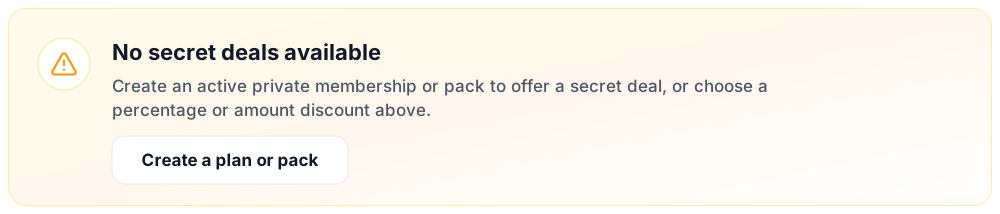
Select Create a plan or pack to set one up, then come back to the code.
Create the code
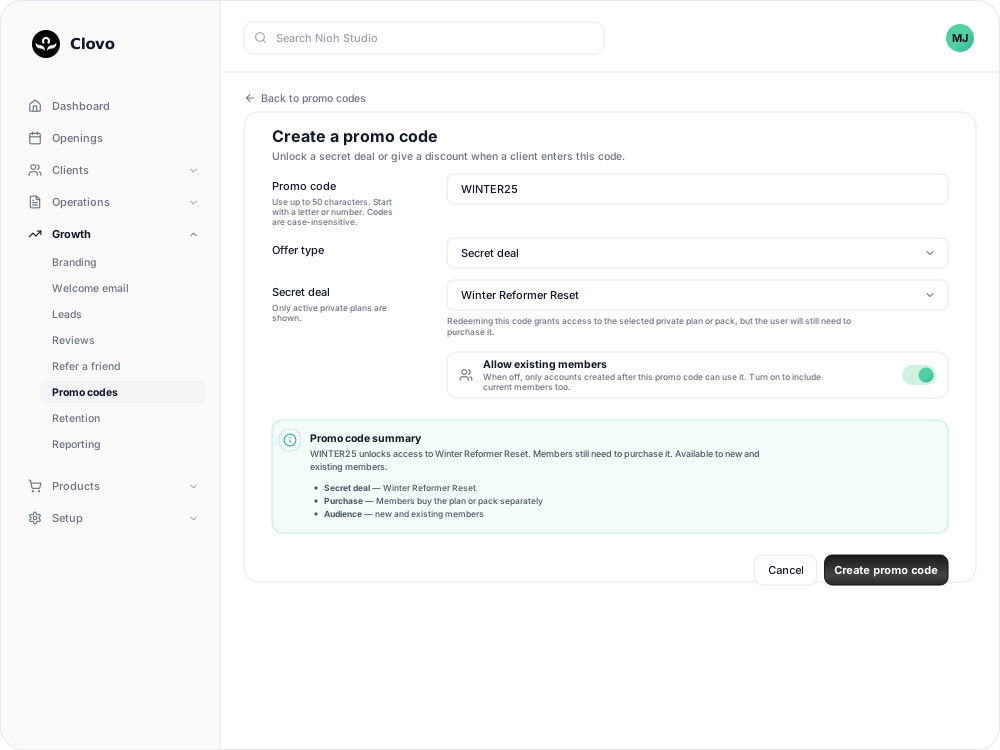
- Go to Growth → Promo codes and select Add promo code.
- In Promo code, type the code clients will enter, such as
WINTER25. - In Offer type, choose Secret deal.
- In Secret deal, choose the plan or pack the code unlocks.
- Decide whether to turn on Allow existing members. While it is off, only accounts created after the code can use it.
- Check the Promo code summary, then select Create promo code.
Things to know before you share it
- Secret-deal codes have no expiry date or redemption limit. Archive the code when the promotion ends. Clients who already unlocked the deal keep their access.
- Clients have one saved code at a time, so they cannot use a secret-deal code and a discount code together. To offer a private plan at a lower price, set that price on the plan itself.
- Owners and staff with the Finance role are notified each time a client activates a secret-deal code, naming the client, the code and the deal. You can turn that off in your notification preferences.
What clients see
After entering the code, the client finds the plan or pack under Secret deals in the Clovo app, ready to open and buy.
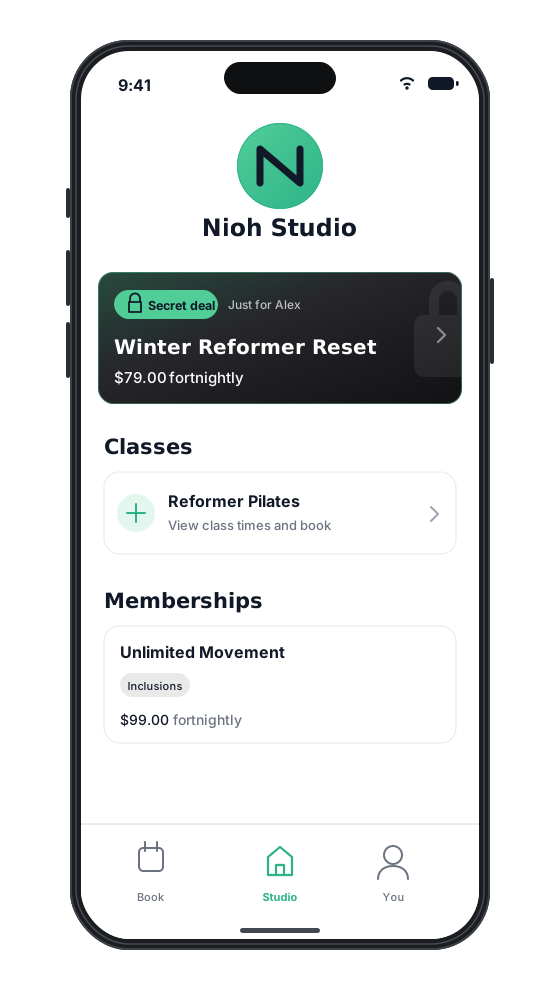
If a client saves a different code before buying, the deal is hidden from them again. To give them access again, grant the deal on their profile. How clients enter a promo code explains where they type it.
Related
Related articles
Create promo codes for discounts and secret deals
Give clients a percentage or dollar amount off, or unlock a private plan or pack, with a code they enter in the Clovo app or on your landing page.
Archive or delete a promo code
Stop a promo code from working, what happens to clients who saved it, and why most codes are archived rather than deleted.
Create a dollar-amount-off promo code
Take a fixed amount, such as $10.00, off memberships, packs, Member Shop orders or single classes for each client who enters your code.
Create a percentage-off promo code
Take a percentage, such as 20%, off memberships, packs, Member Shop orders or single classes for each client who enters your code.