
What clients see when they use a promo code

Tobias Gundry
Updated
Knowing what clients see makes it easier to describe an offer accurately and to answer questions about a charge.
Discounted prices
After a client saves a discount code, eligible memberships and packs on your landing page show the regular price crossed out beside the discounted one. For a recurring membership, the price it renews at is shown too.
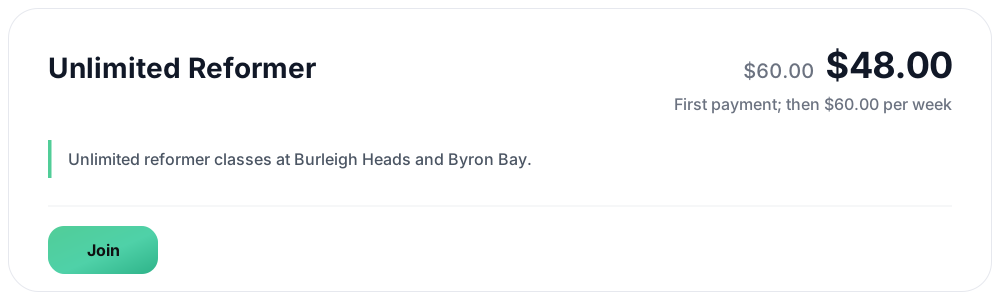
If a purchase is not covered by the code, it shows its regular price. A purchase also shows its regular price when the discount would bring the charge below $0.50.
At checkout
The client sees the original price, the discount and the total due. For a recurring membership, the renewal price is listed as well, so the client knows the discount applies to the first payment only.
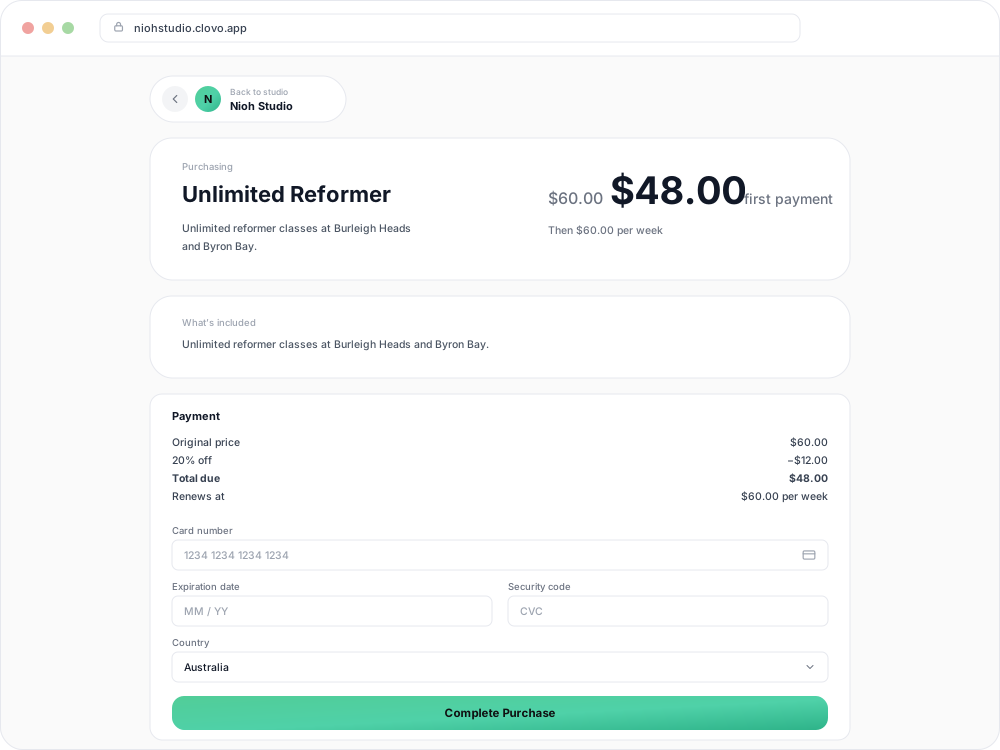
When a client asks why a renewal was charged at full price, this is the breakdown they saw before paying.
If a checkout is left unfinished
When a client starts paying with a discount code, the code is held for that checkout. If they leave without paying and then try to use the code on something else, they see a notice that their promo code is reserved.

Selecting Cancel reserved checkout frees the code for another eligible purchase. If the client does nothing, the hold is released automatically within a day.
After entering a secret-deal code
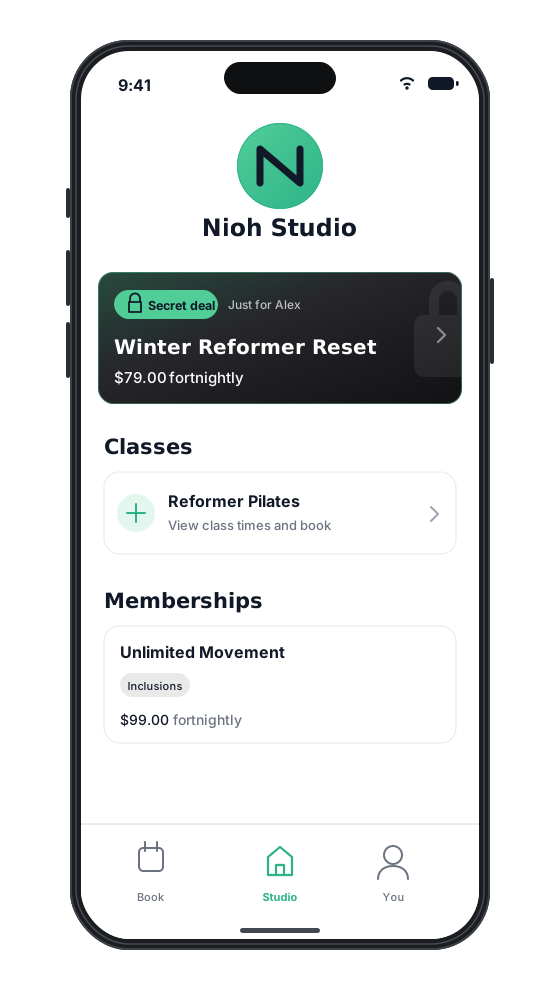
The unlocked plan or pack appears under Secret deals in the Clovo app. The client opens it and buys it at its normal price.
Related
Related articles
Archive or delete a promo code
Stop a promo code from working, what happens to clients who saved it, and why most codes are archived rather than deleted.
Create a dollar-amount-off promo code
Take a fixed amount, such as $10.00, off memberships, packs, Member Shop orders or single classes for each client who enters your code.
Create a percentage-off promo code
Take a percentage, such as 20%, off memberships, packs, Member Shop orders or single classes for each client who enters your code.
Create a promo code that unlocks a secret deal
Let clients unlock a private membership or pack themselves by entering a code, instead of granting access one profile at a time.