
Archive or delete a promo code

Tobias Gundry
Updated
When a promotion ends early, or you are replacing a code with a new one, stop the old code from its details screen.
Archiving cannot be undone. If you only need the offer to end on a certain date, set an expiry date instead — an expiry can be moved later, an archive cannot.
Stop a code
- Go to Growth → Promo codes and select View beside the code.
- At the bottom of the details, select Archive or Delete.
- Confirm.
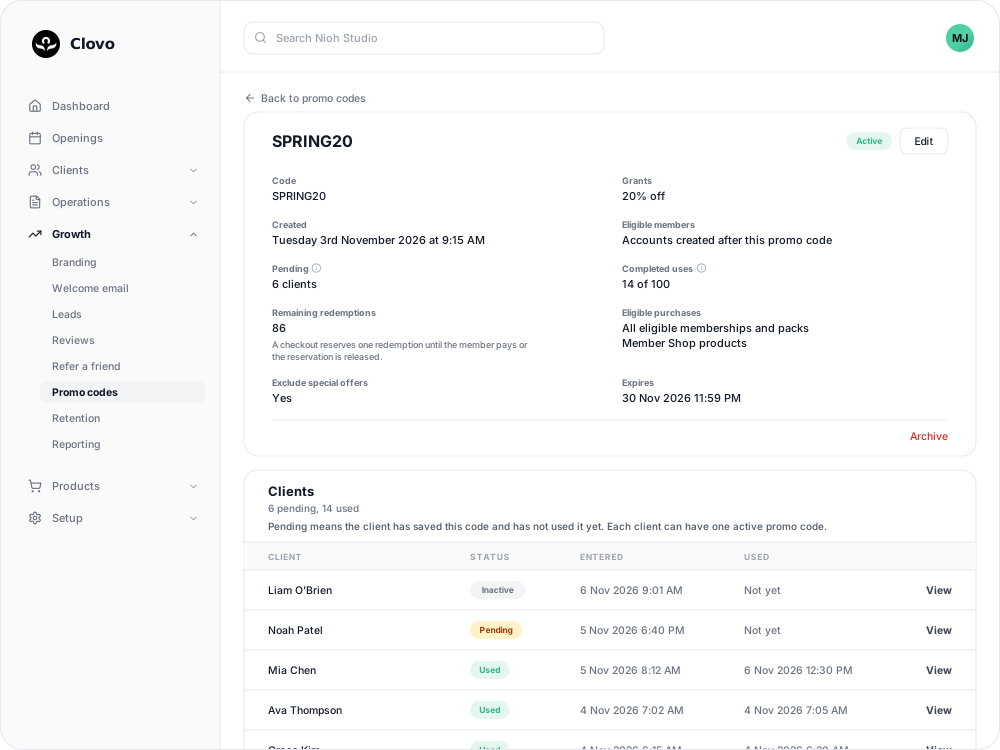
Discount codes
Discount codes are always archived, never deleted.
- The code stops working straight away, including for clients who have saved it but not used it.
- It stays in your list with an Archived status, so its history and counts are kept.
Secret-deal codes
- If no client has activated the code, it is deleted.
- If any client has activated it, it is archived. Clients who already activated it keep their access to the deal.
To withdraw a secret deal from a particular client, do that on their profile, the same way you would for any secret deal.
After archiving
- Archived codes cannot be edited or restored.
- The code name cannot be used again, because an archived code keeps its name. If you archived a code by mistake, create a new one with a different name.
- Clients who saved the archived code need to enter the new one. If they try the old code, they see "That promo code is invalid or no longer available."
Related
Related articles
Create a dollar-amount-off promo code
Take a fixed amount, such as $10.00, off memberships, packs, Member Shop orders or single classes for each client who enters your code.
Create a percentage-off promo code
Take a percentage, such as 20%, off memberships, packs, Member Shop orders or single classes for each client who enters your code.
Create a promo code that unlocks a secret deal
Let clients unlock a private membership or pack themselves by entering a code, instead of granting access one profile at a time.
Discount Member Shop orders and class purchases with a promo code
Let a discount code take money off Member Shop orders or single classes a client pays for, with or without memberships and packs.