
Fixed or flexible appointment calendars: which should you use?

Tobias Gundry
Updated
Choose Flexible times when clients can choose a start time and length within your available hours. Choose Fixed appointments when you want to publish exact sessions with a set start and length.
| Flexible times | Fixed appointments | |
|---|---|---|
| What you add | A dated window of hours and the appointment types offered | A dated start time and one appointment length |
| What clients choose | A length and a start that fit your hours and booking rules | An available slot for that appointment length |
| Useful for | Consultations, private training, variable-length treatments | Set private sessions, dedicated room bookings, sauna sessions |
| Preparation time | Set Time between appointments | Leave space between the slots you publish |
Flexible times: offer hours
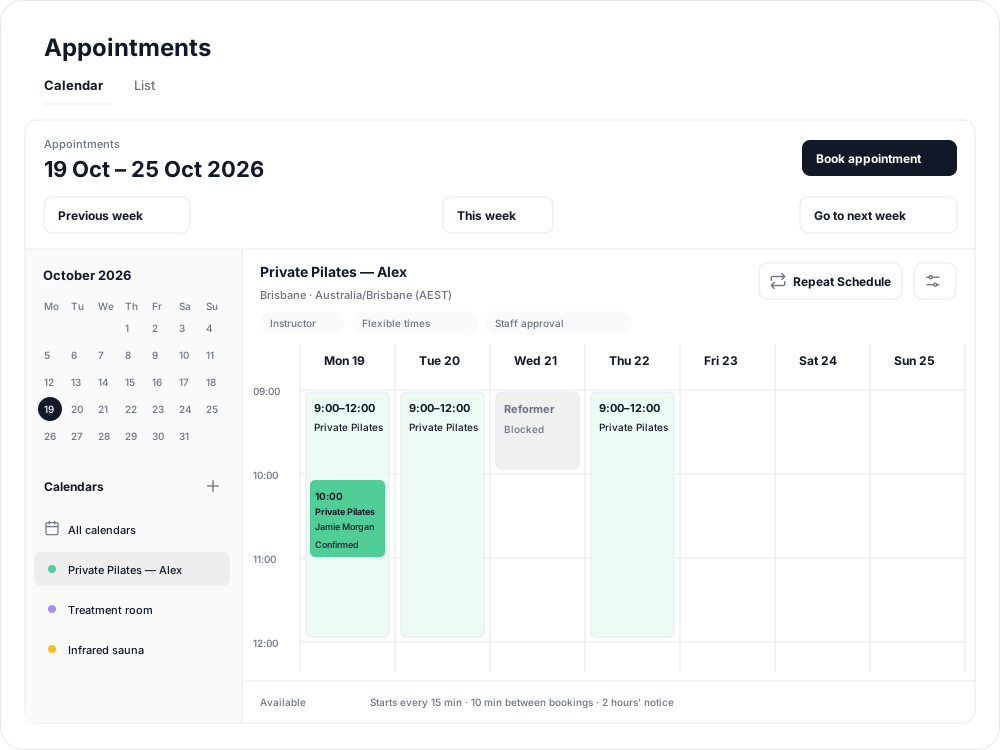
For example, offer Private Pilates from 9:00 to 12:00, with 30- and 60-minute lengths. Set Start times every to 15 minutes to offer starts such as 9:00, 9:15 and 9:30 when the appointment fits. Existing bookings and blocked time reduce the choices clients see.
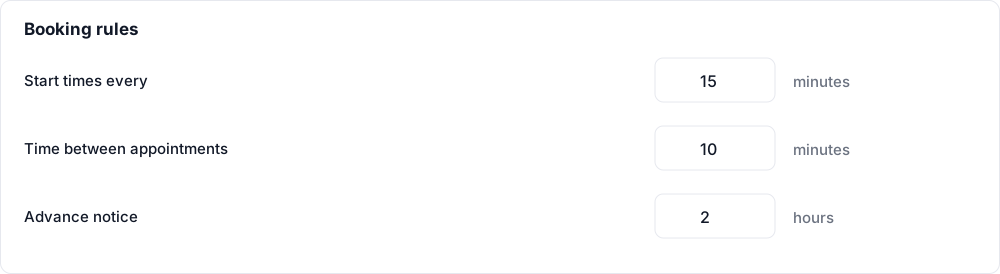
In Calendar settings, use Booking rules to set:
- Start times every: the interval between possible starts, in minutes.
- Time between appointments: preparation time between bookings; use 0 for back-to-back sessions.
- Advance notice: how many hours ahead clients must book; use 0 to allow bookings until the start.
Fixed appointments: offer slots
For example, publish a 30-minute sauna session at 9:00 and another at 9:45. Clients choose one of those slots. A slot has one appointment and length; clients cannot extend it or choose an in-between start.
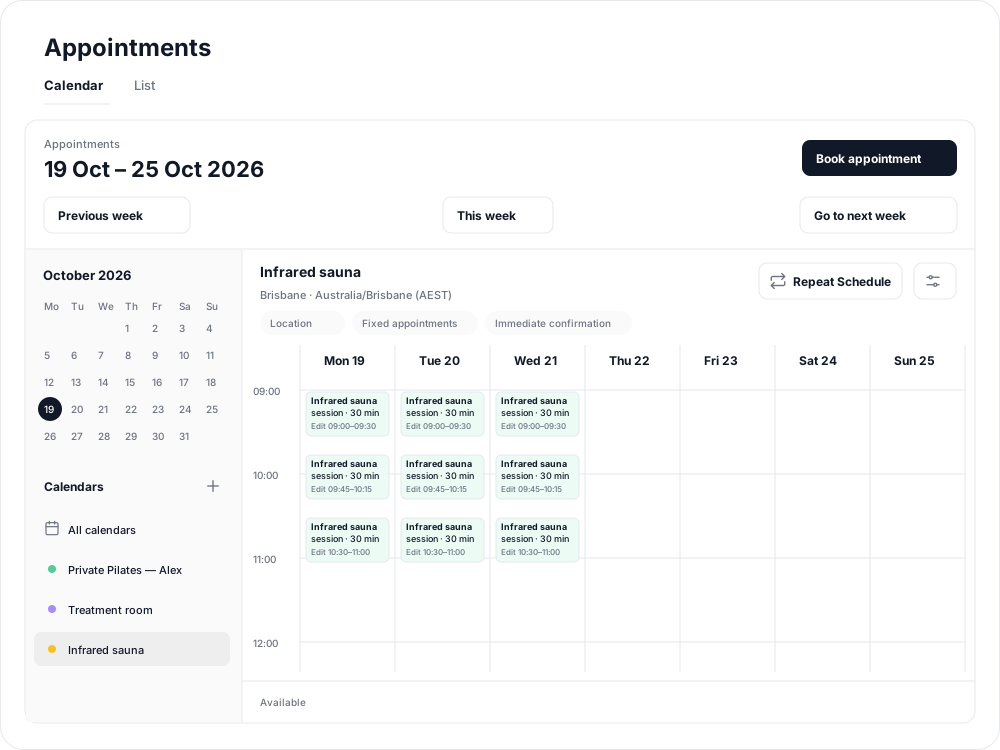
Select a time in the grid to add a slot. Use the slot's copy controls to reuse it nearby, or Repeat Schedule to publish the week into the future.
Confirmation is a separate choice
Both styles can use Staff approval or Immediate confirmation. Fixed times do not automatically mean immediate payment, and flexible hours do not automatically require approval. Choose approval before payment if staff need to review requests first.
Choose the booking style when creating the calendar; it cannot be changed in settings later. Create another calendar if you need a different style. In both styles, availability belongs to specific dates and needs to be copied or repeated for future weeks.
Related articles
Appointments in Clovo
Bring private sessions, room bookings and wellness appointments into Clovo, with flexible availability, staff approval and payments.
Book an appointment on behalf of a client
Choose a client, select an available appointment and take payment or submit it for staff approval.
Create an appointment calendar for a facility
Make an infrared sauna, massage chair or similar facility bookable through a room/location calendar.
Create an appointment calendar for a room or location
Let clients reserve a room or an entire location, and assign staff to manage its appointments.