
Archive a client without deleting their history

Tobias Gundry
Updated
Archive a client to hide them from day-to-day lists and stop them signing in, while keeping their record so you can bring them back later.
Archiving suits a client who has stopped attending but whose record you still want to keep. It is reversible, and it starts no countdown to deletion.
If the client should be removed permanently — a duplicate record, or someone who has asked you to erase their details — use Delete instead. See Deleting a client from your studio.
Before you archive
A client cannot be archived while they still have live services. Cancel their active memberships and any upcoming bookings first.
If either is still in place when you open the archive page, Clovo shows Active services must be cancelled first, lists each blocking membership and booking, and holds the Archive client button unavailable until they are cleared. Each row has its own Cancel membership or Cancel booking link, so you can work through them from that page and come back.
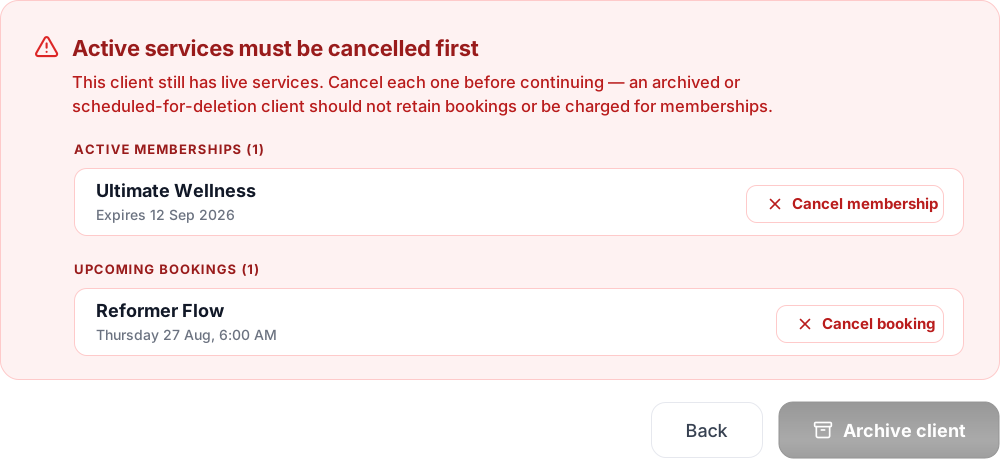
Archiving does not cancel a membership. A client whose plan continues billing would still be charged even though they could no longer book, so Clovo requires active services to be closed before archiving.
You also cannot archive your own account. If your own access needs to be removed, ask another owner or authorised staff member to make the change.
Archive the client
Open Clients, open the client's profile, and scroll to Danger zone.
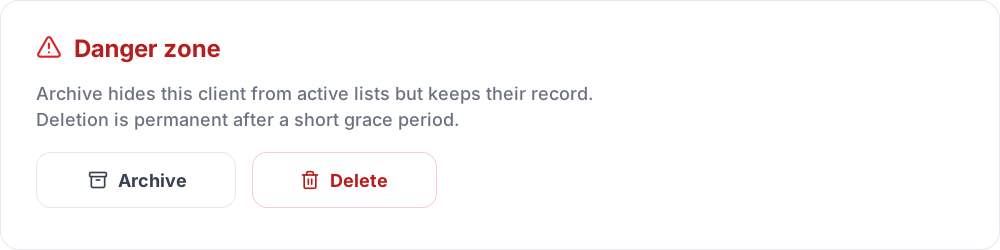
Archive and Delete sit side by side. The next page is headed either Archive Client or Delete Client, so check the heading before you confirm.
Select Archive, read the confirmation page — it restates the client's name and email and what archiving will and will not do — then select Archive client.
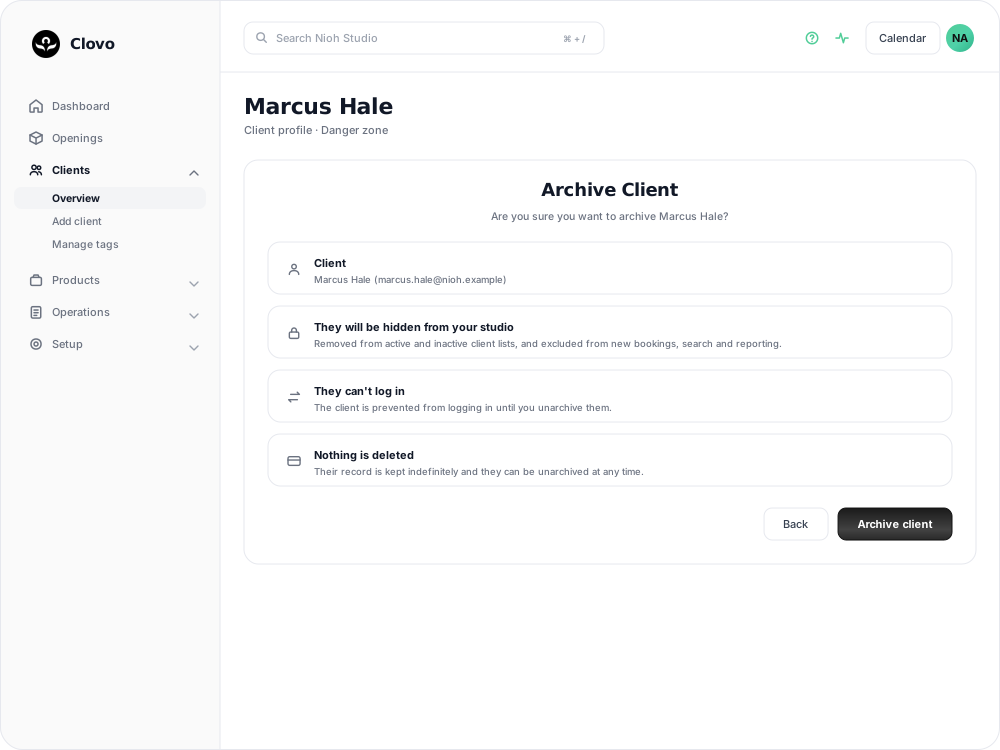
Clovo then takes you to the Archived clients list with the client in it.
What changes for the client
Once a client is archived:
- They are removed from your active and inactive client lists, and from client search.
- They cannot be added to new bookings, and they are excluded from reporting. Their past bookings and payments stay on their record, but that record no longer appears in your reports.
- They cannot sign in until you unarchive them.
- Their record is kept indefinitely. Archiving does not schedule them for deletion or de-identify anything.
Clovo does not send an email when you archive a client. If the client needs to know their access has ended, let them know separately.
Archiving also releases the forward-looking places the client was holding: their spot on a class Regulars list, any priority booking access, waitlist places for classes that have not happened yet, and any reserved places set aside for them. Attendance and payments already recorded are untouched.
Finding an archived client again
Open Clients and select Archived clients, either from the card at the top of the screen or from the tab above the list.
That list holds two kinds of client: those you archived, marked Archived, and those scheduled for permanent deletion, marked Scheduled for deletion. The labels matter — a client scheduled for deletion is on a grace period and will be removed when it ends.
Bringing a client back
Open Clients, then Archived clients, and open the client's profile. Select Unarchive next to the archived status, and confirm.
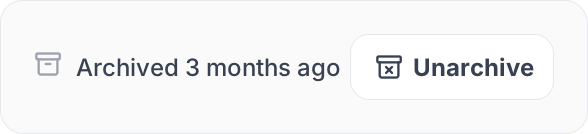
The client returns to your normal client lists straight away and can sign in again.
Anything you cancelled before archiving stays cancelled. If they are coming back to train, set up a new membership or pack and re-add them to any recurring classes they used to hold a place in.
Cancelling a recurring membership now asks for Reason for cancelling before confirmation. Choose the client’s reason; Other requires 10–1,000 characters. Clients answer the same question when cancelling in the app. You can view the saved reason on their membership.
Related articles
Add a client to your studio manually
Create a client profile from the dashboard, record the required consent dates, confirm the email address, and understand which emails the client receives straight away.
Deleting a client from your studio
Schedule a client for permanent deletion, cancel it while the grace period is still running, and understand when immediate deletion is available.
Track attendance by checking-in clients on your phone or desktop
Check clients in to record who attended a class in addition to who booked.
Answer questions about your clients with Client Insights
Explore attendance, memberships and spending to answer questions about your clients, then save or export the results.