
Track how a promo code is performing

Tobias Gundry
Updated
The Promo codes list and each code's details show how an offer is landing: how many clients took it up, and how many of them bought.
The Promo codes list
Go to Growth → Promo codes. For each code, the list shows:
- Grants — the discount, or the secret deal it unlocks.
- Pending — clients who have saved the code and have not used it yet.
- Uses — completed purchases paid with the discount. For a secret-deal code, it is the number of clients who bought the deal after entering the code. Payments that have not gone through are not counted.
- Remaining — redemptions left before the limit, or Unlimited.
- Status — Active, Expired, Limit reached or Archived.
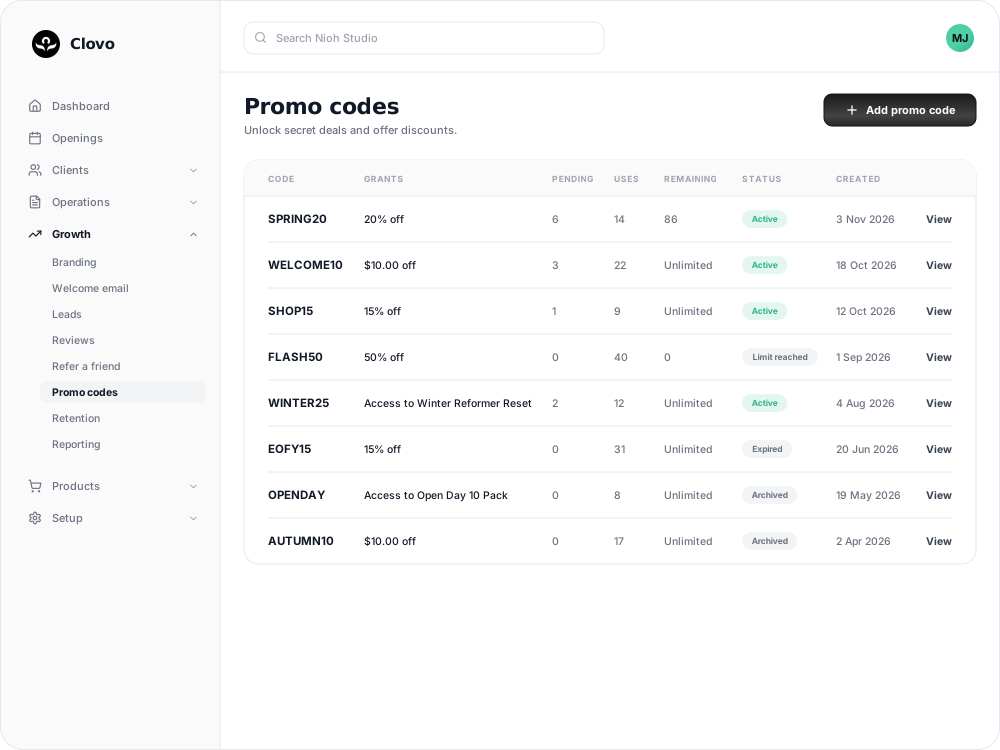
Saving a code is not a purchase, so Pending and Uses measure different things. Comparing them shows how many clients who took up the offer went on to buy. A high Pending count with few Uses can mean clients are interested but the offer does not cover what they want to buy.
A code's details
Select View beside a code to see who can use it, what it applies to, when it expires, and its counts.
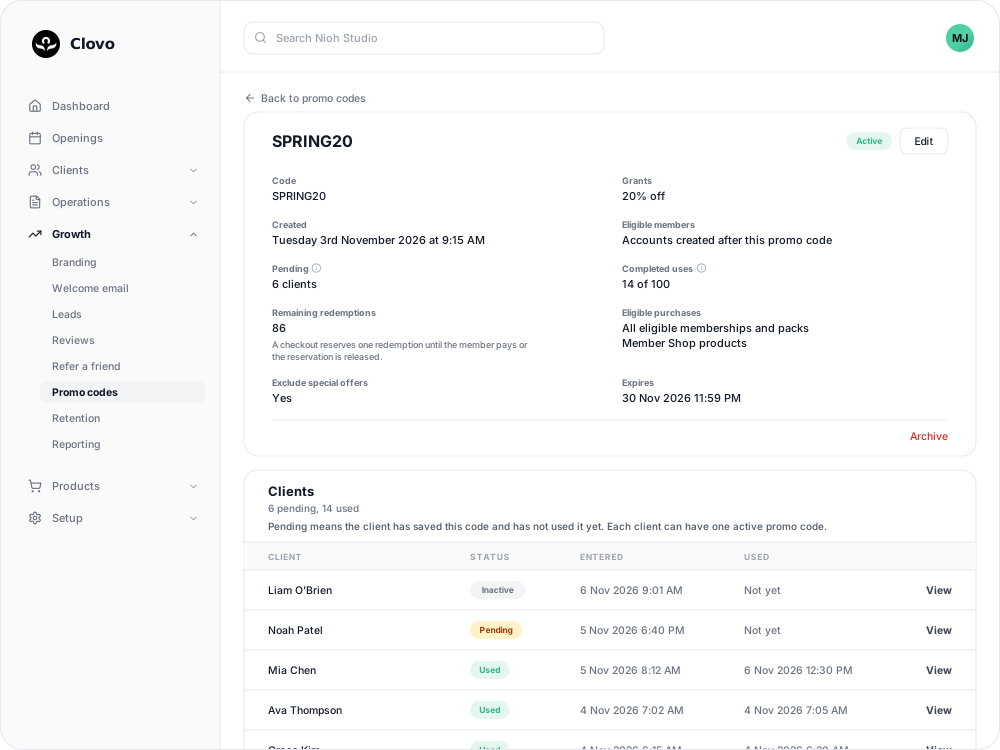
On a code with a limit, Remaining redemptions counts a checkout that is in progress as used until the client pays or the hold is released. That is why it can drop before Completed uses goes up.
Who has used it
The Clients table lists everyone who has entered or used the code, with their status:
| Status | What it means |
|---|---|
| Pending | They have saved the code and not used it yet. |
| Used or Claimed | They have bought with the discount, or bought the secret deal. |
| Inactive | They have since saved a different code. |
| Unavailable | They cannot use the code. Either their account is older than the code and Allow existing members is off, or the secret deal is no longer active and private. |
| Expired or Archived | The code ended before they used it. |
Select a client to open their profile.
Secret-deal notifications
Owners and staff with the Finance role are notified each time a client activates a secret-deal code, naming the client, the code and the deal. You can turn that off in your notification preferences. Discount codes do not send a notification.
Related
Related articles
Archive or delete a promo code
Stop a promo code from working, what happens to clients who saved it, and why most codes are archived rather than deleted.
Create a dollar-amount-off promo code
Take a fixed amount, such as $10.00, off memberships, packs, Member Shop orders or single classes for each client who enters your code.
Create a percentage-off promo code
Take a percentage, such as 20%, off memberships, packs, Member Shop orders or single classes for each client who enters your code.
Create a promo code that unlocks a secret deal
Let clients unlock a private membership or pack themselves by entering a code, instead of granting access one profile at a time.