
Cancel an individual client booking

Tobias Gundry
Updated
Cancel an individual booking when a client asks your team to give up their place. The class stays on the timetable and the other clients’ bookings stay in place.
A cancellation made by staff from the dashboard does not apply late-cancellation penalties, even close to the class start time.
Open the booking
- Go to Openings, find the class and select Manage.
- Open the client’s booking. Check the name, class, date and time. For a family booking, check that you have the intended person’s place.
- Select Cancel booking.

The button is shown only while the class is in the future and the booking has not already been cancelled. If the client wants another session instead, move their booking.
Confirm the cancellation
The Cancel Booking screen explains that the booking credit will be returned and the client will be notified. Select Confirm Cancellation to release their place.
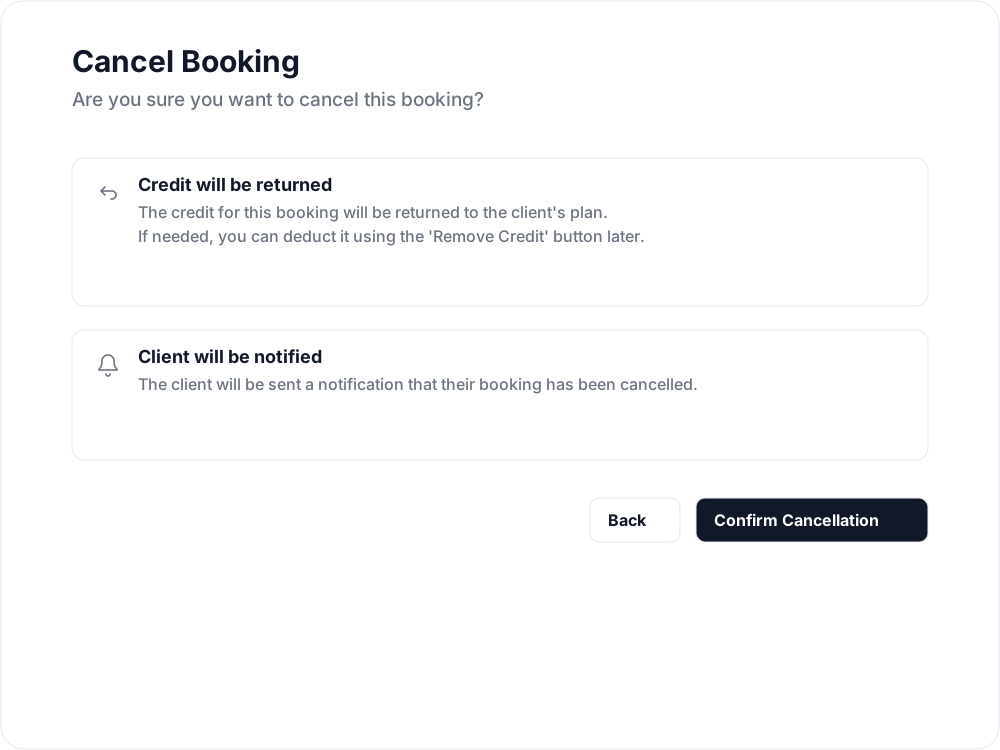
The credit notice refers to booking credits. It does not mean a payment will be refunded.
What happens to the credit or payment
- Membership or credit pack: the credit used for the booking is returned to the plan it came from.
- Super credit: the used super credit is returned to the client.
- Complimentary booking: no credit was used, so there is nothing to return.
- Direct Purchase: the money is not refunded automatically. If a refund is due under your studio’s policy, issue it separately from the client’s payment record.
For the steps to find and refund a direct payment, see Refund a payment when a direct booking failed. That article describes a different reason for refunding, but the payment-record steps are the same.
Staff cancellations and your penalty policy
Use this workflow when your team intends to cancel without a late-cancellation penalty. It does not apply the rules used when a client cancels their own booking. See Set up late cancellation and no-show penalties for those rules.
If the entire session cannot run, use Cancel class openings to cancel the class and its bookings together.
Related articles
Book a client into a class from the studio dashboard
Book a client into a class from Clovo Dashboard when they call, walk in, or ask your team to make the booking for them.
Set up late cancellation and no-show penalties
Set late cancellation and no-show rules, choose credit forfeiture or membership-only fees, and check the penalties applied to bookings.
Use a waitlist to fill a cancelled place
Turn a waitlist on for a class, choose how it processes, give members priority, and read the queue when a place comes free.
What does the customer journey look like?
See the customer journey in the Clovo app: finding your studio, exploring, signing up, purchasing a pack, booking a class, and receiving confirmation and reminders.