
Deactivate a pack or membership plan

Tobias Gundry
Updated
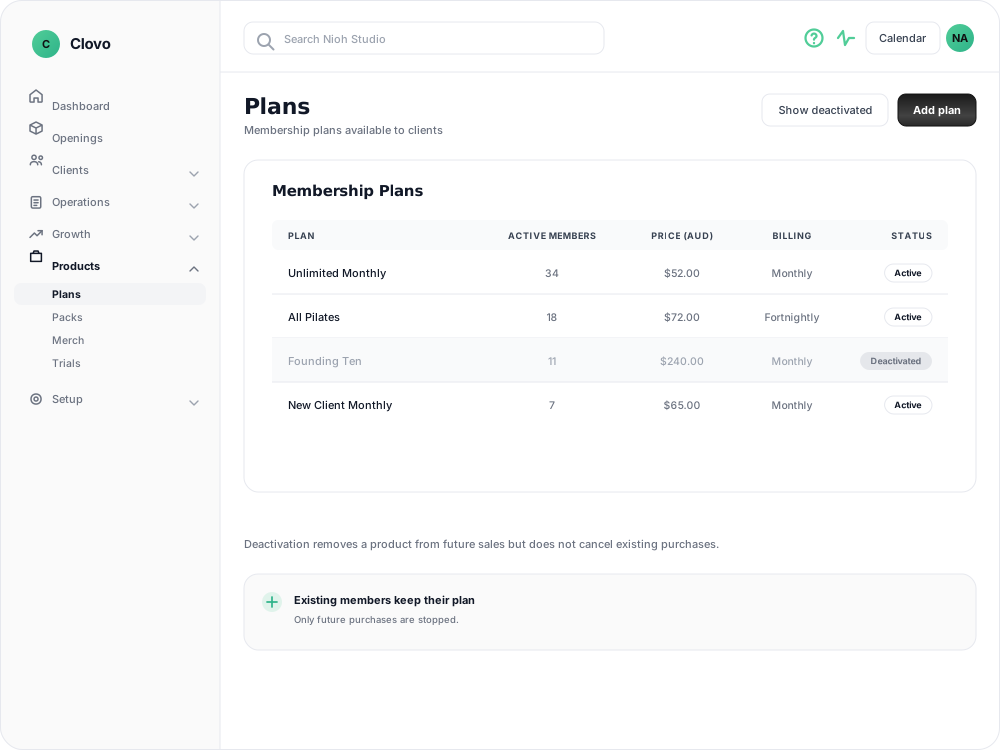
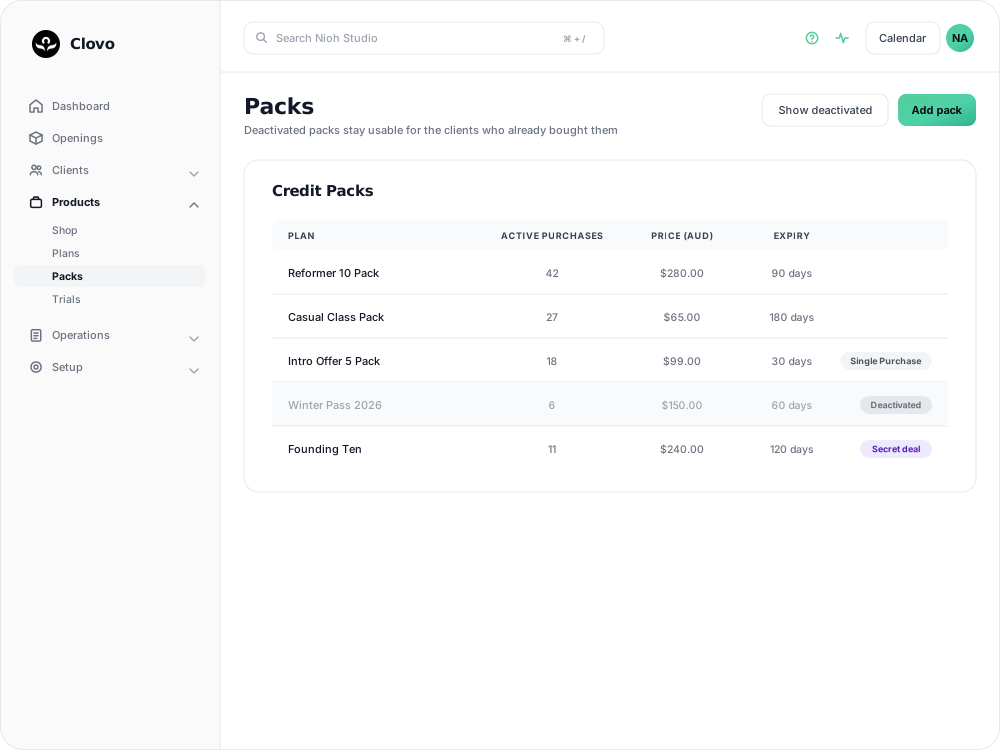
If you are replacing a pack or membership plan, or ending a promotion, you can deactivate it instead of cancelling the purchases that already exist. Deactivation removes the product from future sales while clients who already have it keep their access.
When to deactivate a product
Deactivation is useful when:
- You are replacing it with a new pack or plan
- A promotion has ended and you do not want more purchases
- You are simplifying the products you offer
If you are replacing a credit pack with an updated version, you can duplicate the pack, make your changes, and then deactivate the original.
If you want to keep selling the product to selected clients, make it a secret deal instead.
How to deactivate a pack or plan
- In Clovo Dashboard, go to Products.
- Select Plans for a membership plan, or Packs for a credit pack.
- Open the product you want to remove from future sales.
- Turn the product’s active status off.
- Save your changes.

What existing clients can expect
- No new purchases — the product is no longer available to buy in the client app or on your landing page.
- Existing membership plans continue — members who are already on the plan keep their membership and access.
- Existing credit packs continue — clients who already bought the pack can use their remaining credits until the pack expires.
- The product is marked Deactivated — in the Dashboard list, it is greyed out and appears with a Deactivated label. Select Show deactivated if you need to find it later.
Deactivation cannot be reversed. If you want to offer the same product again, create a new pack or plan.
Related articles
Share a secret deal with a promo code
Create a code that unlocks a private plan or pack, so clients can claim the offer themselves instead of you granting access one person at a time.
How to offer secret deals on your plans and packs
Mark a membership plan or credit pack as a secret deal, grant access to the clients you choose, and remove it again.
Track the usage of memberships and packs
Read the usage panel on a client’s membership or credit pack, see what each credit was spent on, and correct a balance when it needs fixing.
Credit packs in Clovo
Credit packs let clients book into classes with your studio without committing to a recurring subscription.